
Teacher recording one voice at a time
Wants to record a pupil speaking on their own and play the recording back. A microphone close to the speaker and a compatible connection are important.


If you’re recording one pupil at a time with a device that has a suitable 3.5mm microphone input, a wired lavalier is a straightforward choice. For two speakers at once or greater freedom of movement, choose a wireless set with a receiver that’s compatible with your recording device. Check the connection and make a test recording in the app you use. Recognisable voice recordings are personal data: the school must assess how they are processed under the GDPR and inform pupils or parents.
Wants to record a pupil speaking on their own and play the recording back. A microphone close to the speaker and a compatible connection are important.
Uses phones or other devices with different inputs and wants to check in advance that the plug, receiver and recording app work together.
Wants to record two pupils at once, so checks that the chosen version actually includes two transmitters.
When to choose it: Choose this option if one pupil speaks in each recording and the device has a suitable TRRS input or a compatible adapter.
Things to consider: The cable limits freedom of movement, and a TRRS plug won’t necessarily fit a TRS input. Also check that the app uses the external microphone.
When to choose it: Choose this option if you’re recording two pupils at once or the speaker needs more freedom to move around.
Things to consider: The set needs charging, and the receiver must be compatible with the recording device.
| What to consider | What to check | Who is this important for? |
|---|---|---|
| Clear speech in a noisy classroom | Check the clip position and make a test recording with noise reduction switched on and off. | If I want a pupil to listen back to a recording amid classroom noise, I want to be able to make out the intended voice clearly. Around 36% of consumers prioritise being able to hear one voice clearly. |
| Connection and app | Check the input, the required TRRS, TRS or USB-C connection, any adapter you may need, and whether the app supports external audio. | I want to know in advance whether both my device and recording app will accept the microphone signal; having a compatible plug alone is no guarantee. Around 29% of consumers prioritise compatibility. |
| Two speakers at once | Check that the exact version includes two transmitters and a compatible receiver. | If two pupils are speaking at once, I want both to be able to wear a transmitter. Around 21% of consumers prioritise recording two speakers. |
| Quickly recording the next exercise | Check how the microphone is attached and connected, and how the wireless transmitters are charged. | I want to be able to record the next exercise quickly during a lesson, without the hassle of connecting or attaching equipment. Around 14% of consumers prioritise ease of use in lessons. |
A TRRS plug for smartphones won’t necessarily fit a TRS microphone input. The recording app also needs to use the external microphone signal.
Compare the plug type with the device input, then make a test recording in the app you use for lessons.
You may need a compatible adapter or a different version of the microphone.
Connections and included accessories can vary between versions.
Check the full variant name and what’s included in the set, including the number of transmitters and the type of receiver.
If the version isn’t compatible with your device, you may need a suitable variant or a missing component.
A distance specified under line-of-sight conditions doesn’t automatically reflect how the product will perform in a busy classroom.
Test the connection and speech clarity in the room where you plan to use the microphone.
According to the Dutch Data Protection Authority, recognisable voice recordings are personal data. The school remains responsible for how they are processed, even when using a digital education tool.
Make sure recording, storing and sharing follow the legal basis and privacy arrangements set by the school, and inform pupils or parents.
The wired MOTIV MVL is an option for short voice recordings on a mobile device with a suitable TRRS input.
The smartLav+ is a wired lavalier for smartphones; Wireless Micro is a separate wireless product line with two transmitters.
The LARK M2 is worth considering if freedom of movement or two speakers at once are important; choose a version that’s compatible with your recording device.
The P2XT is a wireless option with two transmitters and a USB-C receiver for a compatible mobile device.
These picks include wired lavalier microphones and wireless sets for mobile recording, with versions for different connections and numbers of transmitters.
 No image available
A good fit for recordings that need two transmitters and for comparing different levels of noise reduction.
The product information lists 2 TX + 1 RX, 32-bit float recording and two levels of AI noise reduction.
 No image available
Could suit a mobile recording with two speakers if your device and app support the USB-C receiver.
The product information lists two transmitters, a USB-C receiver, switchable ENC noise reduction and 48 kHz/24-bit audio.
 No image available
Could suit recording one speaker at a time with a device that supports a 3.5mm microphone connection.
The product name lists a 6 m cable, an omnidirectional clip-on microphone and smartphone compatibility; check the input on your own device.
 No image available
Could suit wireless recording of one speaker if the recording device supports the USB-C receiver.
The product name lists 1 TX + 1 RX and USB-C, and mentions iPhone 18/17/16.
 No image available
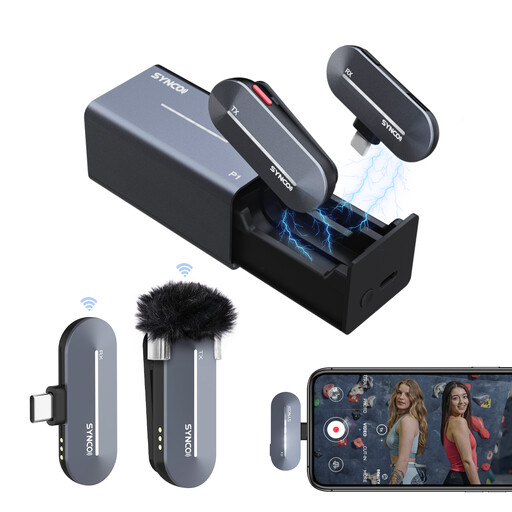
Could suit wireless recording of one speaker if the recording device and app support the Type-C receiver.
The product information lists 2.4GHz transmission, a switchable noise reduction mode and a charging case.
Yes. The Dutch Data Protection Authority lists recognisable voice recordings as an example of personal data. A school must identify an appropriate GDPR legal basis for processing and inform pupils or parents. Consent is one possible legal basis, but it isn’t automatically the right one for every exercise.
Not necessarily: before processing begins, the school must decide which GDPR legal basis applies to the specific recording plan. If the school chooses consent as its legal basis, the Dutch Data Protection Authority says it must be freely given, specific and informed.
Make a short test recording in the app you’ll actually use, then listen back to check whether the app used the external microphone. Clip the microphone close to the speaker and, if needed, compare recordings with noise reduction switched on and off.
Check how many transmitters and which receiver are included in the exact version, and whether the connection is compatible with your recording device. If the connection doesn’t match, you may need a suitable adapter or a different version.