
Interviewers recording two speakers
You want to record both a pupil’s questions and the interviewee’s answers, so you’re looking for a suitable set with two transmitters.


If you’re mainly recording the interviewee and everyone stays seated, one wired lapel microphone may be enough, provided it’s compatible with your phone or recorder. If you want to record both the interviewer and interviewee with their own microphones close by, or they’ll be moving during the conversation, consider a wireless set with two transmitters and check the receiver, recording app and what’s included. Make a test recording beforehand. If the voices can be recognised, be clear about the purpose of the recording, who can access it and any plans to share it.
You want to record both a pupil’s questions and the interviewee’s answers, so you’re looking for a suitable set with two transmitters.
You want to capture the interviewee’s voice close up and test before the conversation how much classroom noise and clothing rustle can be heard.
You want to check in advance that the microphone works with your phone and recording app, and whether you need a suitable adapter.
Suitable when: the interviewee does most of the talking, everyone stays seated and the recorder has a compatible TRRS input or suitable adapter.
Trade-off: the cable limits how far you can move, and placing one microphone on the interviewee won’t automatically capture the interviewer’s voice just as clearly.
Suitable when: both people need their own microphone or they’ll be moving during the conversation.
Trade-off: check the exact receiver, the number of transmitters and whether the recording app accepts external audio.
| What to consider | What should you check? | Who is this important for? |
|---|---|---|
| Recording two voices | Check that the set includes two transmitters and that both speakers are clearly audible in a test recording. | As an interviewer, I want to hear my questions clearly too, not just the answers. Around 31% of consumers prioritise recording both voices. |
| Clarity in the classroom | Make a test recording where you plan to conduct the interview and listen for background noise and clothing rustle. | If I want to listen back to the answers later, I want to know how my classroom sounds in the recording. Around 25% of consumers give the greatest priority to clarity amid classroom noise. |
| Connection and app | Check whether TRRS, USB-C or Lightning is compatible with your device, and whether the app uses the external audio input. | If I want to use the phone I already own, I want to know before buying whether the connection and recording app will work together. Around 25% of consumers put compatibility first. |
| What’s included and ease of use | Check the number of transmitters and the type of receiver. A wired setup limits movement, while a wireless one needs charging. | If I want to keep the setup simple, I want to know in advance which components I’ll need. Around 19% of consumers give simplicity and suitable set contents the greatest priority. |
A plug on its own doesn’t guarantee that the microphone will work with your phone and recording app. Shure specifies a suitable TRRS input or compatible CTIA adapter for the MVL; the RØDE Wireless Micro requires an app that accepts USB audio.
Check your phone, any adapter, the exact set version and the recording app together by making a short test recording.
DJI’s stated usage time with the charging case was measured under DJI’s test conditions and takes account of charging in between.
Plan your recording around the usage time of each individual device and charge them beforehand.
A product feature doesn’t tell you how clear the audio will be in your classroom.
Record a short conversation where you’ll be conducting the interview and listen back before the actual interview.
According to the Dutch Data Protection Authority, schools have information and accountability obligations under the GDPR. The purpose of the recording and any later sharing are relevant matters to discuss separately.
Decide in advance why the interview is being recorded, who will have access and what will happen to the file. Discuss the applicable legal basis and school policies.
RØDE offers both the wired smartLav+ and the wireless Wireless Micro, which comes with two clip-on transmitters.
The MVL is a wired, omnidirectional lapel microphone for recording with a compatible mobile device.
The DJI Mic Mini Combo with two transmitters and a receiver is a wireless option for two speakers.
The LARK M2 range offers compact wireless wearable microphones.
These Joybuy products are suitable for interviews with one or two speakers; check the connection and set contents for each version.
 No image available
A set with two transmitters is suited to an interview where both people need their own microphone.
The product name lists 2 TX, 1 RX and a Charging Case.
 No image available
A wired microphone may be suitable when you’re mainly recording one speaker and the recorder can stay within cable reach.
The product name lists a 6 m cable, a 3.5mm connection and an omnidirectional microphone.
Check that the connection works with your phone or recorder.
 No image available
Two transmitters are suited to a conversation where both the interviewer and interviewee need a microphone.
The product name lists 2.4 GHz, USB-C and a set with 2 TX and 1 RX, designed for USB-C Android phones.
Check that your phone and recording app work with the receiver.
 No image available
The product name lists one transmitter and one receiver, for a setup with one microphone.
This version is listed as USB-C, and the product name mentions iPhone 18, 17 and 16; check compatibility with your device and recording app.
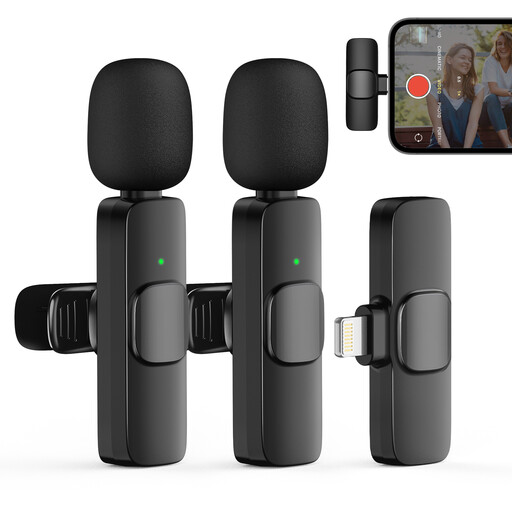 No image available
A set with two transmitters may be suitable when both people need their own microphone.
The product name lists 2TX and 1RX. Check the connection and compatibility with your phone and recording app.
You can record a conversation, but placing one microphone on the interviewee won’t put a microphone close to the interviewer. Make a test recording of both the questions and answers. If you need to record both voices clearly and close up, consider a suitable set with two transmitters.
Connect the right plug or receiver and record a short question-and-answer conversation in the app you intend to use. Play the file back and listen for both voices, clothing rustle and classroom noise. According to RØDE, the recording app must accept USB audio for the Wireless Micro.
Not if the stated time includes charging in the case. DJI gives a usage time with the charging case under specific test conditions; you should also take account of the usage time of the individual transmitters and receiver.
If a school processes personal data, the Dutch Data Protection Authority says that a legal basis under the GDPR is required, along with information and accountability obligations. Decide in advance why the interview is being recorded, who will have access and what will happen to the file. Consent is one possible legal basis; also consider whether sharing or publishing it later is a separate purpose, and check the applicable legal basis and school policies.