What should you look for when buying?
For consumers dictating a report themselves in a Dutch classroom, clear speech, connectivity, staying in touch with the class and how speech data is handled may each be a top priority. The percentages indicate how these factors may rank when making this choice; they don’t predict what any individual consumer will choose.
| What to consider |
What should you check? |
Who is this important to? |
| Recording your voice clearly |
Check the microphone position and make a test recording in the classroom where you intend to use it. |
If I’m dictating in a noisy classroom, I want to position the microphone close to my voice and check the recording. Around 33% of consumers make clear voice recordings their top priority. |
| Connection and dictation software |
Check the computer port, the USB type and the requirements of the dictation feature you use. |
When using a shared school computer, I want to know in advance whether the headset fits the available port and works with the dictation feature. Around 27% of consumers prioritise device compatibility. |
| Staying in touch with the class |
Check whether the exact model is mono or stereo and whether you can hear enough of your surroundings. |
If I need to stay available while dictating, keeping one ear free may matter more than blocking out sound. Around 20% of consumers prioritise staying in touch with the class. |
| How speech is processed |
Check which software is listening, whether it processes speech online and whether other people’s voices may be picked up. |
I want to know what the dictation software does with my speech and whether it records other voices. Around 20% of consumers make data processing their top priority. |
Headsets at Joybuy
This selection includes headsets with microphones for dictating on a computer; connections and wearing styles vary by model.
 Image unavailable
Logitech PC 960 USB headset
The adjustable microphone boom can be positioned for dictation; the wired USB connection requires a compatible USB port.
The product description lists volume and mute controls.
Joybuy
 Image unavailable
Logitech H340 USB headset, black
The product description lists an adjustable microphone; check that the wired USB connection is compatible with your computer.
The description mentions plug-and-play USB.
Joybuy
 Image unavailable
Jabra Evolve2 65 USB-A Black MS Mono
The mono model leaves one ear free. The USB-A Bluetooth adapter is required for the computer connection described.
The product description mentions soft memory foam ear cushions.
Joybuy
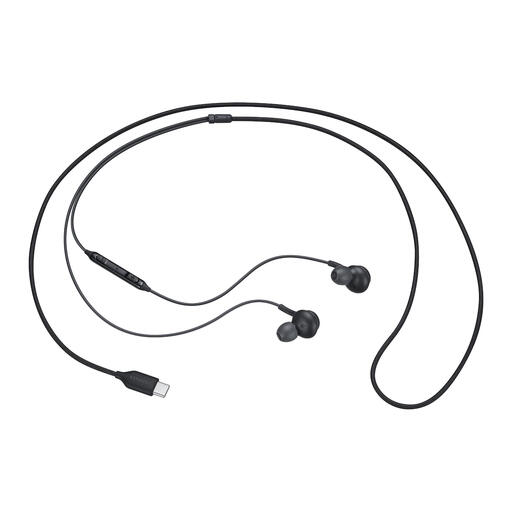 Image unavailable
Samsung EO-IC100 wired USB Type-C in-ear headset
The wired USB Type-C connection requires a compatible USB-C port. The product information lists a microphone mute control.
The in-ear wearing style is stated in the product name.
Joybuy
 Image unavailable
Razer Blackshark V2 X 7.1 wired gaming headset
The product description mentions a microphone that can be positioned close to your mouth; test the sound of a recording yourself in the classroom where you intend to use it.
The headset has a 3.5mm connection. The description recommends a splitter for computers with separate audio and microphone ports.
Joybuy
Frequently asked questions
How do I check that Windows is using the right microphone?
In Windows, select the microphone you want to use as your input device, start the microphone test, speak at a normal volume and listen back to the sample. If you have problems, also check whether apps have permission to access the microphone.
Can I use Windows Voice Typing offline to dictate a report in Dutch?
No. Microsoft describes Windows Voice Typing as online speech recognition that requires an internet connection. Check the language options for the feature you’re using; Voice Access is a different feature, and Dutch isn’t among the languages Microsoft lists for it.
What can I do if my headset develops a fault during normal use?
When you buy as a consumer in the Netherlands, the product must meet the standard you could reasonably expect. The Dutch government states that there is no fixed statutory guarantee period and that you should contact the retailer if a product is faulty. Check separately what, if anything, a manufacturer’s warranty adds.
Can I dictate a report using a headset when there are pupils in the classroom?
This depends on what the recording and dictation software process, as well as the school’s policies. The Dutch Data Protection Authority states that a school needs a valid legal basis when processing pupils’ personal data. So before dictating, consider the specific recording, software and school policies.


