
Player looking for deep blacks
You often play in the dark and want strong contrast in night-time cityscapes or dark scenes. Weigh this preference against the risk of static game elements remaining on screen for long periods.


For city-building games in a dark room, your choice mainly depends on the level of black you want, how easy map details are to read and how long static menus stay on screen. OLED is an option if deep blacks are your priority, provided you bear in mind the risk of burn-in from static elements displayed for long periods. VA LCDs generally offer more contrast than IPS, while IPS may be appealing if wide viewing angles and map visibility matter more to you. Compare reviews of the specific model and check that your PC can handle the resolution you want.
You often play in the dark and want strong contrast in night-time cityscapes or dark scenes. Weigh this preference against the risk of static game elements remaining on screen for long periods.
You often read small labels, statistics and menus. Consider screen size and resolution together, and check how text looks on the specific model.
You leave a city-building game or interface open for a long time and want to take potential risks from static images into account, particularly when choosing an OLED monitor.
Don’t choose based on the maximum refresh rate alone. First decide how much you value contrast in a dark room, readable details and using fixed menus for long periods.
| What to consider | What to look for | Who is this important to? |
|---|---|---|
| Contrast in the dark | Compare reviews of the exact model’s black levels and contrast. | If I want deep blacks in dark scenes above all, panel contrast matters. Around 33% of consumers prioritise contrast in the dark. |
| Map and menu detail | Consider screen size and native resolution together; check text reviews and what your PC can handle. | If you often read small labels and menus, you’ll want text to be clear without choosing a resolution your PC can’t handle. Around 27% of consumers prioritise map and text detail. |
| Static interface | Check which screen-protection features are available and the warranty terms for the exact model. | If the same game menu stays on screen for a long time, I want to know which usage habits and terms are relevant. Around 20% of consumers focus most on static elements that remain visible for long periods. |
| Motion and VRR | Compare reviews of response times and VRR flicker at varying frame rates. | If you often scroll around the map, you’ll want a stable picture during movement and at varying frame rates. Around 20% of consumers prioritise smoothness and VRR performance. |
OLED can deliver deep blacks in a dark room, but displaying the same interface for a long time carries a risk of burn-in. That makes the time you spend playing with fixed menus a relevant factor in your decision.
Weigh the picture you want against how long fixed elements stay on screen, and compare OLED with an LCD alternative.
A high quoted Hz rating doesn’t, by itself, tell you how a monitor performs at varying frame rates. OLED and VA monitors can flicker with VRR in dark scenes.
Look for reviews of the exact model, including at lower refresh rates and in dark scenes.
Readability doesn’t depend on panel type alone: resolution, pixel density, pixel layout and screen coating can all play a part.
Consider screen size and native resolution together, and look for a text review of the model if small map labels are important to you.
A manufacturer’s warranty and your statutory rights are different things. The Government of the Netherlands states that there is no fixed statutory warranty period in the Netherlands; if a product is faulty, the retailer is your point of contact.
Read the manufacturer’s warranty terms and keep your proof of purchase. Contact the retailer about any potential fault.
According to Samsung, the Samsung Odyssey Neo G7 LS32BG750NPXEN is a 32-inch VA Mini LED model with 4K, 165 Hz and local dimming. It may be worth considering if you want a large map view and strong contrast in a dark room without choosing OLED.
The ROG Swift OLED PG32UCDM Gen3 (PG32UCDM3) is a 32-inch 4K OLED model. RTINGS reports that this model delivers deep blacks without halos around bright objects.
The AGON by AOC Q27G4XF is a 27-inch QHD IPS option. AOC lists a Fast IPS panel, a resolution of 2560 × 1440 and a maximum refresh rate of 180 Hz.
According to Dell, the AW3423DWF is a 34-inch QD-OLED ultrawide model with a resolution of 3440 × 1440. The extra horizontal space may be useful if you want a wide map view.
These models offer different options for contrast in a dark room and map visibility, including VA LCD, OLED and an IPS Mini LED model.
 Image unavailable
A 27-inch QHD VA option for combining map detail with the contrast-focused VA LCD approach for a dark room.
2560 × 1440; 180 Hz; 1 ms; FreeSync Premium; HDR10.
VA monitors can flicker with VRR in dark scenes. This is a panel-type risk, not a confirmed test result for this model.
 Image unavailable
The 32-inch QHD format may suit you if you want a larger map view; its VA panel fits the contrast-focused LCD approach.
2560 × 1440; 1500R curve; 165 Hz; Adaptive Sync; VESA 100 × 100 mm.
VA monitors can flicker with VRR in dark scenes. This is a panel-type risk, not a confirmed test result for this model.
 Image unavailable
A 34-inch VA ultrawide option if you’re looking for extra horizontal space for a wide map view.
3440 × 1440; FreeSync Premium; 240 Hz; 0.4 ms; KVM switch.
VA monitors can flicker with VRR in dark scenes. This is a panel-type risk, not a confirmed test result for this model.
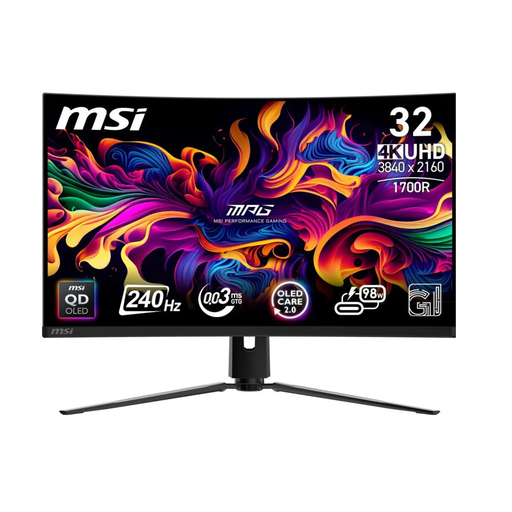 Image unavailable
The QD-OLED version is an option if deep blacks in dark scenes are your priority.
3840 × 2160; 240 Hz; MSI OLED Care 2.0.
Static interfaces displayed for long periods carry a risk of burn-in; the OLED Care features listed don’t eliminate that risk.
 Image unavailable
This 27-inch QHD option combines an IPS panel with Mini LED and may be worth considering if you want to assess map detail and local dimming.
2560 × 1440; 1152 zones; 275 Hz; 1 ms; height adjustable.
IPS generally offers less contrast in a dark room than VA; assess local dimming for the specific model.
Not necessarily. First choose a screen size and resolution that let you read your map and menus clearly and that your PC can handle. A higher refresh rate and good response times matter most during movement; the maximum Hz rating alone doesn’t tell you how the picture performs at varying frame rates.
Use the screen-protection features on the specific model, and avoid leaving a bright, static image on screen for longer than necessary. For its relevant ROG OLED monitors, ASUS recommends measures including screen protection and reducing the brightness of static logos. These measures don’t make burn-in impossible.
Check your monitor and PC specifications to see which connection supports the resolution and refresh rate you want. For the AW3423DWF, Dell lists 3440 × 1440 at 165 Hz via DisplayPort and 100 Hz via HDMI; these figures don’t automatically apply to other models.
No. According to the Government of the Netherlands, there is no fixed statutory warranty period in the Netherlands. A product must do what you can reasonably expect it to do, and if it is faulty, the retailer is your point of contact. Whether a specific case of OLED burn-in would be covered depends on the circumstances.
According to the Government of the Netherlands, online purchases made at a distance from a business generally come with a 14-day cooling-off period. Before ordering, check who the seller is and which returns information applies; purchases from private individuals aren’t covered by the same distance-selling rules.