
Documenting circuit boards quickly
You want to take both an overview and close-ups without changing lenses. With a compact camera, check that its close-up mode is practical and leaves enough room for lighting.


For quick close-ups without changing lenses, a compact camera with a documented close-up mode is a good fit. If you want more choice of magnification and lenses, a system camera with a suitable macro lens is the more obvious option. First consider the framing you want and how much room you have for lighting: diffused light can help control reflections on shiny circuit boards, while components at different heights may call for a focus-stacked series of shots. The camera body alone won’t tell you whether the complete setup can capture the finest details clearly.
You want to take both an overview and close-ups without changing lenses. With a compact camera, check that its close-up mode is practical and leaves enough room for lighting.
You want to show markings or connections at a larger scale. Assess the body, a compatible macro lens and the setup as a whole; Canon and Nikon specify magnification for individual lenses.
You photograph circuit boards with components at different heights and want to control exposure, colour and sharpness between shots. Canon describes focus bracketing as a series of images taken at different focus positions, which can then be combined.
A good fit if: you want to capture a whole circuit board and individual components quickly, without changing lenses. OM SYSTEM documents macro modes on the TG-7; Ricoh describes a built-in ring light on the PENTAX WG-8.
Keep in mind: your lens choice is fixed, and close-up photography can leave less room for lighting. A ring light won’t automatically eliminate reflections from solder.
A good fit if: you want to match the lens and magnification to small components, or you have a dedicated workbench. Canon quotes up to 1.4× magnification for the RF 100mm F2.8L Macro IS USM; Nikon specifies 1:1 for the NIKKOR Z MC 50mm f/2.8.
Keep in mind: the body and compatible macro lens form the complete setup; a standard kit lens isn’t automatically a macro lens. With a shallow depth of field, you may need a stable setup and multiple focus-stacked shots.
| Buying priority | What should you check? | Who is this for? |
|---|---|---|
| Capturing small components clearly | Check the magnification and focusing options of the exact camera-and-lens combination. Test whether the component can fill the frame and still be lit. | I want small labels or connections to be clearly recognisable; around 29% of consumers prioritise capturing details above all else. |
| Controlling reflections and colour | Check whether your lights and diffusers will fit around the camera and circuit board. Also check the white balance settings and test under the artificial light you plan to use. | If glare or colour differences obscure details, I want to be able to adjust the lighting setup accordingly; around 29% of consumers prioritise reflections and lighting. |
| Keeping components at different heights in focus | Check whether the exact camera model supports focus bracketing, and allow room for a stable setup. | I want to capture components at different heights in focus and take repeatable shots; around 24% of consumers prioritise depth of field and repeatability. |
| Choosing a complete setup that suits your needs | Check what’s included with the body, the lens mount, and whether you’ll need lighting or support equipment. | I want to know in advance which components I’ll need for my workflow; around 18% of consumers prioritise a clear, complete setup. |
The magnification figures quoted apply to specific lenses, not automatically to every lens or to the body itself.
Before buying, check the mount, the exact lens and what’s included in the advertised kit.
On shiny circuit boards, the angle of the light determines which surfaces reflect it. Basler recommends diffused light for reflective and uneven surfaces.
Assess a test shot of both the solder and the printed markings under the artificial light you’ll actually be using.
A close-up shot doesn’t automatically leave enough room for the lighting angle you want.
Before choosing your lighting, check the practical working space in front of the lens with the exact camera and lens combination.
The TG-7 is a compact camera with a fixed lens and documented macro modes. OM SYSTEM states that the separate LG-1 light guide is compatible with the TG-7.
Ricoh Imaging Europe describes the WG-8 as a compact camera with a fixed zoom lens and built-in ring light for close-up shots.
Canon lists the EOS R50 as an RF system camera that supports RF and RF-S lenses. For the separate RF 100mm F2.8L Macro IS USM, Canon specifies up to 1.4× magnification.
Nikon describes the Z50II as a Z system camera and the separate NIKKOR Z MC 50mm f/2.8 as a 1:1 macro lens.
Sony describes the α6700 as an APS-C camera with an E-mount, and the separate E 30 mm F3.5 Macro as a 1:1 lens for APS-C cameras with an E-mount.
The Joybuy selection below consists of instant cameras; don’t consider these products a proven macro setup for photographing circuit boards.
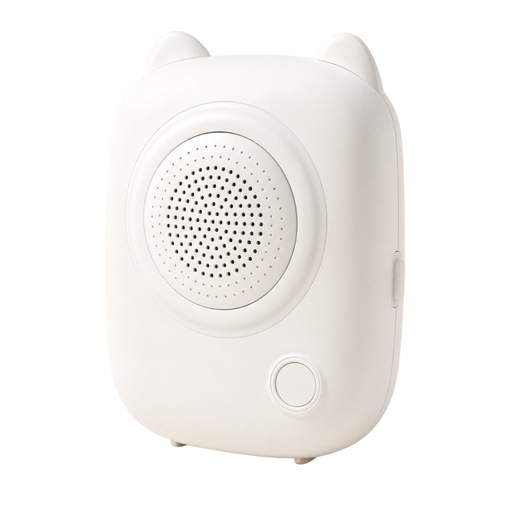 No image available
This is a children's camera with a thermal printer; the product description also mentions a rechargeable battery.
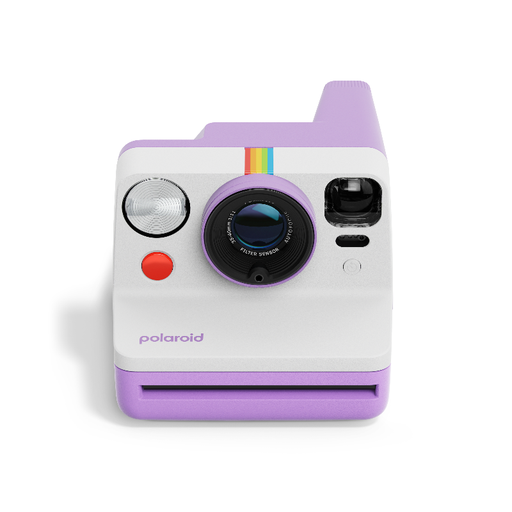 No image available
According to the product description, this instant camera has autofocus and a built-in flash.
The description also mentions a self-timer, double exposure and USB-C charging.
Uses Polaroid i-Type film.
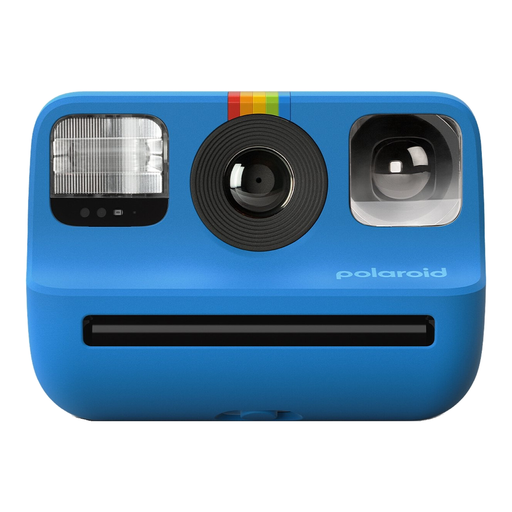 No image available
This instant camera has a built-in flash; the product description mentions a light sensor and manual exposure settings.
The description also mentions a self-timer and double exposure.
Uses Polaroid Go film.
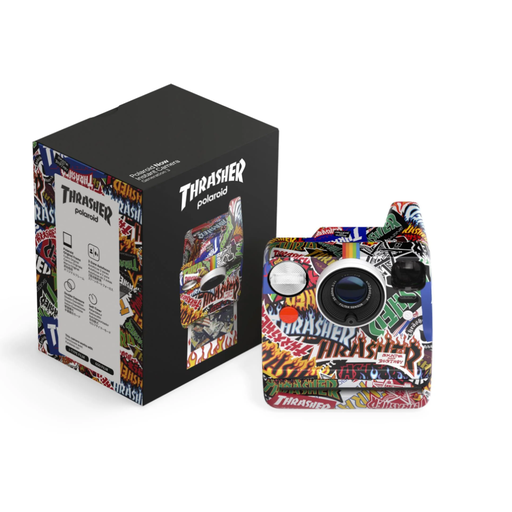 No image available
The product description mentions a built-in flash.
The description mentions i-Type film for eight shots.
Start by adjusting the direction and diffusion of the light. Basler recommends diffused light for shiny and uneven circuit boards; test the effect on your own board rather than expecting a particular result on metal.
Take a test shot with the light and shutter setting you intend to use. Canon warns that flickering LED or fluorescent light can cause banding when using an electronic shutter. If you see bands, try another available shutter setting or light source.
Not always: close-up shots can have a shallow depth of field. Canon explains how images taken at different focus positions can be combined; check which steps your chosen camera model supports and keep the setup steady.
With a system camera, factor in the suitable lens and any equipment you need for the setup. According to the Dutch government, consumer purchases are covered by a statutory guarantee that products must be of satisfactory quality, with no fixed statutory guarantee period; if there’s a problem, contact the seller. For online purchases from a business, you generally have a 14-day cooling-off period.