For a film night with guests sitting in different places, OLED may be a good choice if deep blacks and a clear picture from a wide viewing angle are your priorities. If you’ll be watching with the lights on, compare Mini LED and other LCD TVs for brightness and reflections too. The Consumentenbond explains how these screen technologies differ, but you’ll need to assess the sound of each specific TV separately for songs and dialogue.
Who is this TV guide for?
Host with guests seated around the room
If not everyone will be sitting directly in front of the screen, compare the viewing angle and reflections on the specific model. The Consumentenbond also recommends considering the seats furthest from the screen.
Fan of songs and dialogue
If you want to follow both songs and spoken scenes clearly, listen to both on the TV you’re considering. Also check which connections are available if you plan to use an external sound system.
Viewer in a room with changing light
If you sometimes watch with the lights on, weigh brightness against black levels and viewing angle. Compare screen reflections under lighting similar to what you have in your room.
What should you look for when choosing?
OLED
Choose this if: dark film scenes and a clear view from different seats matter to you, especially if you can dim the lights.
Things to consider: also check reflections, brightness and the sound of the specific TV. The Consumentenbond highlights prolonged static images as a point to consider; a 2022 test does not predict the risk for every current model.
Mini LED or other QLED LCD
Choose this if: you often watch with the lights on and brightness is important. The Consumentenbond notes that LCD TVs can often offer high brightness.
Things to consider: viewing angle, black levels and reflections vary by model, so assess them individually rather than relying on the QLED label alone.
More affordable LED LCD
Choose this if: you’re mainly looking for a screen size that suits your viewing distance and budget, without a particular priority for dark scenes or off-centre viewing.
Things to consider: LCD backlighting can limit how deep the blacks appear. Also check the sound quality of the model you choose.
| What to consider |
What should you check? |
Who is this important for? |
| Contrast and dark scenes |
Compare black levels and reflections. For LCD, also check how local dimming is implemented on the model you’re considering. |
If you watch musicals with the lights dimmed, you’ll want to follow the detail in dark scenes. Around 26% of consumers with this viewing need prioritise contrast. |
| Music and dialogue |
Compare a music scene and a dialogue scene. Check for HDMI-ARC/eARC if you want to connect a compatible sound system. |
If you want to follow songs, music and speech clearly, listen to the specific TV rather than relying on its stated power output alone. Around 21% of consumers with this viewing need prioritise sound. |
| Viewing from different seats |
View the model from the seats furthest from the screen and measure your viewing distance. |
If your guests won’t be sitting directly in front of the TV, you’ll want to know whether the picture still looks good from the side. Around 21% of consumers with this viewing need value a clear view from side seats. |
| Brightness and reflections |
Compare the screen under lighting similar to your room. Look out for reflections and how visible dark scenes are. |
If you’ll be keeping the lights on during your film night, you’ll want to assess the picture under those conditions. Around 16% of consumers with this viewing need prioritise watching in a lit room. |
| Screen size and playback source |
Measure your viewing distance and available space. Check that your preferred app or HDMI source is supported, and that you have the connections you need. |
If you want a TV that fits your room and works with your chosen film source, check both before you decide. Around 16% of consumers with this viewing need want to find the right screen size and source. |
How to avoid common buying mistakes
-
Treating an OLED or QLED label as the final verdict
The Consumentenbond outlines different trade-offs for viewing angle, brightness and black levels; no one technology is better in every respect.
Compare specific models under lighting and seating conditions that match your film night.
-
Looking only at the picture or stated audio wattage
The Consumentenbond assesses sound quality separately from picture quality. A stated power output alone won’t tell you how songs and dialogue sound on a particular TV.
Listen to both music and speech. Before connecting a soundbar, check that the TV and soundbar have a compatible HDMI-ARC or HDMI-eARC connection.
-
Choosing a larger 4K TV without checking viewing distance or source
The right screen size depends partly on your viewing distance. A 4K screen doesn’t mean every film source will provide 4K content.
Measure your setup and check that your chosen film and playback method are compatible with the TV.
Brands to compare
LG
LG offers OLED models if you want to compare OLED as a screen technology. Tweakers covered the 55-inch OLED evo G56LS in its October 2026 all-round guide.
- The guide mentioned gives you a starting point for comparing this specific model.
- The review doesn’t mean that other sizes or versions have the same picture and sound characteristics.
Samsung
According to the Consumentenbond, the Samsung QE55S92F is a 55-inch 4K OLED from 2025 with HDMI-ARC/eARC.
- This model gives you a specific OLED option for comparing connections and screen size.
- The connections don’t tell you how songs and dialogue sound, so assess this model’s sound separately.
Philips
Philips says the Philips 55OLED810/12 has an OLED screen, Ambilight, Dolby Vision and Dolby Atmos.
- These features may be relevant if you want to factor Ambilight into your film-night setup.
- The suggestion that lighting effects make the viewing experience more immersive is a manufacturer claim, not an independent performance comparison.
TCL
The Consumentenbond describes the TCL 65P81K as a 65-inch 4K LED LCD model that TCL calls QLED, with Dolby Vision and HDMI-ARC/eARC.
- This model gives you an LCD QLED option to compare in a larger screen size.
- These features don’t show how bright, viewable from the side or good-sounding the entire TCL range is; check the model you choose.
Sony
Sony describes the 55-inch BRAVIA 8 II as a QD-OLED with Acoustic Surface Audio+ and Google TV.
- The manufacturer lists these as features of this specific model.
- The product description doesn’t prove that the built-in sound will be better than that of other TVs for every viewer.
TVs at Joybuy
This Joybuy selection includes OLED and Mini LED TVs for films, with a range of screen sizes and connections.
 Image unavailable
OLED77G68LW
An OLED option to compare for films with dark scenes.
The product description lists 4K OLED, Dolby Vision, Dolby Atmos, four HDMI ports and eARC.
View at Joybuy
 Image unavailable
LG OLED65C68LA 65-inch OLED Evo 4K Smart TV
A 65-inch OLED option to compare if screen size and dark film scenes matter to you.
The product information lists OLED Evo, 4K, Dolby Vision, Dolby Atmos and four HDMI 2.1 ports.
View at Joybuy
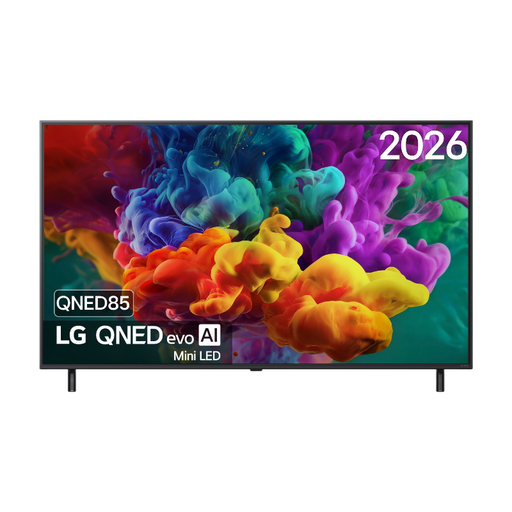 Image unavailable
LG 55QNED85B6B 55-inch QNED Mini LED 4K Smart TV
A Mini LED option to compare if you also watch films in changing room light.
The product information lists 4K, Dolby Vision and HDMI eARC.
View at Joybuy
Image unavailable
LG OLED55C68LA 55-inch OLED Evo 4K Smart TV
A 55-inch OLED option to compare for musicals and dark scenes.
The product information lists 4K, Dolby Vision, Dolby Atmos, four HDMI ports and eARC.
View at Joybuy
 Image unavailable
TCL T8D 85-inch 4K QD-Mini LED Smart TV
An 85-inch Mini LED option to compare if a large screen and sound from the TV are important to you.
The product information lists Google TV, HDMI 2.1, Dolby Vision, Dolby Atmos and an Onkyo 2.1-channel audio system.
View at Joybuy
Frequently asked questions
How do you choose a TV size when guests are sitting at different distances?
Measure the distances to where you plan to place the screen, and check the view from the seats furthest away too. The Consumentenbond suggests around 2.4 times the screen diagonal as a comfortable average starting point, not a fixed rule for every viewer.
How do you connect an existing soundbar?
Check that both the TV and soundbar have a suitable HDMI-ARC or HDMI-eARC connection, and use the designated port on the TV. If neither has HDMI-ARC, the Consumentenbond suggests an optical connection as an alternative; you may need an extra remote control for this.
How do you compare TVs’ energy consumption?
Compare the energy label and model information, rather than looking only at the screen technology or size. The European Commission provides information through EPREL on the energy performance of models covered by EU energy labelling rules.
What are your rights when you buy a TV online in the Netherlands?
When you buy from a business online, you generally have 14 days to change your mind. You’re also entitled to a remedy from the seller if a product is faulty; according to the Dutch government, there is no general fixed statutory warranty period of two years in the Netherlands.


