Choose a pre-charged handheld with the built-in arcade games you want if you don’t want to plug the console into a power socket while you play. A TV console or bartop is better suited if a larger screen or playing together is your priority, but it needs a different set-up. Check the games, cables and power requirements for each model. Nintendo Classics is mainly an option if you already have a compatible Switch and the available titles suit what you’re looking for.
Who are the different consoles for?
Players without a spare power socket
You want to charge a handheld in advance and play built-in arcade games without needing a TV or an extra wall socket while you game. The manufacturer quotes a battery life of around four hours for the Super Pocket editions.
Players looking for specific arcade games
Your choice depends mainly on the specific titles, arcade versions, screen orientation and controls. A large number of games alone doesn’t tell you which versions are included.
Players who want to play on a TV or with others
You prefer a TV screen or local multiplayer and have room for the console, an HDMI connection and mains power. Also check how many controllers are included and what the game you choose supports.
What should you look for when choosing?
Rechargeable handheld with built-in games
Choose this if: you want to play without a TV or a connected power supply. The Taito edition includes Space Invaders and Bubble Bobble, among other games; choose the edition based on the titles you want.
Bear in mind: the screen is small, and you’ll still need a power source to recharge it later.
Evercade EXP-R handheld
Choose this if: you want to play vertical arcade games in TATE screen mode and choose suitable cartridges yourself.
Bear in mind: Evercade doesn’t list a TV output; also check the games included in the cartridge or bundle you choose.
Evercade VS-R TV console
Choose this if: you want to play on a TV and value interchangeable cartridges or local multiplayer.
Bear in mind: the console needs mains power. Evercade says the HDMI cable and power adapter aren’t included.
Evercade Alpha bartop
Choose this if: you want your own arcade set-up with a built-in screen and physical arcade controls.
Bear in mind: the machine needs space and mains power; the built-in games vary by edition.
Compatible Nintendo Switch with Nintendo Classics
Choose this if: you already have a compatible Switch and the available classic games suit what you want to play.
Bear in mind: you’ll need a suitable Nintendo Switch Online membership; the Switch Lite doesn’t support TV output.
| What to consider |
What should you check? |
Who is this important for? |
| Playing without using a power socket |
Check the battery, charging port, included cable and whether the device works without being plugged in while you play. |
If I don’t want to use a power socket for the console while I play, I look for a pre-charged handheld; around 36% of consumers prioritise playing without being plugged in. |
| The arcade games you want |
Check the full games list for each edition and make sure it includes the arcade versions you want. For vertical games, also check the screen orientation and controls. |
Anyone looking for specific arcade titles will want to choose the exact games and versions in advance; around 29% of consumers prioritise their choice of games and controls. |
| TV play and multiplayer |
Check for a TV output, HDMI cable, power adapter, included controllers and support in the game you choose. |
If I’d rather play on a TV or play locally with others, I check the connections and controllers; around 21% of consumers prioritise TV play or multiplayer. |
| What you need in addition to the console |
Check the exact bundle, compatible power supply, HDMI cable, any extra cartridges or controllers, and any subscription requirements. |
Anyone who wants to know in advance what else they’ll need can compare the bundle with what they already have at home; around 14% of consumers prioritise getting everything they need with their purchase. |
Common buying mistakes
-
Assuming a long games list means it’s all arcade games
According to HyperMegaTech!, the Atari Super Pocket includes both arcade and home console versions. So the total number of games doesn’t automatically tell you which versions you’ll get.
Before choosing, check the titles and game versions on the list for the exact edition.
You may need to buy a separate cartridge to get the titles you want.
-
Assuming a TV console is ready to use straight out of the box
Evercade lists one controller and a power cable for the VS-R, but no power adapter or HDMI cable. And the games included in a bundle won’t necessarily be the arcade games you’re looking for.
Check what’s included in the exact bundle and which cables, power supplies, cartridges or controllers you already have.
Depending on your set-up, you may need a compatible power adapter, HDMI cable, cartridge or extra controller.
-
Adding extra sockets by plugging extension leads into each other
Brandweer Nederland advises against connecting extension leads to each other and recommends checking cables and extension leads for damage.
If needed, choose a pre-charged handheld or check whether you can safely connect your whole set-up without linking extension leads together.
Brands to consider
HyperMegaTech!
Makes Super Pocket handhelds with different licensed games lists, so you can play without a TV during your gaming session.
- For the Taito and Atari editions, HyperMegaTech! lists 18 and 50 built-in games respectively, USB-C charging and around four hours of battery life.
- The games lists vary; the Atari edition also includes home console versions, and the small screen isn’t a TV set-up.
Evercade
Offers a cartridge-based system with a handheld, TV console and bartop among its options; the arcade games you want depend on the edition, cartridge or bundle.
- Evercade lists a TATE screen mode for the EXP-R and HDMI output for the VS-R; the Alpha has a built-in screen and arcade controls.
- According to Evercade, the EXP-R has no TV output. The VS-R and Alpha need mains power; check which accessories and games are included with each edition.
Atari
Worth considering if you’re looking for specific Atari classics, including through the Atari-licensed Super Pocket edition.
- HyperMegaTech! identifies which Atari titles in the games list are arcade versions.
- Don’t assume from the brand name or total number of games that every title is an original arcade version; check the list for the exact edition.
Nintendo
A possible option if you already have a compatible Switch and the Nintendo Classics catalogue suits what you’re looking for.
- Nintendo links access to Nintendo Classics to Nintendo Switch Online.
- Some classic collections require an Expansion Pack. Nintendo says the Switch Lite doesn’t support TV output; access to the catalogue doesn’t guarantee that the original arcade title you’re looking for is available.
Joybuy products
These products are designed for playing retro games on a TV or another screen with HDMI, and are sold with controllers. For any specific electrical product, check the applicable EU conformity requirements and make sure you have the correct edition. The European Commission emphasises that CE marking is only mandatory when required by applicable EU rules.
 No image available
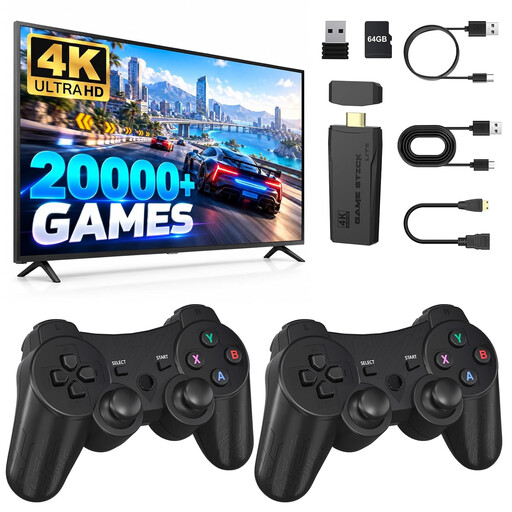
Retro games console with 4K HDMI and two 2.4GHz controllers
A good fit if you want to play classic retro and arcade games on an HDMI screen and need two controllers for games that support multiplayer.
The product information lists 4K HDMI output and two wireless 2.4GHz controllers. You’ll need an HDMI screen and USB power to use it.
View at Joybuy
 No image available
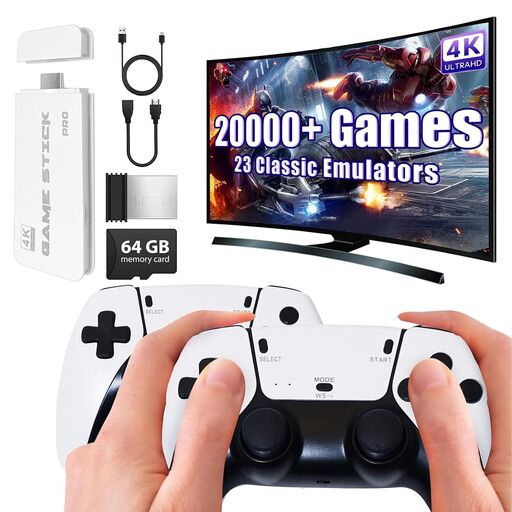
Retro HDMI games stick with two 2.4GHz controllers
An option if you want to play classic games on a TV via HDMI; multiplayer depends on whether the game you choose supports it.
The product name lists a 4K HDMI connection and two wireless 2.4GHz controllers. Check the games list and the exact bundle.
View at Joybuy
 No image available
Upgraded Wireless Retro Game Console with 4K HDMI
A good fit if you want to play classic games on a TV with two gamepads; check whether the games you want support multiplayer.
The product name lists 4K HDMI output and two wireless 2.4GHz gamepads. Check the games list and TV connection.
View at Joybuy
 No image available
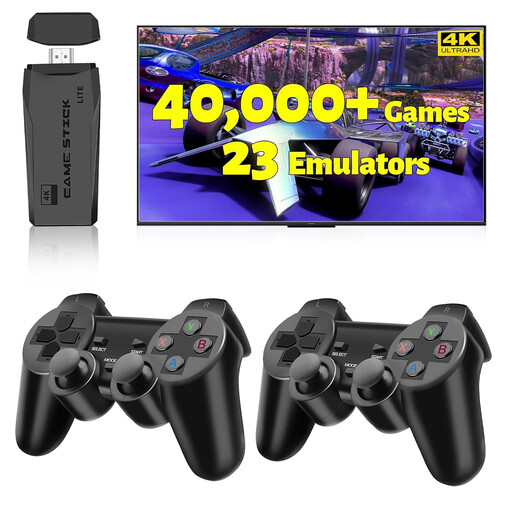
2027 Retro Gaming Console Pro with 4K HDMI
A TV-focused retro console for anyone looking for HDMI display and two wireless controllers.
The product name lists 4K HDMI, support for 23 emulators and two wireless controllers. Check which games are included and which features the game you choose supports.
View at Joybuy
 No image available
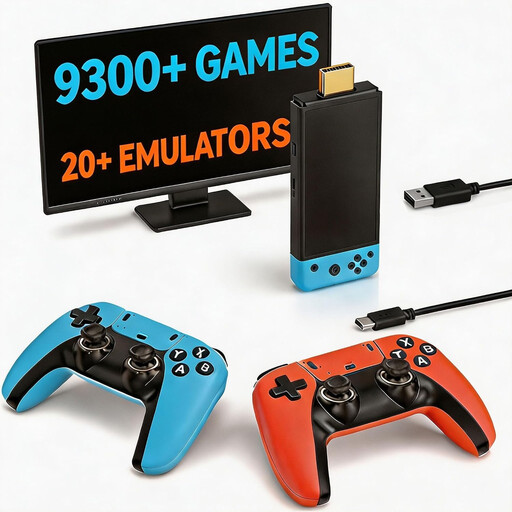
Retro games console with 9,300+ classic games
A good fit if you want an HDMI TV console with two controllers for classic games; check the listed games for the arcade titles you want.
The product name lists HDMI output and two controllers. Check the exact games list and which games support multiplayer.
View at Joybuy
Frequently asked questions
Can you connect a TV console to a USB port instead of buying an adapter?
Don’t go by the plug alone: check that the power source meets the requirements for the exact model. Evercade lists 5 V and 2 A micro-USB power for the VS-R; according to Evercade, the power adapter and HDMI cable aren’t included.
How do you change an Evercade cartridge safely?
For the VS-R, close the game first and don’t remove the cartridge while a game is running or an update is in progress. Evercade warns that doing so could result in lost game data or damage to the cartridge.
What can you do if a console bought online doesn’t work properly?
According to ACM ConsuWijzer, if a product is faulty, the seller must offer an appropriate solution under the terms of the legal guarantee, such as a free repair or replacement. For a standard online purchase, you’ll usually also have 14 days from delivery to change your mind; check the applicable exceptions.
Can you simply add downloaded ROM files to your collection?
Don’t assume that you can. The Dutch government says you may only make a backup copy of games and computer programs; this isn’t general permission to use games downloaded from anywhere. Licensed built-in games or cartridges avoid that assumption.
What should you look out for regarding electrical safety and conformity in the Netherlands?
Check that you have the EU edition and that it meets the conformity requirements applicable to the specific product. The European Commission explains that CE marking is only mandatory when required by applicable EU rules; a declaration for a range of models doesn’t by itself prove that the specific item on offer is the correct edition. Brandweer Nederland advises against using damaged cables or extension leads and recommends not connecting extension leads to each other.


