
Vandaag of morgen in huis

Kwaliteit gegarandeerd

Welkomstaanbiedingen ontgrendelen: GRATIS bezorging | Tot 80% korting | Gratis 30 dagen JoyPlus-proefperiode
Download de app
Wireless earbuds may look similar, but they differ greatly in comfort, battery life, noise isolation and controls. The cheapest option might prove awkward for phone calls, while an expensive model could include features you never use.
When comparing wireless earbuds, don't just focus on the Bluetooth version, brand name or a big discount. Instead, check how the model fits, how long the battery lasts, and whether the stated protection matches your daily use.
Manufacturers often quote the total playtime including the charging case. A claim of, say, 40 or 55 hours doesn't mean you can use the earbuds for that long in one go. So check separately:
Noise cancelling also affects power consumption. A model with active noise cancellation may have a shorter usage time than when ANC is switched off.
Noise cancelling earbuds use microphones and electronics to reduce ambient noise. How well they work varies by situation. Constant low-frequency sounds, like the noise of a train, are typically handled differently from voices or sudden noises.
Also check whether a transparency mode is available. This can be handy when you're walking down the street or need to hear someone briefly in an office. Don't use headphones or earbuds while cycling or driving when you need to be aware of your surroundings.
An IP rating indicates the conditions a product is protected against according to the stated classification. IPX5, for example, means protection against water jets under certain test conditions, but it doesn't automatically make it suitable for swimming. Always check the product description and avoid charging when the charging port or product is damp.
In-ear earbuds partially seal the ear canal and are compact. Different sizes of ear tips are important for comfort and a good fit. A loose fit can reduce noise isolation and bass response.
Open-ear models, such as clip-on or bone-conduction earbuds, allow more contact with your surroundings. This can be pleasant when walking or exercising, but the sound experience and isolation are different from true wireless earbuds.
An over-ear headphone covers the entire ear. This design often offers more room for larger drivers and a comfortable headband, but takes up more space in your bag. For commuting, films and long listening sessions, this type may be more suitable than small earbuds.
Bluetooth 5.3, 5.4 or another version mainly tells you about the connection standard. The actual experience also depends on your smartphone, laptop and supported audio codecs. Check whether the model works with iOS, Android and the devices you use daily.
A multipoint connection is handy if you use a laptop and phone at the same time. Also note whether an app is needed for the equaliser, firmware updates or controls. Without the app, basic functions usually work, but advanced settings may not.
If you often have meetings or make phone calls, earbuds with a microphone are more useful than a model designed purely for music. Look at the number of microphones, noise reduction for calls and the presence of multipoint. These specifications give an indication, but clarity can vary depending on the environment.
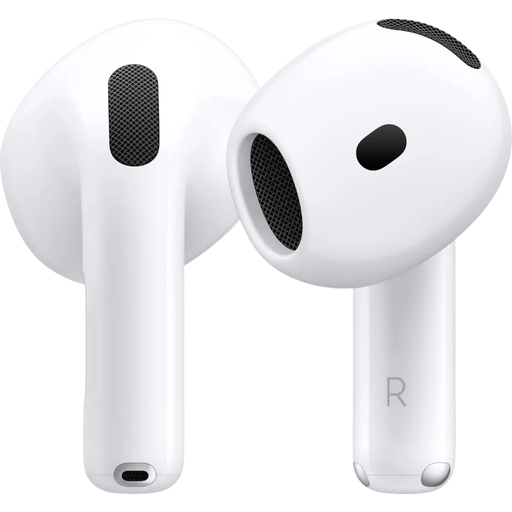
Why this fits the profile: A simple model for everyday use, especially appealing for Apple users looking for a compact Bluetooth solution.
The specifications don't mention active noise cancelling. So you're not paying for ANC you don't need.
Bluetooth 5.3, USB-C charging case, microphone, transparency mode and up to 30 hours of battery life including the case.
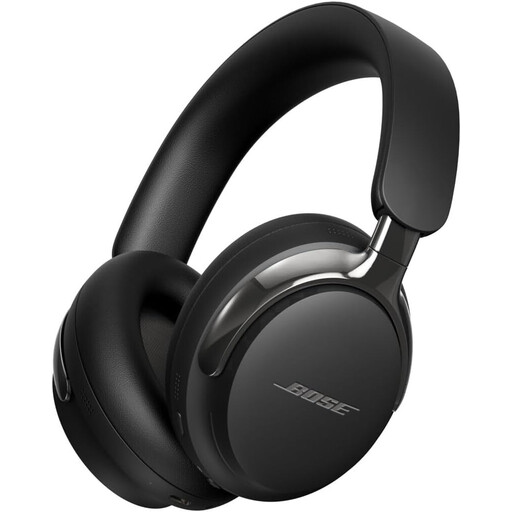
Why this fits the profile: An over-ear headphone for those who value comfort, active noise cancellation and spatial audio for music and films.
You can combine Bluetooth with a detachable cable via USB-C or 3.5 mm. That reduces reliance on a single wireless connection.
Bluetooth 5.4, active noise cancelling, spatial audio, multipoint and a stated battery life of 30 hours.
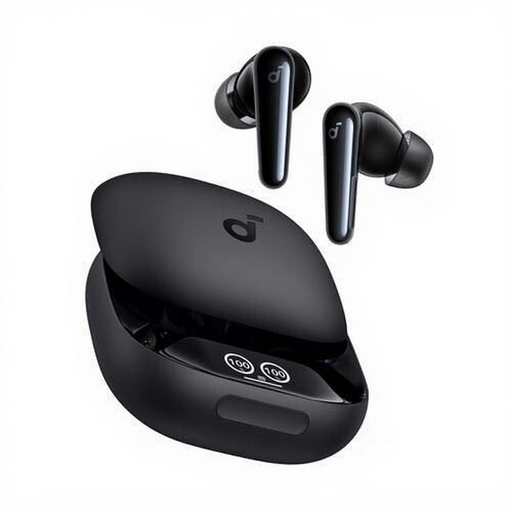
Why this fits the profile: Suitable for calls, music, sport and daily use thanks to the in-ear fit and multiple microphones.
The product information mentions six microphones, an IPX5 rating and a case. Always check the fit and usage limits when exercising.
Up to 10 hours of continuous playback, touch controls, USB-C charging case, dynamic drivers and splash protection according to IPX5.
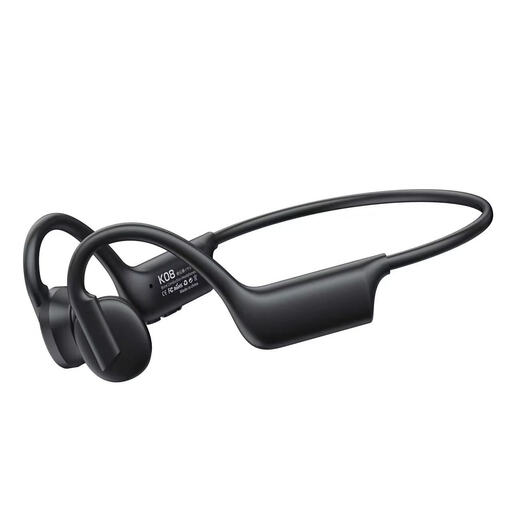
Why this fits the profile: The earhook design and open wearing style are aimed at running, cycling and listening while staying aware of your environment.
The design doesn't seal the ear like classic in-ear earbuds. This means ambient sound remains part of the listening experience.
Bluetooth connection, call function, voice control, multipoint according to the product description and a stated battery life of 8 hours.
We've put together a full, up-to-date list of products that fully meet these strict selection criteria and comply with current European safety regulations.
First, charge the earbuds and case. Then open your phone's Bluetooth settings, put the earbuds into pairing mode and select the product name. For Apple and Samsung models, a companion app may show additional settings. If pairing doesn't work, remove a previous connection and try again.
That depends on battery usage, charging cycles, volume, temperature and maintenance. Store the earbuds in the case, keep the charging contacts clean and don't leave the battery in an extremely hot environment for long periods. A model with a larger case battery is practical when you're often on the go.
With wireless models, you need power for the earbuds and charging case. In return, you get more freedom of movement. Wired models, such as the JBL Tune 210, work without Bluetooth and charging, but require a device with a suitable 3.5 mm jack. So base your choice on your devices and usage situation, not just the purchase price.
