
Vandaag of morgen in huis

Kwaliteit gegarandeerd

Welkomstaanbiedingen ontgrendelen: GRATIS bezorging | Tot 80% korting | Gratis 30 dagen JoyPlus-proefperiode
Download de app
A clutter-free desk, no more neck pain, and your screen at the perfect height. That's the promise of a good monitor arm. But reality can be more challenging. An arm that sags after a few months, a clamp that damages your desk, or a model that isn't as flexible as you'd hoped. As a Product Expert at Joybuy, I see where things often go wrong. Before you invest in a monitor arm, it's wise to know how to avoid the common pitfalls.
The market for monitor arms is vast, and not every product lives up to its promises. Watch out for these three common issues to prevent a bad purchase.
gas spring monitor arm that can't handle the weight of modern, heavier screens. The result? Your monitor slowly sags, defeating the entire purpose of an ergonomic monitor arm. This is a frequent problem with large or curved monitors.desk monitor mount is the foundation of your setup. A poorly designed clamp can wobble, which is not only distracting but also unsafe. Even worse is a clamp that applies too much pressure to a single point, permanently damaging your desktop.To avoid the problems above, check a adjustable monitor arm for a few key specifications. These objective criteria will help you make the right choice.
Every monitor arm has a maximum weight capacity. Weigh your monitor (without its original stand) and check if this falls within the arm's specifications. Keep in mind that curved screens, due to their depth, have a different centre of gravity and often require an arm with a higher weight capacity.
Additionally, the arm must be compatible with your monitor's VESA standard. This is the standard distance between the four screw holes on the back of your screen. The most common sizes are 75x75 mm and 100x100 mm. A mismatch means you simply cannot attach the monitor. This VESA mount is therefore a crucial starting point.
A gas spring monitor arm offers the most flexibility. You can adjust your screen's height with a single hand movement, which is ideal if you regularly change your posture (for example, with a sit-stand desk) or if multiple people use the same workstation. Manually adjustable arms are often more affordable but require tools to change the height, making them less practical for daily use.
Most monitor arms offer two mounting options: a desk clamp for the edge of your desk and a 'grommet' mount for installation through a hole in the desktop. Check the maximum desk thickness the clamp can handle. A 'Top-fix' clamp, which you can tighten from above, makes installation much easier. Good cable management is not a luxury; it ensures a clean workspace and prevents cables from tangling or getting caught behind the arm during adjustment.
Based on objective specifications, we have selected several popular choices that suit different user profiles.
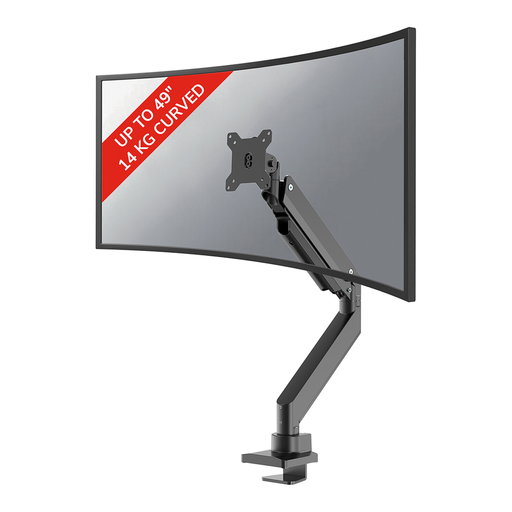
Why This Fits Their Persona: Ideal for gamers, content creators, and professionals using a large (curved) ultrawide screen up to 49 inches. This setup demands an exceptionally strong and stable arm.
According to Neomounts, this model is specifically designed with a reinforced head for heavy, curved screens up to 18 kg. This prevents the sagging seen with standard arms. The generous depth and height adjustment provide the flexibility needed for ultrawides.
High weight capacity (18 kg) and suitable for screens up to 49 inches. Smooth adjustment thanks to the gas spring and a large adjustment range (height up to 60 cm, depth up to 63 cm).
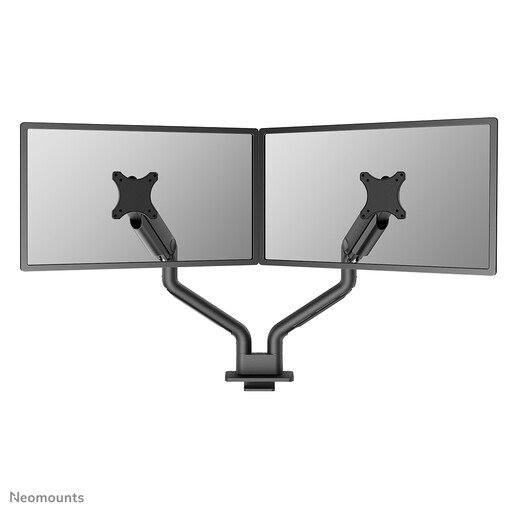
Why This Fits Their Persona: For the professional who works with two large screens and needs a robust, reliable `dual monitor arm`. Stability and a high weight capacity are key here.
This `dual monitor arm` has an exceptionally high weight capacity of 18 kg per screen. This prevents sagging, even with two 35-inch monitors. The Top-fix mount ensures a stable and secure installation without any wobble.
Suitable for two large screens (up to 35 inches). Full range of motion (tilt, swivel, rotate) and smooth gas spring height adjustment for a seamless dual-screen experience.
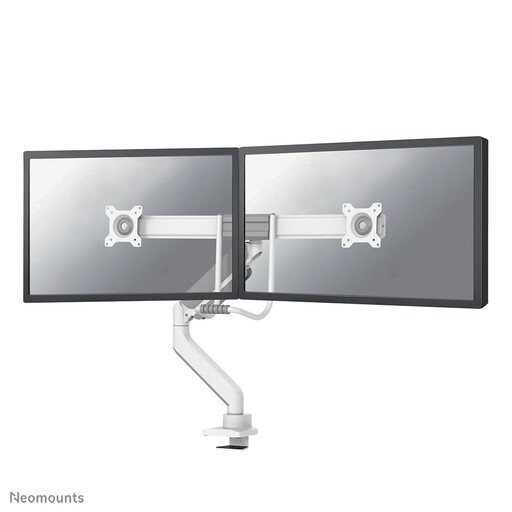
Why This Fits Their Persona: Perfect for the remote or office worker with a standard dual-monitor setup (e.g., 2x 27-inch) who values a clean design and good ergonomics, without paying for unnecessary specifications.
This model offers a reliable gas spring for screens up to 8 kg, more than enough for most monitors up to 32 inches. The 180° stop mechanism prevents the arms from hitting the wall, a common issue when placed near a wall.
A great balance of functionality and price. The sleek, white design with integrated cable management creates a modern and tidy look. Simple Top-fix installation.
We have compiled a complete, up-to-date list of products that fully meet these strict selection criteria and local regulations.
Check two things: your desktop's thickness and its material. Most desk clamps fit surfaces between 1 and 8.5 cm thick. If you have a glass desk, a monitor arm is generally not a good idea due to the risk of breakage. Don't have an edge to clamp to? Choose a model with a grommet mount that you can install through a cable hole in your desk.
For most users, yes. The ease with which you can adjust your screen's height and depth is the biggest advantage. If you set up your screen once and never touch it again, a manually adjustable arm will suffice. But for dynamic workspaces, sit-stand desks, or if you simply want to find the ideal position quickly, a gas spring monitor arm is a much better investment in your comfort.
A good desk monitor mount has a soft protective layer on the inside of the clamp. If it doesn't, you can place a thin piece of rubber or felt between them yourself. Tighten the clamp firmly, but do not use excessive force. It should be stable, but you don't need to crush the desktop. After a week, check if the clamp is still secure.
