
Vandaag of morgen in huis

Kwaliteit gegarandeerd

Welkomstaanbiedingen ontgrendelen: GRATIS bezorging | Tot 80% korting | Gratis 30 dagen JoyPlus-proefperiode
Download de app
Buying a new PC monitor seems simple until you get tangled in a web of specifications like Hz, ms, 4K, and IPS. Manufacturers promise the world, but many features might be unnecessary for your needs or even a poor investment. Before you invest in a new display, it's crucial to recognise the most common pitfalls.
Many buyers fall for these traps:
To avoid buyer's remorse, focus on the specifications that truly matter for your use case. Don't be distracted by marketing terms; instead, look at these three core aspects.
The sharpness of your monitor depends on the resolution (the number of pixels) and the screen size. A higher resolution on a larger screen results in a sharper image.
The refresh rate, expressed in Hertz (Hz), determines how many times the image is updated per second. A higher number results in a smoother picture.
The panel type determines the image quality. An IPS monitor is known for its excellent colour reproduction and wide viewing angles, ideal for graphic design. A VA panel typically offers better contrast (deeper blacks), which is great for watching movies. OLED is the top tier, with perfect blacks and extremely fast response times, but it comes with a higher price tag.
Always check which ports the monitor has. A monitor with USB-C is a godsend for laptop users: one cable for video, data, and charging your laptop. HDMI and DisplayPort are the standard for most PCs and consoles. Also, consider ergonomics: is the monitor height-adjustable or tiltable? This is crucial for a comfortable posture, especially for a monitor for home office use.
Based on these criteria, we have selected a number of monitors that suit specific needs, without overpaying for unnecessary extras.
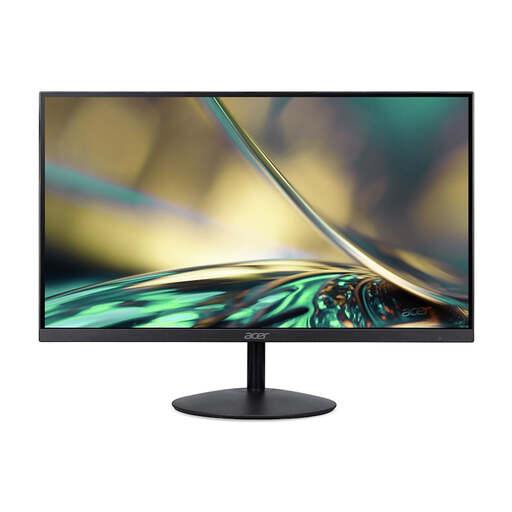
Why This Fits Their Persona: This monitor is perfect for anyone looking for a reliable and affordable screen for daily tasks. The 24-inch Full HD resolution is sharp enough for office work, and the 100Hz refresh rate makes scrolling and browsing just that bit smoother than a standard 60Hz screen.
You're not paying for an unnecessary 4K resolution on a compact size. The 100Hz is a useful upgrade without the cost of a high-end gaming monitor.
Good balance between price and performance. The 100Hz refresh rate and the slim ZeroFrame design provide a modern look.
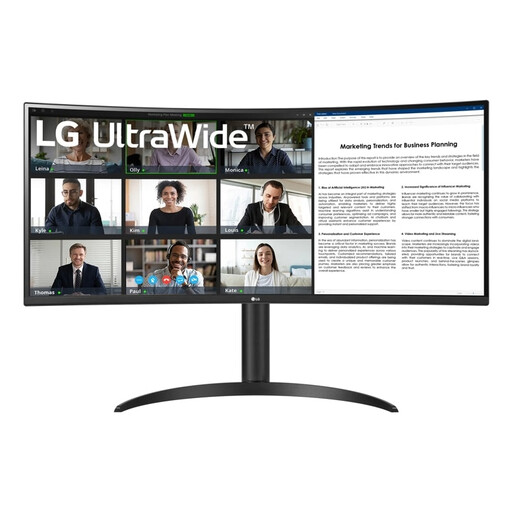
Why This Fits Their Persona: This ultrawide monitor is designed for productivity. The wide screen replaces a dual-monitor setup, and the USB-C connection ensures a clutter-free desk by connecting and charging your laptop with a single cable. The WQHD resolution provides ample workspace.
This screen directly addresses the connectivity pitfall with a USB-C port that delivers up to 65W. It focuses on usable screen real estate rather than the highest possible resolution.
34-inch ultrawide (21:9) format for superior multitasking. Includes USB-C with 65W Power Delivery and a height-adjustable stand.
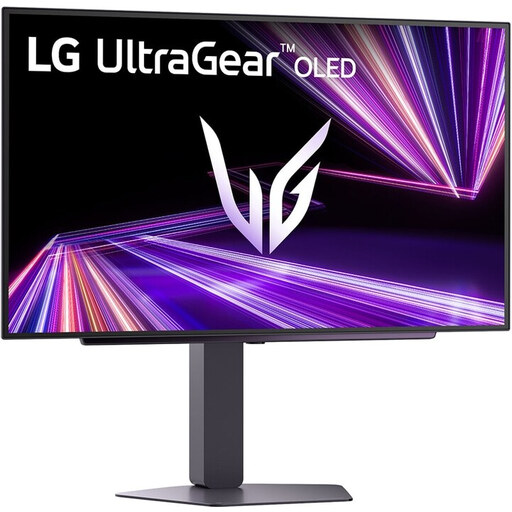
Why This Fits Their Persona: For the gamer who accepts no compromises. The combination of a 27-inch QHD resolution, an extremely high 240Hz refresh rate, and the superior image quality of an OLED panel offers an unparalleled gaming experience. This is a true high-performance gaming monitor.
This screen focuses on the specs that matter most to gamers: speed and image quality. The QHD resolution is the perfect balance for high-framerate gaming, unlike 4K which often comes at the expense of speed.
OLED panel for perfect blacks and infinite contrast. Extremely fast 0.03ms response time and 240Hz refresh rate for competitive gaming.
We have compiled a complete and up-to-date overview of products that meet these strict selection criteria and local regulations.
A curved monitor can make the viewing experience more immersive by wrapping the image around your field of view. According to some manufacturers, this can reduce eye strain because the viewing distance to all parts of the screen is more consistent. The effect is most pronounced on wider screens, such as an ultrawide monitor. Whether it's truly 'better' depends on personal preference.
A modern LED/LCD monitor has an average lifespan of 30,000 to 60,000 operating hours. With normal use (8 hours a day), this translates to about 10 to 20 years. In practice, most people replace their monitor sooner due to technological advancements (higher resolution, faster refresh rates) rather than because it has broken down.
A portable monitor is a convenient solution if you often work on the go and need a second screen for your laptop. They are lightweight, compact, and often connect via a single USB-C cable for both power and video. It's ideal for presentations, working on location, or if you simply want more screen real estate without a permanent setup.
