
Vandaag of morgen in huis

Kwaliteit gegarandeerd

Welkomstaanbiedingen ontgrendelen: GRATIS bezorging | Tot 80% korting | Gratis 30 dagen JoyPlus-proefperiode
Download de app
A microSD card might seem simple: choose a storage capacity, click 'buy', and pop it into your device. In practice, however, problems often arise from choosing the wrong speed class, limited compatibility, or a capacity that doesn't suit your needs. For example, a card that's fine for photos and apps isn't necessarily suitable for 4K video or a dash cam.
Pay close attention to these three common pitfalls:
The right amount of storage depends on the type of files you'll be saving and how often you clear the card.
For capacities of 64 GB and above, you're usually looking at a microSDXC card. These typically use the exFAT file system. Some older devices only support microSD or microSDHC cards. It's always a good idea to check the manual for your smartphone, camera, console or dash cam before you order.
The markings on a microSD memory card don't all mean the same thing.
For 4K video, a drone or an action cam, U3 and V30 are often the most relevant ratings. For smartphone storage and apps, A1 or A2 are useful, but these labels don't guarantee that every app will run faster. Furthermore, according to the manufacturer's product information, the stated maximum speeds can vary depending on the host device, file type and usage conditions.
A microSD card can be used in smartphones, tablets, cameras, drones, security cameras, dash cams and handheld consoles, as long as the specifications match. Be sure to check:
Protective features like water, shock or temperature resistance refer to the card itself. They do not automatically make a smartphone, drone or camera resistant to the same conditions.
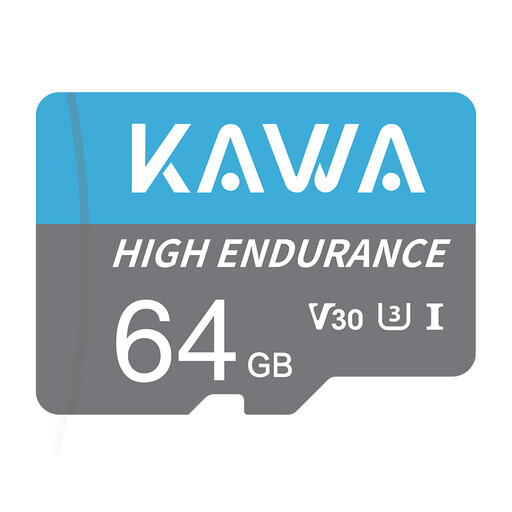
Why it's a good match: The 64 GB capacity is affordably priced and suitable for everyday use in smartphones, tablets, drones and cameras. According to the product information, the card is also designed for dash cams and video surveillance.
The product information lists U3, V30 and write speeds of up to 60 MB/s. Just be sure to check that your dash cam supports this capacity and speed.
64 GB, UHS-I, A1, U3 and V30; according to the product information, it's resistant to water, magnets, extreme temperatures and X-rays.
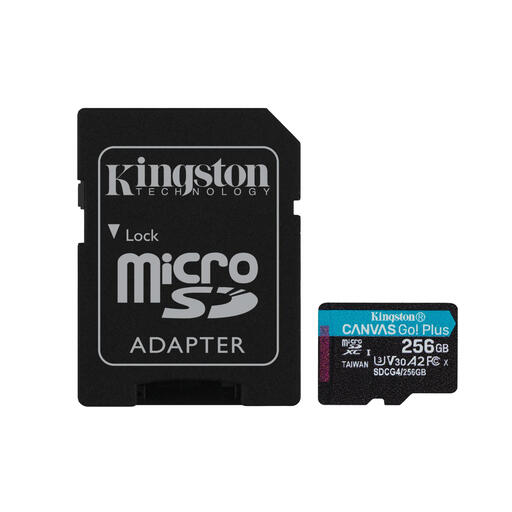
Why it's a good match: This 256 GB microSD card combines ample space with specifications ideal for mobile gaming, drones and action cams. The included SD adapter makes it more versatile, allowing it to be used in devices with a standard SD slot.
The card lists separate U3 and V30 classifications, so you don't have to rely solely on a high read speed when recording video.
According to the product specifications: up to 200 MB/s read, 160 MB/s write, A2, U3, V30 and an SD adapter.
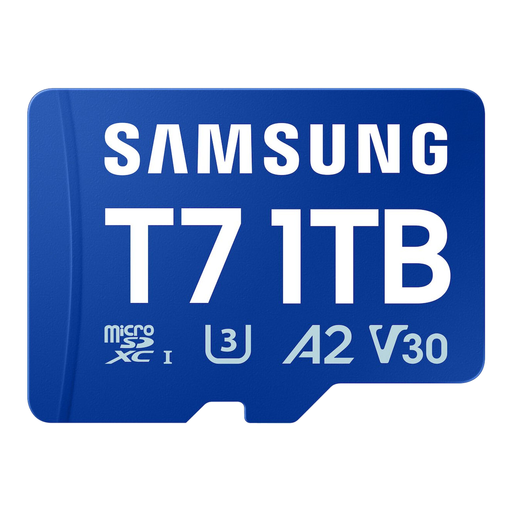
Why it's a good match: The large storage capacity is perfect for extensive photo, video and game collections. According to the product description, this card is designed for compatible smartphones, tablets, cameras, drones and handheld consoles.
The card uses UHS-I and is rated U3, V30 and A2. Check beforehand that your device supports 1 TB, as more capacity doesn't automatically mean better compatibility.
1 TB of storage, up to 170 MB/s read speed according to the product information, U3, V30, A2, and protection against water, temperature, X-rays and more.
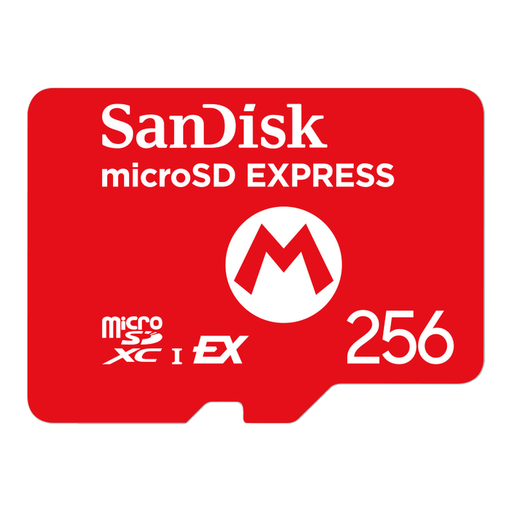
Why it's a good match: According to the product information, this 256 GB microSDXC card is Nintendo-licensed and specifically aimed at providing extra storage for the Switch 2.
The card uses the stated SD Express interface. This prevents you from accidentally choosing an older UHS-I card for the Switch 2 that lacks the required Express specification.
256 GB capacity, microSDXC and SD Express according to the product specifications.
We've put together a complete, up-to-date list of products that fully meet these strict selection criteria and comply with current European safety regulations.
Look for a card with at least a U3 and V30 rating if your camera, drone or action cam recommends these classes. You should also check the device's recommended write speed. A high read speed is mainly useful for transferring files and doesn't tell the whole story about recording performance.
The lifespan depends on its capacity, usage, temperature and the number of write cycles it endures. A card in a dash cam or security camera is written to far more intensively than a card used mainly for storing photos. Make regular backups and replace the card if you encounter error messages, corrupted files or unexplained recording issues.
Only if your device has a standard SD slot. A smartphone, drone or console usually has a dedicated microSD slot. An SD adapter is useful for cameras, laptops and card readers, but it won't change the capacity or base speed of the microSD card itself.
