
Choir listener with a regular listening spot
You want to arrange your setup around one usual seat and can place two speakers to the left and right. Sonos Support explains stereo pairing for compatible models.


If you mainly listen from one fixed spot and can place two speakers to the left and right, a stereo pair is a sensible option for choir recordings. Sonos explains stereo pairing for compatible models, and KEF offers the LSX II LT as a stereo system sold as a pair. If you listen in different parts of the room or want to start with a compact setup, a single speaker may be more practical. Before you buy, check your playback source, the space available and the volume you usually listen at home. A pair needs two places to go, while extra bass or volume may not be necessary in a flat.
You want to arrange your setup around one usual seat and can place two speakers to the left and right. Sonos Support explains stereo pairing for compatible models.
You share your building with neighbours and want to enjoy choir recordings at a comfortable, moderate volume, without prioritising extra bass or loudness. The Dutch government advises agreeing with your neighbours about music.
You play choir recordings from a music service, computer or CD player, for example, and want to check in advance how that source connects to the speaker. Sonos and KEF describe different connection options for their models.
Start with your listening spot and playback source. Choose a fixed left-and-right setup if you mainly listen from one place, or consider a single speaker if you want to use it in different parts of the room.
| What to consider | What to look for when buying | Who is this important for? |
|---|---|---|
| Left-and-right placement | Check whether the exact models can work as a stereo pair and whether you have room for both speakers. | I want to place the choir parts to the left and right when listening from my usual seat. Around 36% of consumers say stereo placement is their top priority. |
| Moderate volume | Assess the speaker at the volume you listen at home; don’t choose based solely on bass or maximum loudness. | I live in a building with neighbours and want to listen comfortably without making extra bass or loudness my main goal. Around 29% of consumers prioritise listening at moderate volumes in a flat. |
| Playback source | Check that your music service is supported, or confirm which input, cable and any adapter you need for a physical source. | I want to use my own service, computer or CD player and know in advance which connection I need. Around 21% of consumers say compatibility with their own source is their top priority. |
| Placement in an open-plan space | Decide whether you have one regular listening spot or want to use the speaker in different places. Check the available power sockets too. | I listen in different parts of my open-plan living space and want to choose a setup that suits it. Around 14% of consumers say flexible placement is most important. |
The Consumers’ Association notes that larger speakers can deliver more bass and volume. But that doesn’t mean size or maximum loudness should automatically be the deciding factor when listening to choir recordings in a flat.
Compare speakers at the volume you actually listen at home, and weigh up a stereo pair against a single larger cabinet.
A larger cabinet takes up more space, even if you don’t need the extra room or loudness.
To connect an external analogue source to the Sonos Era 100, you’ll need a separate Line-In Adapter and a suitable audio cable. Check that your CD player also has a compatible audio output.
Before choosing a speaker, check the full connection chain for your source.
Remember to allow for the separate adapter and audio cable required for this connection.
Which models can be used as a stereo pair varies from system to system. Sonos Support describes pairing rules for specific models, so don’t assume that any two speakers will work together in stereo.
Check the manufacturer’s exact model names and pairing rules, and make sure you have the space and power sockets for both speakers.
The Era 100 is a compact Wi-Fi and Bluetooth speaker for anyone who may want to expand to a compatible stereo pair.
The Home 150 is designed for anyone looking for a compact network speaker to use within the HEOS system.
The Sound Lite is an app-controlled network speaker that, according to WiiM, can work as a stereo pair with a second unit.
The LSX II LT is an active stereo system sold as a pair, designed for a fixed left-and-right setup and sources such as a computer.
The PULSE FLEX is designed for anyone who wants to be able to expand from one network speaker to two within BluOS.
The products below range from sets with two speakers to standalone speakers and a soundbar. Focus on the placement you want, your playback source and the space you have available.
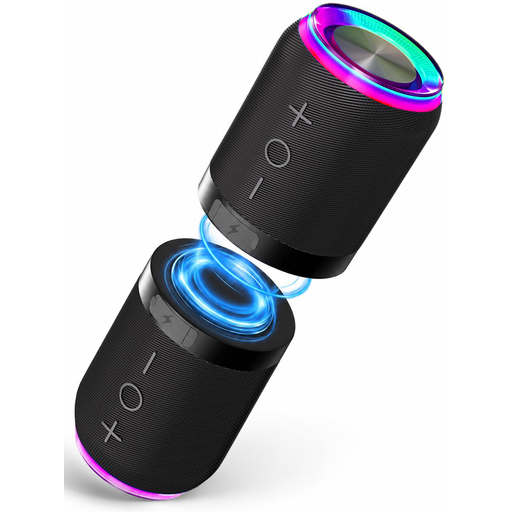 No image available
A set of two separable units may suit you if you want to place one speaker on each side.
The product name lists Bluetooth, IPX6 and magnetic attachment.
 No image available
This compact set may suit you if you’re looking for speakers for a PC or desk setup.
The product name lists a stereo set and RGB lighting.
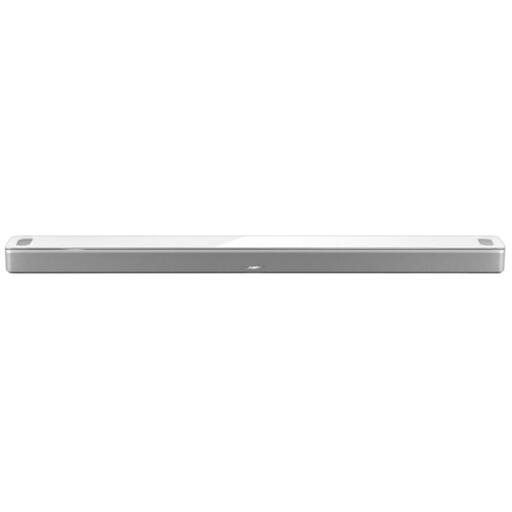 No image available
This soundbar may suit you if you’re considering a single audio solution for a fixed TV setup.
The product information positions the soundbar for use with a television; the wall bracket is sold separately.
 No image available
This standalone speaker may suit you if you’re looking for a single device and want the option of using a wired source too.
The product name lists 60 W, AirPlay 2, LDAC, a battery with up to 12 hours of playback, and USB and AUX connections.
 No image available
These computer speakers may suit you if you’re looking for sound for a PC or desk setup.
The product name lists RGB lighting, Bluetooth 5.3, USB and a 3.5 mm AUX input.
That depends on the pairing rules for the system you choose. Sonos Support describes stereo pairs using the same model, with an exception for compatible SL versions. Don’t assume that any two Wi-Fi speakers will work together as a stereo pair.
To connect a CD player, you’ll need a suitable audio output, the separate Sonos Line-In Adapter and a compatible audio cable. Check your CD player’s output; according to Sonos, the line-in input won’t work when the Era 100 is being used as a home cinema surround speaker.
A stable home network is important for Wi-Fi playback. KEF says home Wi-Fi is needed for all LSX II LT functions. If playback cuts out, also check your network, selected source and support for the exact model.
For a stereo pair, allow for two speakers and check whether you’ll need stands, cables or adapters. Analogue line-in on the Era 100 requires a separate adapter. The Dutch government states that there is no fixed statutory warranty period in the Netherlands; if there’s a fault, contact the seller.
Don’t assume there’s a general exemption or a single nationwide decibel limit. The Dutch government advises agreeing with your neighbours about music. Also check the house rules and any local conditions that apply to your home.