
Choir archive manager
Wants to be able to find the original recording, relevant project files and descriptive information, with a copy kept elsewhere. The Library of Congress recommends keeping important audio recordings in multiple locations.


Choose an external drive based on the files you want to keep, the ports available and how you’ll use it. A portable HDD may suit an archive copy that’s usually kept in storage, while an SSD is a good option for frequent copying and carrying files around. The Dutch Consumers’ Association notes that an HDD is more susceptible to knocks than an SSD. For sharing files between modern Macs and Windows computers, Seagate lists exFAT as an option, but not for built-in backup features such as Time Machine and File History. Don’t keep your recording on just one external drive: the Library of Congress recommends keeping multiple copies in different locations.
Wants to be able to find the original recording, relevant project files and descriptive information, with a copy kept elsewhere. The Library of Congress recommends keeping important audio recordings in multiple locations.
Shares a drive with people using different computers and wants to check the file system and ports in advance. Seagate describes exFAT as an option for sharing files directly between modern Macs and Windows computers.
Moves files after a rehearsal or performance, so portability and compatible connections matter. Manufacturers highlight travel-friendly features on some portable SSDs; just check that your computer supports the required connection.
Best for: an extra archive copy that’s usually kept in storage and isn’t moved around often.
Trade-off: according to the Dutch Consumers’ Association, an HDD is more susceptible to knocks than an SSD.
Best for: files you regularly carry or copy between the recording location and different computers.
Trade-off: stated transfer speeds also depend on the host connection; an SSD is no substitute for a separate archive copy.
| What to consider | What should you check? | Who should pay particular attention? |
|---|---|---|
| Keeping the only copy of a recording | Keep a separate copy elsewhere and check periodically that the files are readable; the Library of Congress recommends keeping multiple copies. | If a choir recording would be difficult to recreate, I don’t want to rely on a single device. Around 29% of consumers say preserving their archive is their main concern. |
| Sharing files between computers | Check the computers, ports and file systems you’ll be using. Seagate lists exFAT as suitable for sharing files directly between modern Macs and Windows computers, but not for built-in Time Machine or File History backups. | If people using different computers need access to the same files, compatible sharing comes first. Around 24% of consumers say this is their priority. |
| Enough space for the complete recording | Add up the files and versions you want to keep, including relevant project files, then compare the total with the drive’s capacity. | If I also want to keep the original versions and project files, the drive needs enough space for them. Around 18% of consumers say capacity is their main buying concern. |
| Frequent carrying and copying | Check that your computer supports the required USB connection. Kingston lists read speeds of up to 1.050 MB/s for the XS1000 when used with a compatible USB 3.2 Gen 2 host. | If you regularly carry files between the recording location and computers, portability and connectivity deserve extra consideration. Around 17% of consumers put this need first. |
| Access to identifiable recordings | Agree on who is allowed to keep and receive the recording. If personal data is being processed, the Dutch Data Protection Authority says there must be a valid legal basis under the GDPR. | If I want to decide who can access a potentially identifiable recording, I’ll consider access controls and the intended use. Around 12% of consumers say restricted access is their main concern. |
An external drive gives you storage space, but on its own it isn’t an independent archive. If the drive becomes unreadable or goes missing, you could lose the recording.
Keep the original and at least one separate copy in different locations. Check regularly that the files are still readable.
WAV, FLAC and MP3 are audio formats; exFAT and other file systems determine how computers use the drive. A file system for sharing files isn’t automatically suitable for a built-in backup feature.
Choose based on how you’ll use the drive: check whether you want to share files directly between Mac and Windows or need the drive for Time Machine or File History. Seagate doesn’t recommend exFAT for those built-in backup features.
Choosing an unsuitable format may mean you need to reformat the drive or copy the files again.
An SSD won’t necessarily reach its stated speed on every computer. Kingston notes that performance also depends on the host hardware, software and how the drive is used.
Check your computer’s USB connection and treat manufacturers’ figures as conditional maximums, not guaranteed copying speeds.
A drive warranty and keeping an archive are two different things. Seagate also notes that its advertised recovery service isn’t available in every country.
Arrange separate copies regardless of the warranty, and check the terms of any recovery service before relying on it.
My Passport is a range of portable HDDs. The Dutch manufacturer’s page lists model WDBYVG0020BBK-WESN for the 2TB black version.
According to Seagate, the Expansion Portable range includes a 2 TB portable HDD, model STKM2000400.
The XS1000 is a range of portable SSDs with a documented 2 TB version, model SXS1000/2000G.
The T7 Shield is a portable SSD option. The Dutch manufacturer’s page lists model MU-PE2T0S/EU for the 2 TB black version.
This selection includes portable external SSDs and HDDs for keeping an extra copy or carrying selected choir files with you. Before buying, check the capacity you need, your computer’s ports and the formatting.
 No image available
A portable SSD for selected audio files you want to carry between locations.
The product description lists read speeds of up to 800 MB/s, drop protection from heights of up to 2 metres and a carabiner loop.
 No image available
A portable SSD for storing and carrying selected archive files.
The product description lists USB-C, IP65 and read speeds of up to 2.000 MB/s with a compatible USB 3.2 Gen 2x2 host. According to the description, write speeds are lower.
 No image available
A portable hard drive for selected recording and project files when using a Mac.
The product description lists 2 TB of storage, pre-formatting for Mac, compatibility with Time Machine, USB 3.0 and an included USB-C adapter.
 No image available
A portable hard drive for selected archive files when you need the stated capacity.
The product description lists 5 TB of storage, USB-C and exFAT for use with Windows and Mac.
 No image available
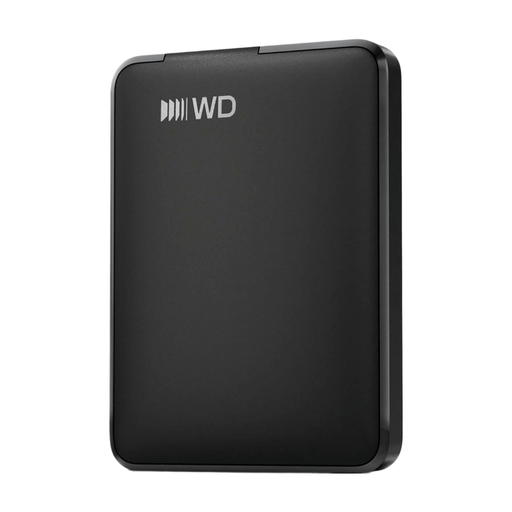
A portable hard drive for an extra copy of selected files.
The product information lists 1 TB of storage, USB-C and plug-and-play use.
No, the drive can store files without you having to convert them to a single audio format first. Decide separately which original and exported versions are worth keeping in your archive. For important recordings, the Library of Congress recommends keeping the highest-quality version and using an open format where possible.
Yes. According to Seagate’s manual, exFAT is suitable for sharing files directly between modern Macs and Windows PCs. If you’re using the drive specifically for Time Machine or File History, choose the file system that’s suitable for that feature rather than exFAT. Check whether there are already files on the drive before formatting it.
Give files clear names, keep descriptive information about the recording and store copies in different locations. The Library of Congress recommends checking recordings for readability at least once a year and transferring them to new storage media when needed.
No. According to ACM ConsuWijzer, statutory rights are separate from a manufacturer’s or seller’s warranty. There’s no fixed two-year period for statutory rights in the Netherlands. If a product breaks sooner than you could reasonably expect when used normally, contact the seller to arrange an appropriate solution at no extra cost.
That depends on the recording and how it will be used. If the recording contains personal data and the choir processes it as an organisation, the Dutch Data Protection Authority says there must be a valid legal basis under the GDPR. Consent is one possible basis, but it isn’t automatically the only one. Before keeping or sharing the recording, establish who can be identified, who is responsible, and what the purpose and access arrangements are.