
Photographer with a camera on a tripod
Wants to take repeated shots without disturbing the fixed framing. First, check that the remote control or connection is suitable for your exact camera model.


Start with your camera or smartphone: a supported self-timer or app may be all you need to take photos from a fixed set-up without touching your device. Choose a wired remote release if it fits your camera’s connection and you’ll be standing nearby; a compatible wireless remote is more convenient if you want to take the shot while arranging the cheese board. A remote control won’t automatically adjust the exposure or white balance for a white background.
Wants to take repeated shots without disturbing the fixed framing. First, check that the remote control or connection is suitable for your exact camera model.
Arranges ingredients between shots and wants to take photos from beside the board or, with a supported app, check the composition.
Wants a suitable, stable phone set-up. First, see whether an existing feature, such as a compatible watch-based option, already meets your needs.
First, check which controls your camera or phone already supports. Then choose according to your set-up: staying close to the camera, taking the shot from beside the cheese board or checking the composition using live view.
Choose this if: your device already has the feature you need and you don’t need a separate button.
Bear in mind: app features vary by camera. To control it via an app, you’ll also need a suitable connection and a phone or computer.
Choose this if: you’ll be staying beside the tripod set-up and the connection is suitable for your camera model.
Bear in mind: the cable limits how far you can stand from the camera.
Choose this if: you want to stand by the cheese board while the camera stays in place.
Bear in mind: pairing, battery life and camera compatibility; features vary by model.
Choose this if: you’re taking the photo with a phone and want to take the shot from beside the set-up.
Bear in mind: a phone remote button won’t necessarily work with a separate camera. Also check that your phone fits securely in the holder.
Choose this if: you need a specific set with a suitable camera cable and features for your set-up.
Bear in mind: a receiver, connection cable and batteries make the set-up more involved; check the exact version.
| What to consider | What to check before buying | Who is this important for? |
|---|---|---|
| Compatibility | Check your exact camera model and the remote control or connection it supports. | I want to check that the control works with my camera first; consumers who prioritise compatibility above all else account for around 36%. |
| Fixed framing | Compare the self-timer or existing app with a separate remote release; check that it works with the camera on a tripod. | I want to take repeated shots without touching the camera and disturbing the framing. Consumers who want to keep their framing fixed account for around 29%. |
| Taking shots from beside the board | Check the pairing process and whether you need a separate button or live view. | When I’m arranging ingredients between shots, I want to be able to take photos or check the composition from where I’m working; consumers with this need account for around 21%. |
| Smartphone set-up | Try an existing control first. If you’re using a phone holder, check that the clamp fits and is stable. | I’m taking the photo with my phone and want to see whether an existing feature will do the job; consumers who want to limit additional purchases account for around 14%. |
Even within the same brand, connections and lists of supported camera models can vary.
Before choosing, compare the full model name and connection with the details for the exact version.
A remote release that doesn’t fit may mean you still need a different control or connection cable.
Taking photos remotely and adjusting the exposure or white balance are two different things.
Take a test shot first and assess the background, cheese and colours before choosing an additional accessory.
A remote release won’t solve a colour or exposure problem.
The Joybuy product page for the Ulanzi JJ02 warns that the stick can become top-heavy and tip over in tripod mode when fully extended.
Check that the phone is held securely in the clamp. For a tabletop shot, use a stable set-up and keep it as low as possible.
For supported cameras, Canon offers wired and wireless controls, as well as control via Camera Connect.
The MC-DC2 and ML-L7 are two different control options for certain Nikon cameras.
For compatible Sony cameras, options include the RMT-P1BT and control via Imaging Edge Mobile.
The Captur transmitter and receiver is a radio-controlled option that requires a camera cable suited to the version you’re using.
The JJ02 is a phone tripod with a detachable Bluetooth remote control, designed for smartphone use.
These product choices focus on remote controls and phone set-ups for remote shooting. Check whether each product is suitable for your phone or camera model.
 No image available
For smartphone photography when you want to take the shot from beside the set-up.
The product name specifies a 360° rotating phone holder for 4.7–6.0-inch smartphones.
 No image available
An option for smartphone photography when you want to set the tripod up on a table or another flat surface.
The product name specifies a foldable, height-adjustable phone tripod for tabletop and outdoor use.
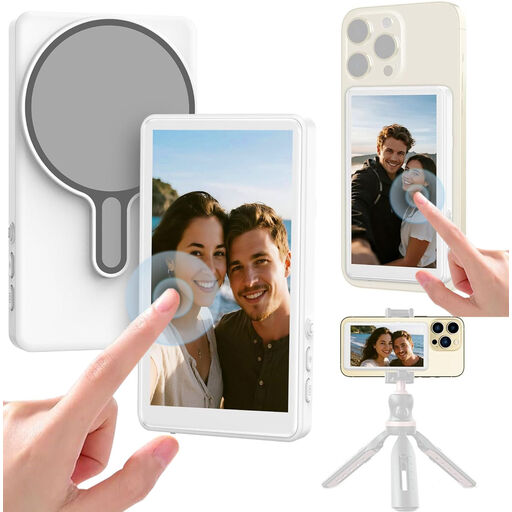 No image available
For mobile photography when you want to use a monitor to frame your shot.
The product name mentions a 1080P monitor and Bluetooth remote release for mobile vlogging.
 No image available
Designed for use only with one of the listed compatible Osmo models.
The product name lists Osmo Action 4, Osmo Action 5 Pro, Osmo 360 and Osmo Action 6.
 No image available
A phone set-up for taking photos when you want to control the camera remotely.
The product name specifies an extendable 1.9 m stand.
No. A remote control triggers the shot, but it won’t automatically correct the colour or exposure. Canon Europe describes white balance as a separate setting, so take a test shot and assess the background and colours in the light you’re using.
First, check that the remote control or app is suitable for your exact camera model. Pair it according to the camera manual and take a test shot with the camera set up securely. Canon states that not all Camera Connect features are available on every camera.
Not just because it’s labelled Bluetooth. The Ulanzi JJ02 is described as a phone product; for a separate camera, choose a control that’s explicitly compatible with your exact camera model.
According to the Rijksoverheid, for distance purchases you generally have a 14-day cooling-off period, although exceptions apply. The Rijksoverheid also states that the Netherlands has no fixed statutory guarantee period; the cooling-off period and your rights if a product is faulty are separate matters.