If your hotel room has a suitable wall socket, a compatible USB power adaptor is usually all you need. A power bank is useful if you’d rather not rely on a socket. First, check whether you’re charging the case or individual components, which cable and output your microphone model requires, and whether a power bank keeps charging when the power draw is low.
Who is this relevant to?
Microphone user with a charging case
You want to charge the case for a specific wireless microphone set in your hotel room. Check the manufacturer’s instructions to find out which cable and power supply are suitable for your set. For example, RØDE specifies a USB-C input and 5 V/3 A for the Charge Case+.
Content creator with several USB devices
You want to charge another USB device as well as your microphone, so you’re checking the number of outputs and the power available when using them at the same time. Belkin, for example, says that the available power is shared across multiple ports on certain models.
User of small standalone transmitters
You charge a small microphone component directly via USB and want to avoid a power bank switching off when the power draw is low. Anker Support describes a low-current mode, but you’ll need to check whether this feature is available on the specific power bank model.
What should you consider when choosing?
USB power adaptor plugged into a wall socket
Suitable when: there’s a usable wall socket and the power supply and cable meet the charging requirements of your microphone or case.
Trade-off: you won’t need a separate power bank, but you’ll still rely on a wall socket.
Standalone USB power bank
Suitable when: you want to charge without needing a free wall socket, possibly alongside another compatible USB device.
Trade-off: you’ll need to carry an extra device and check that the output and cable are suitable, and that the power bank keeps charging.
Charging case with a built-in battery
Suitable when: a charging case is available for your exact microphone set and you mainly want to store and recharge the accompanying transmitters and receiver.
Trade-off: compatibility depends on the model. For example, RØDE lists the Charge Case+ for Wireless GO (Gen 3) and Wireless PRO, while DJI offers a Charging Case for DJI Mic 2.
Start by checking how your microphone charges, then decide whether you need extra battery capacity or multiple outputs.
| What to consider |
What should you check? |
Who is this for? |
| Connection and charging method |
Check the exact model to see whether you charge the case, transmitter or receiver, and which cable, USB output and power supply you need. |
If I want to charge the case or an individual component, the cable and output need to suit that charging method. Around 36% of consumers put compatibility first. |
| Battery capacity |
Where possible, compare Wh or output capacity on a like-for-like basis; don’t use mAh alone to estimate the number of charges. |
If I want enough spare power for my set without a wall socket, I weigh up the capacity against how much I want to carry. Around 29% of consumers give battery capacity their top priority. |
| Charging at low current |
Check whether the specific power bank model has a low-current mode and whether it’s suitable for your set-up. |
If I charge a small transmitter directly, I don’t want the power bank to switch off too soon. Around 21% of consumers are mainly concerned with keeping the charge going at low current. |
| Size and multiple outputs |
Compare the size, cable and output power when connecting more than one device at a time. |
If I want to travel light or charge another USB device as well, I choose ports I’ll actually use. Around 14% of consumers prioritise portability or multiple outputs. |
Common buying mistakes
-
Assuming mAh tells you exactly how many times you can charge a device
Energy is lost when it’s converted to USB output power and during charging. So the number on the packaging doesn’t tell you exactly how many times your microphone or case can be fully charged.
Where possible, compare Wh or output capacity on a like-for-like basis, and check the specifications for both the power bank and your own microphone or case.
-
Assuming the maximum wattage is available when charging multiple devices
For the Belkin BPB027hqPK, the manufacturer specifies up to 20 W from a single port and 15 W shared between both ports when they’re used together.
Check how the power is split between ports, including when charging devices simultaneously, before connecting your microphone and another device.
-
Assuming a wireless microphone charges wirelessly
‘Wireless’ describes the audio connection; it doesn’t necessarily describe how you charge the microphone. The charging method varies by component and model.
Follow the instructions for your exact microphone model and check the charging port on the case, transmitter or receiver.
-
Not checking the exact power bank model
On 15 July 2025, the Netherlands Food and Consumer Product Safety Authority published a warning about specific models: Anker A1257 and A1647, and Anker Zolo A1681 and A1689.
Before use, compare the full model number with the latest safety information. The warning applies to the models listed, not automatically to every product from the brand.
Brands to consider
Belkin
The BoostCharge BPB011 and BPB027hqPK offer different combinations of USB-A and USB-C ports.
- Belkin lists two USB-A outputs and one USB-C port for the BPB011, with up to 15 W total when all three ports are used.
- For the BPB027hqPK, Belkin specifies up to 20 W from a single port and 15 W shared when both ports are in use. These are manufacturer specifications, not measurements taken with a microphone.
Xtorm
The Fuel Series 5 FS5100 is an example of a power bank with two USB-C ports and one USB-A port.
- Xtorm lists a capacity of 10.000 mAh and a 20 W USB-C PD output for the FS5100.
- The stated power output doesn’t prove that a specific microphone will charge faster; check the requirements of your own model.
Trust
The Primo 24678 is a slim 10.000 mAh power bank with two USB-A ports and one USB-C port.
- Trust specifies up to 15 W via USB-C or 12 W via USB-A.
- Trust says that charging speed varies by device. Also check the exact model number: the Primo 24678 isn’t necessarily the same version as model 25028.
Anker
Worth looking into if you’re charging a small USB device and want to check whether a power bank has a low-current mode.
- Anker Support directs customers to the product page for the specific power bank model for support.
- This feature doesn’t guarantee compatibility with every wireless microphone. The Netherlands Food and Consumer Product Safety Authority’s warning of 15 July 2025 applies only to the specific Anker and Anker Zolo models listed.
Power banks at Joybuy
These standalone USB power banks are worth comparing if you’re charging a wireless microphone in a hotel room. Check that the charging method suits your set for each model.
 No image available
MOMAX 1-Power F.Pass+ power bank, 10.000 mAh
Worth considering if you want a built-in USB-C cable for a compatible charging method.
10.000 mAh; built-in USB-C cable; USB-C and USB-A outputs; the product description says it can charge up to three devices at once.
Joybuy
 No image available
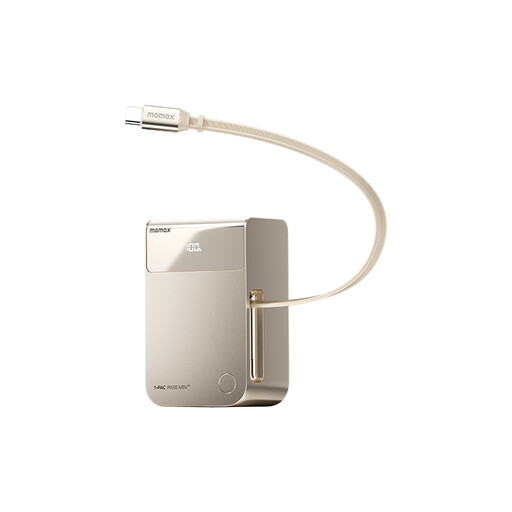
MOMAX 1-PAC Pass Mini 2-in-1 power bank, 10.000 mAh
Consider this model if your microphone charges via USB-C and you want to use the built-in cable.
10.000 mAh; retractable built-in cable with USB-C and Lightning connectors. The description says you can charge the power bank and a connected device at the same time.
Joybuy
 No image available
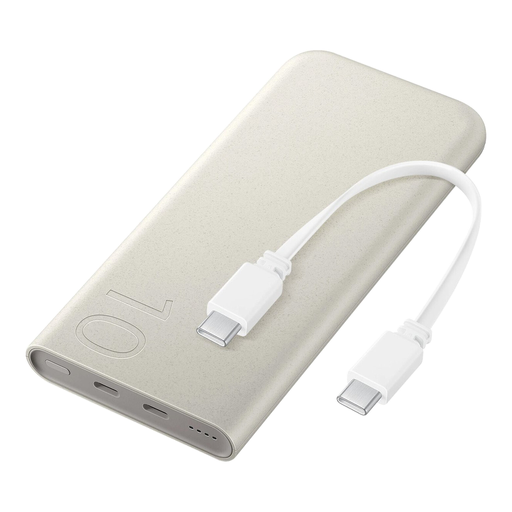
Samsung 25W wireless power bank, 10.000 mAh, beige
Before charging your microphone, check that the USB-C charging method and cable are suitable for your set.
10.000 mAh; 25 W; wireless charging; integrated USB Type-C cable. The product description says it can charge up to three devices at once.
Joybuy
 No image available
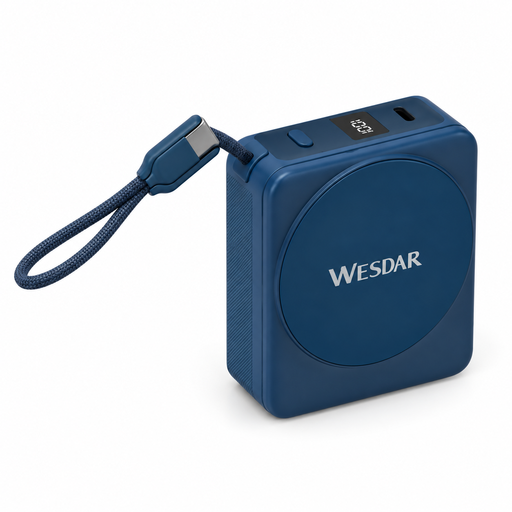
Magnetic Power Bank, 10.000 mAh, dark blue
Check that the built-in USB-C cable is suitable for your microphone’s charging method.
10.000 mAh; 22,5 W wired charging; 15 W wireless charging; built-in USB-C cable and digital display.
Joybuy
 No image available
Samsung Power Bank Fast Charge 45W, 20.000 mAh, beige
An option if you want extra battery capacity as well as a way to charge your microphone, and need three USB-C ports.
20.000 mAh; three USB-C ports; the product description says it delivers up to 45 W when one device is connected. Weight: 402 g.
Joybuy
Frequently asked questions
Can I connect my wireless microphone directly to a power bank?
That depends on the exact microphone model and cable. RØDE says that you can charge the Wireless GO (Gen 3) transmitter and receiver separately via their USB-C ports using a USB charging device. Don’t use this as guidance for a different model.
Do I need a power bank if my microphone set has a charging case?
Not necessarily. A compatible case can charge the set it’s made for: RØDE lists the Charge Case+ for Wireless GO (Gen 3) and Wireless PRO, while DJI describes a Charging Case for DJI Mic 2. Check that the case is made for your exact set.
How can I charge my microphone safely in a hotel room?
Place the charger in a clear space so heat can escape, don’t charge it under a pillow or duvet, and don’t use a damaged cable. This is the advice from Brandweer Nederland. Also check that your power bank’s full model number matches the latest safety warnings.
Does 10.000 mAh mean I can charge my microphone a set number of times?
No. mAh doesn’t guarantee a specific number of full charges. Energy is lost when it’s converted to USB output power and during charging. Where possible, compare Wh or output capacity on a like-for-like basis, and take the specifications of your microphone or charging case into account.


