
A charger for earbuds and one other device
You want to place the charging case beside your bed without unused spots for a phone or watch. First, check that your exact case supports wireless charging.


Start with the charging case for your exact headphones: a wireless audio connection doesn’t automatically mean the case supports wireless charging. Only choose a Qi charging pad if the case is compatible; if you also charge a phone or watch in the same place, check that the station has a suitable position for each device. Keep the station clear of bedding.
You want to place the charging case beside your bed without unused spots for a phone or watch. First, check that your exact case supports wireless charging.
You want to charge your earbuds, phone and possibly a watch on one station. You’ll need a suitable charging position for each device.
Consider where you’ll place it and check whether your chosen model has features such as a status light or fan.
First, check how your headphone case charges. Then decide how many devices need a place at the same time and choose a clear spot beside the bed.
| What to consider | What to look for | Who should consider this? |
|---|---|---|
| Compatibility | Check the exact case model and whether it supports Qi. If not, find out which cable and connector you need. | If I mainly want to know whether my own case will work on the charging pad, I check model compatibility first. Around 31% of consumers put compatibility first. |
| Number of charging positions | Check that there are separate positions for the devices you want to charge at the same time, and whether a power adapter is included. | If you want to charge earbuds alongside a phone or watch, for example, separate positions that suit each device are useful. Around 25% of consumers make simultaneous charging their top priority. |
| Safe placement | Choose a clear, stable spot away from pillows and duvets, and don’t use a damaged cable or adapter. The Fire Service advises keeping chargers clear of other items. | If I use my station beside the bed, I want to be able to place it somewhere clear and check the cables. This is a top priority for around 25% of consumers. |
| A peaceful bedside setup | Check whether each model has a status light or fan, and whether you can switch it off. | For consumers looking for a compact charging spot and mindful of their sleep environment, the operation of indicator lights or a fan can also matter. Around 19% put this consideration first. |
A wireless audio connection doesn’t tell you how the case charges. A Qi charging pad will only work if the receiver is compatible.
Check the full model number of your headphones or case and its stated charging method before choosing a station.
Manufacturers specify which devices work with the different charging positions on each model. The earbuds position won’t necessarily suit every case.
Check that the earbuds position is compatible, and see whether a power adapter is included with that version.
The Fire Service advises placing chargers in a clear spot so heat can escape, and not charging under a pillow or duvet.
Make room on your bedside table for the station, cable and adapter, and don’t use damaged cables.
According to Samsung, the Galaxy Wireless Charger Duo is designed to charge two devices at once, including selected Galaxy Buds models.
According to Belkin, the BoostCharge Pro WIZ023vfBK is designed for a compatible iPhone, Apple Watch and wirelessly chargeable AirPods case.
The MagGo A25M8 is a foldable option with separate charging positions specified for a phone, Apple Watch and wirelessly chargeable earbuds case.
Zens describes the Magnetic Nightstand Charger as a single magnetic charging spot for a compatible phone or AirPods case.
These models are designed for a bedside setup with several charging positions. Check whether the earbuds position suits your case for each product.
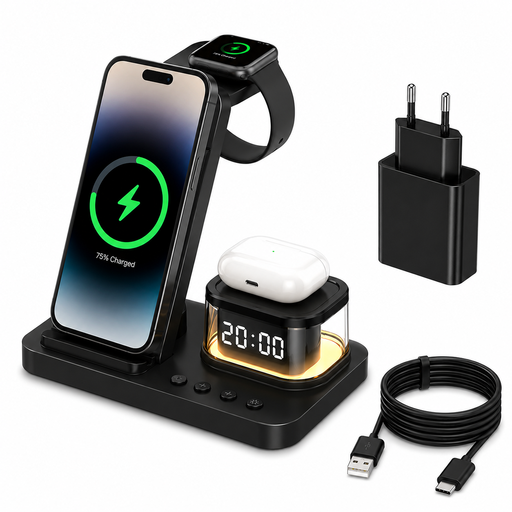 No image available
The product description lists a separate charging position for headphones and bedside use.
Foldable design; a 20W adapter is included.
 No image available
The product description lists separate positions for earbuds, a phone and a watch. Check whether your case supports wireless charging.
Qi2-certified according to the stated product specifications.
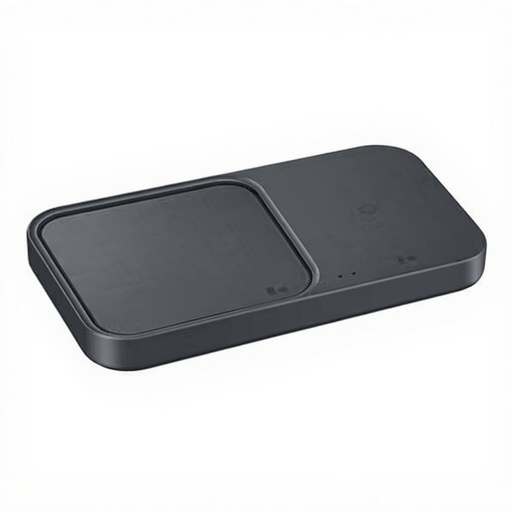 No image available
The product description lists wireless charging for compatible headphones and simultaneous charging for several devices.
Cable included.
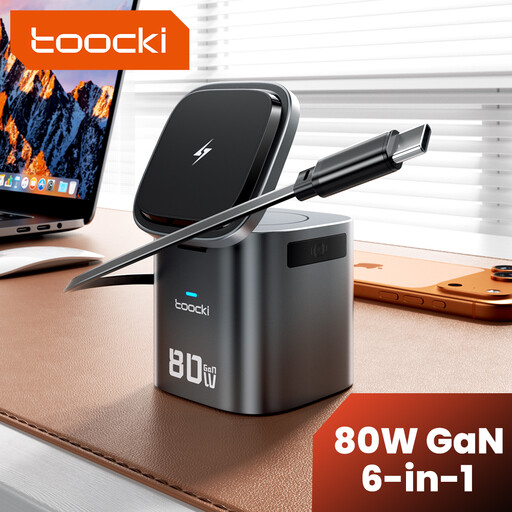 No image available
The product description lists positions for a phone, watch and wirelessly chargeable AirPods or other compatible headphones.
A 20W+ PD adapter is recommended for power; according to the product description, it isn’t included.
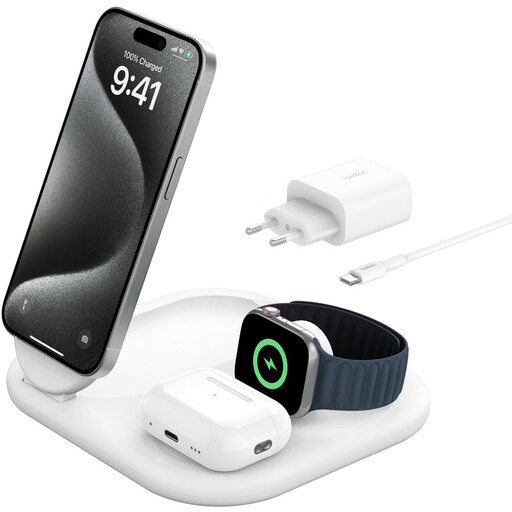 No image available
The product description lists three charging positions, including one for AirPods with a wirelessly chargeable case.
A 36 W adapter is included.
No. Check the charging method for the full headphone or case model, and make sure the station’s charging position is compatible. You can check Qi certification in the Wireless Power Consortium’s product database; a wireless audio connection doesn’t confirm Qi support.
Place the station somewhere clear, not under a pillow or duvet, and don’t use a damaged cable. The Fire Service gives this advice to allow heat to escape; also consult your equipment’s manual.
Follow the instructions to check that the case is correctly positioned on the charging spot and that there isn’t an unsuitable case cover or another object in the way. Don’t use a damaged cable or charger.
It depends on the version: the Samsung Duo reviewed is sold without an adapter, while Belkin lists an adapter for model WIZ023vfBK. If a product proves faulty under normal use, ACM ConsuWijzer says the seller is responsible for providing an appropriate remedy free of charge under the statutory guarantee. In the Netherlands, there isn’t one fixed guarantee period for every product.
No. The European Commission lists USB-C requirements for the specified categories of new devices, including headphones and earbuds, from 28 December 2024. This rule doesn’t confirm that an existing case supports Qi charging, nor does it require you to use a wireless station.
No. The Dutch Government describes CE as a marking for applicable legal product requirements. The Wireless Power Consortium explains separately how to check Qi certification in its database; assess the applicable requirements for the specific version of the station and adapter separately.