
A desk used with different phones
Needs a charging point that doesn’t rely on a single wireless standard. The available ports and users’ cables determine which version will work.


For a shared desk used with phones belonging to different people, a wired USB setup is the most flexible starting point when not every device supports wireless charging. Choose Qi2 only if the phone and case are compatible and being able to place the phone down easily is important. If devices really need to charge at the same time, opt for a station with multiple ports or charging positions. Check which adapter and cables are included with each version, how power is shared and what product information applies to the connection.
Needs a charging point that doesn’t rely on a single wireless standard. The available ports and users’ cables determine which version will work.
Wants to place their phone somewhere visible and pick it up again with ease. For wireless charging, the phone must be compatible, as must the case if you’re using magnetic Qi2.
Charges devices as well as a phone, so you’ll need to consider the available ports or charging positions and the power available when charging several devices at once.
A good fit if: users bring different phones or their own cables.
Bear in mind: cables stay on the desk; check the ports and power available when charging several devices at once.
A good fit if: you’re charging one compatible phone at a time and a simple place to charge is all you need.
Bear in mind: for the IKEA LIVBOJ reviewed, the adapter and USB-C cable are sold separately; its stated inductive charging power is up to 5 W.
A good fit if: your phone supports Qi2 and you often put it down and pick it up; the Wireless Power Consortium describes magnetic alignment as part of Qi2.
Bear in mind: check that your phone and case are suitable for magnetic charging; the stated 15 W for the Belkin model reviewed is a maximum for compatible devices.
A good fit if: you want to charge a compatible Qi2 phone and USB devices in the same place.
Bear in mind: according to the manufacturer, the UGREEN 4-in-1 model reviewed delivers 65 W per USB-C port only when a single USB-C port is in use.
A good fit if: you’re charging a set combination of a compatible phone, watch and earbuds.
Bear in mind: check that each device is compatible; charging positions won’t necessarily suit every visitor to the desk.
| What to consider | What to look for when buying | Who is this important for? |
|---|---|---|
| Compatibility | Compare the USB connections and cables with those used by the people sharing the desk; choose wireless only if their phones support it. | If I need to charge phones with different connections at a shared desk, I don’t want to rely on a single wireless standard. Around 30% of consumers give compatibility with different phones their top priority. |
| Easy to put down | For wireless charging, check that the phone is compatible and can be positioned correctly; for magnetic Qi2, check that the case is suitable too. | If you reach for your phone often during the working day, you’ll want to put it down in a set place and pick it up again easily. Around 30% of consumers say ease of putting down and picking up is most important. |
| Charging several devices at once | Count the devices that genuinely need to charge at the same time, then check the ports, charging positions and power available per port. | If I want to charge devices as well as a phone, I need enough suitable connections or charging positions. Around 20% of consumers give simultaneous charging their top priority. |
| Complete setup | Check which adapter and cables are included, and read the product information and instructions. | If you want to use a charging point at a shared desk straight away, you’ll want to know what power supply and other parts you still need. Around 20% of consumers say a complete setup and product information are most important. |
For an electrical product sold in the Netherlands, check which CE marking and product information apply to that particular version. The Netherlands Food and Consumer Product Safety Authority explains that the relevant safety requirements depend in part on the product; a CE marking alone is not proof of an independent inspection.
A stated maximum doesn’t automatically apply to every port when charging several devices at once. According to the manufacturer, the UGREEN 4-in-1 station reviewed delivers 65 W per USB-C port only when a single USB-C port is in use.
Read the conditions for the stated power and check how it is shared when several devices are connected.
The USB power adapter and USB-C cable are sold separately with the IKEA LIVBOJ reviewed.
Check what’s included with the exact version and whether you already have the power supply and cable you need.
A magnetic charging position is only suitable if the phone and any case are compatible. You may still need a wired charging option for other phones.
Check which phones are used at the shared desk, and take their connections and wireless charging capabilities into account.
In 2024, the Netherlands Food and Consumer Product Safety Authority warned about specific wireless chargers that could overheat if a metal object was nearby. That warning doesn’t mean all wireless chargers have the same issue.
Keep the charging area clear and check the exact make and model if there’s a safety warning.
The versions reviewed include a wired Nexode adapter with three ports and a Nexode 4-in-1 desk station with Qi2 and USB ports.
The BoostCharge Pro WIA011kqWH reviewed is a magnetic Qi2 stand for one compatible phone, with a fold-out support.
The Office Charger Pro 3 ZEDC25B/00 reviewed is designed for a desk with a phone and other compatible portable devices.
The LIVBOJ reviewed is a portable wireless charging pad for one compatible phone.
This selection includes wired charging stations and power strips with USB-A and/or USB-C ports for phones and other devices with a suitable cable. Check the parts included, power limits and instructions for each version.
 No image available
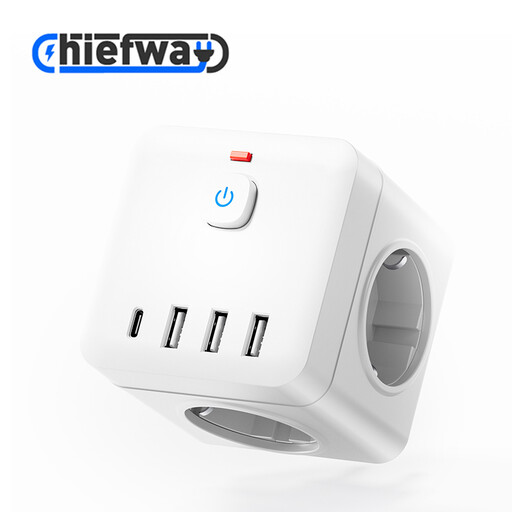
For a desk where several devices are connected using USB-A or Type-C cables.
The product title lists multiple AC outlets, USB-A and Type-C charging ports, and 4000W MAX. Check the product information and instructions for the intended connection.
 No image available
For a permanent desk setup where several devices connect via USB-A and USB-C.
The description lists 3 AC outlets, 4 USB ports: 3 USB-A and 1 USB-C, and a 1.5 m cable. Maximum power is 2500W; don’t plug one power strip into another.
 No image available
For anyone who wants to charge two USB-C devices at once from a single adapter.
The description states a maximum combined output of 65 W. When charging both devices at once, this is up to 45 W on USB-C1 and 18 W on USB-C2; a 1.5 m USB-C cable is listed.
 No image available
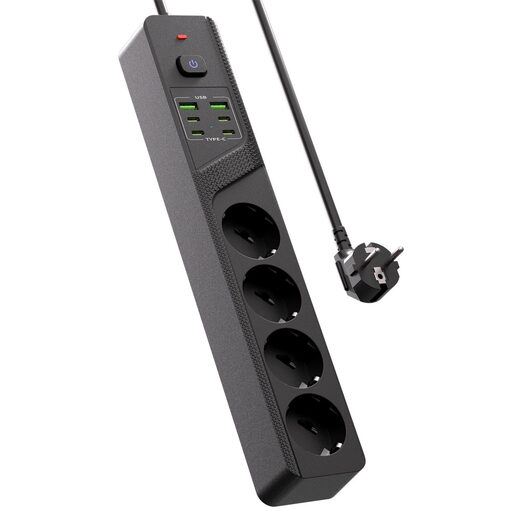
For a desk where several devices need to be connected using USB-C and USB-A cables.
The product title lists four Schuko sockets, four USB-C ports, two USB-A ports and an on/off switch.
 No image available
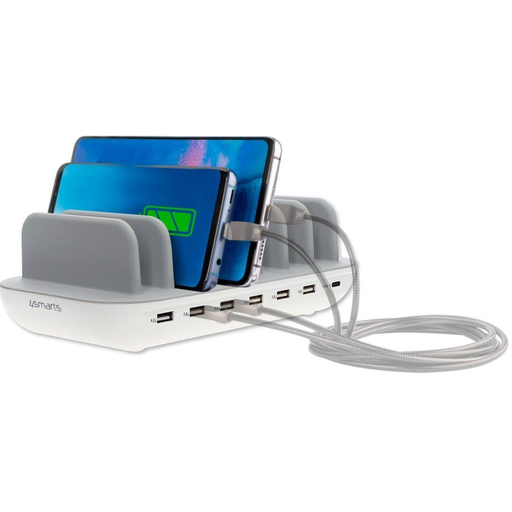
For a desk where several devices are charged at once using USB-A or USB-C cables.
The description lists six USB-A ports, one USB-C port, up to 60 W in total and up to 2.4 A per port. A 1.5 m cable is listed; don’t cover the station while it’s in use.
No. First check whether the phone supports wireless charging. For magnetic Qi2 charging, the phone and any case must also be compatible; wired charging is an alternative for other devices.
It depends on the version. The USB power adapter and USB-C cable are sold separately with the IKEA LIVBOJ reviewed, so check what’s included before setting up your charging area.
Not necessarily: check how power is shared when charging several devices at once. According to the manufacturer, the UGREEN 4-in-1 station reviewed delivers 65 W per USB-C port only when a single USB-C port is in use.
Check the applicable CE marking and product information for the specific version. According to the Netherlands Food and Consumer Product Safety Authority, the relevant electrical safety requirements depend in part on the product; CE marking is not the same as proof that each individual item has been independently tested.
No. According to ACM ConsuWijzer, Dutch law doesn’t set a fixed warranty period: with normal use, it depends on what you could reasonably expect from the product. If the product turns out to be faulty, contact the seller.