
A USB fan on a shared desk
You want to reach your fan’s charging port without having to keep swapping an adapter behind the desk. Check what the manual recommends; the Fire Service advises following the instructions for use.


First, check your fan’s manual, charging port and power requirements: a matching USB plug doesn’t prove that every charger is suitable. Then choose a USB desktop charger if the fan can be charged using that power supply and you also want to connect other devices. Use a model-specific dock if the manufacturer requires one. Make sure the ports are easy to reach, and consider the cable and safe charging on your shared desk.
You want to reach your fan’s charging port without having to keep swapping an adapter behind the desk. Check what the manual recommends; the Fire Service advises following the instructions for use.
As well as your fan, you might want to charge a phone or laptop, and need to know which ports are available and how the power is shared between them.
You’re looking for a charging solution that fits your exact fan model. For some docks, the model generation and serial number also matter.
Start by checking the fan’s charging instructions. Then decide whether you also want to charge other devices and where to position the charger on your shared desk.
| What to consider | What should you check? | Who is this important for? |
|---|---|---|
| Connection and power supply | Check the manual, input, recommended power supply, cable and any dock or serial number requirements. | I want to make sure the fan can be charged according to the instructions; around 36% of consumers prioritise compatibility. |
| Charging several devices at once | Check the types of ports and the power available from each port when several devices are connected. | If I also want to charge other devices at the same desk, having enough suitable ports is important; around 29% of consumers prioritise charging several devices at once. |
| Accessibility and positioning | Measure the available desk space and check the distance to the socket and the cable length. | I want to keep the charger and cable within easy reach at a shared workstation; around 21% of consumers are mainly looking for a practical place to charge. |
| Safe use and support | Check for the CE mark where it is required, read the manual and don’t use a damaged cable. | Safe charging and knowing where to turn if something goes wrong are my top priorities; around 14% of consumers share this main concern. |
The Netherlands Food and Consumer Product Safety Authority states that electrical products must carry a CE mark. The mark alone is not proof that a product has been independently tested. The Fire Service advises following the instructions for use and using the original charger supplied with the product.
The shape of the plug doesn’t tell you whether the power supply matches the fan’s charging instructions. A model-specific dock may also have restrictions based on the model generation or serial number.
Before buying, check the exact fan model and the recommended charging solution.
Depending on the model, you may still need a suitable cable, adapter or dedicated dock.
A multi-port charger’s maximum power isn’t automatically available from every port at the same time.
Check how the power is shared when charging the number of devices you’ll actually connect at once.
A hub with USB ports isn’t automatically a replacement for a mains-powered charging station. A laptop hub described by Sitecom specifies a maximum charging output of 4.5 W per USB port.
Before using the hub, compare its charging output with your fan’s requirements.
You may also need a separate, suitable charger.
Duux says its Gen 1 dock is not compatible with the Whisper Flex 2. It also limits compatibility with the specified Whisper Flex models based on their serial numbers.
Check the full model name and serial number if the manufacturer requires it.
The Nexode Desktop GaN Charger is a USB desktop charger for anyone who wants to connect other suitable USB devices as well as a fan.
The BoostCharge Pro 4-Port GaN Charger P-WCH010 is a desktop option for anyone who wants to charge other devices as well as a fan.
The Maxo 100W 4-Port USB Desktop Charger is a desktop option for several USB devices.
The Whisper Flex (Ultimate) Gen 1 Dock & Battery Pack is designed for specific Duux fan models, not as a universal USB charger.
These Joybuy products are USB chargers and power strips for a shared workspace. Only use a USB output to charge your fan if the manual for that model says it can be charged using that power supply.
 No image available
A power strip with several charging ports for a shared desk, if your fan’s manual allows it to be charged through the relevant USB output.
Four AC sockets, three USB-A ports, two USB-C ports and a 3 m cable. The product description mentions surge and overload protection.
 No image available
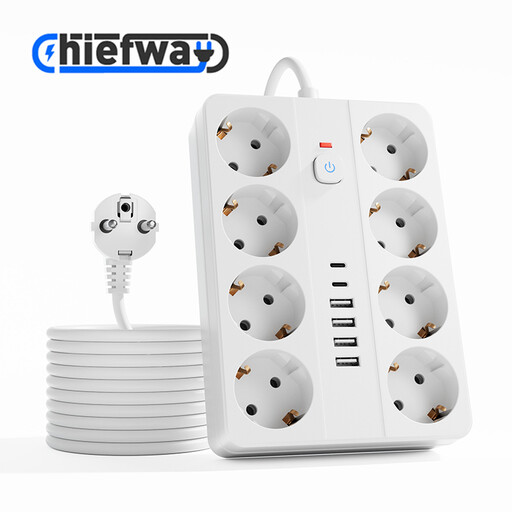
A power strip with several connections for a workspace where other devices are plugged in alongside the fan.
Eight AC sockets, four USB-A ports, two USB-C ports and a 3 m cable. The product description mentions surge and overload protection.
 No image available
A two-port adapter for anyone who wants to connect a fan and possibly a second device, provided the fan’s power requirements allow it.
80 W, with USB-A and USB-C outputs. According to the product description, it can charge up to two devices at once.
 No image available
A two-port USB-C charger for anyone who wants to charge another USB-C device as well as a fan, if the fan’s manual allows this power supply.
When both ports are in use, the product description specifies up to 45 W through USB-C1 and 18 W through USB-C2. A 1.5 m cable is listed.
 No image available
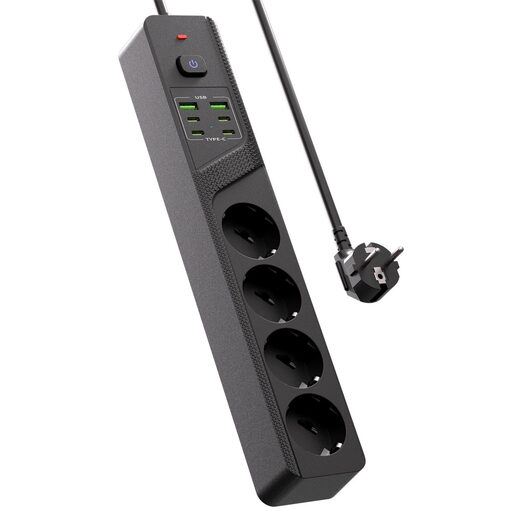
A tabletop model for a desk where several devices are plugged in, if the fan’s manual says it can be charged through one of the USB outputs.
Four Schuko sockets, four USB-C ports, two USB-A ports and an on/off switch; the product title describes the design as compact.
No. The shape of the plug alone doesn’t prove compatibility. Check your fan’s manual, recommended power supply and cable. For example, Wibra’s USB-C desk fan comes with a USB-C cable; that doesn’t mean the charging instructions for other models are the same.
Only if the charging output meets your fan’s requirements. A laptop hub described by Sitecom specifies a maximum charging output of 4.5 W per USB port; check this against the manual before using the hub.
Follow the manual, keep the charger clear so heat can escape and don’t use a damaged cable. The Fire Service advises using the original charger supplied with the product. Remove any damaged charger or cable from the shared workspace.
The Netherlands Food and Consumer Product Safety Authority states that electrical products must carry a CE mark. This doesn’t mean that every product has to undergo independent testing. The European USB-C rules have applied to certain device categories since 28 December 2024 and to laptops since 28 April 2026. Portable fans aren’t listed as a category, so don’t assume that every fan must have USB-C.
For consumer purchases, the seller must provide a solution under the statutory warranty, according to the Dutch government. Any manufacturer’s warranty is in addition to this, not a replacement for it.