
Photographers with a USB-chargeable camera
Want to charge the battery in the camera without first buying a separate battery charger. Check your camera’s manual to see whether this charging method is supported for your exact model.


First, check your camera’s manual to see whether its battery can be charged via USB; for a spare battery, you’ll need a charger that’s compatible with the exact battery type. Then choose a power bank with the required output and cable, and keep your charging area on the worktop dry and clear. For the cameras covered by Sony’s instructions, the camera must be switched off while charging via the USB method described.
Want to charge the battery in the camera without first buying a separate battery charger. Check your camera’s manual to see whether this charging method is supported for your exact model.
Want to charge a removed spare battery and need a charger that’s compatible with the battery type and the required USB power supply.
Want enough power in reserve for repeated charging. The stated capacity alone doesn’t tell you how much energy will reach the battery through your chosen charging method.
Choose this method: if your camera’s manual says it can be charged via USB.
Please note: a USB port doesn’t automatically mean it can charge the battery inside the camera. For the cameras covered by the relevant Sony instructions, the camera must be switched off.
Choose this method: if you want to remove the battery from the camera and charge it with a charger designed for that battery type.
Please note: the charger is a separate item you’ll need; make sure the power bank’s output meets the charger’s requirements.
First decide how you’ll charge the battery, then check the port, cable and power output. Sony Netherlands notes that USB-PD support and the required output can vary by camera model.
| Consideration | What should you check? | Who is this important for? |
|---|---|---|
| Charging method | Check whether the battery can be charged via USB while in the camera, or whether you need a separate charger. | If I want to be sure whether to charge the battery in the camera or with a separate charger, I’ll look up the instructions for my camera and battery. Around 40% of consumers put choosing the right charging method first. |
| USB output and cable | Compare the camera or charger’s connector, cable and any USB-PD requirements with the specifications of the power bank port you’ll use. | Once I know how I’ll charge the battery, I want to make sure the port and cable are actually suitable for the camera or charger. Around 31% of consumers prioritise having the right USB output. |
| Power reserve | Where available, compare measured output and usage information for your own battery and charger; don’t work out the number of charges directly from mAh figures. | If you’re planning several charging sessions, you’ll want to know how much power the combination you choose can practically provide. Around 15% of consumers put repeated charging first. |
| Charging area on the worktop | Choose a dry, clear spot and check the battery and cable for damage; leave the equipment uncovered so heat can escape. | If I’m charging on the worktop, I want to keep the equipment away from moisture and trapped heat. Around 14% of consumers prioritise safe placement. |
The Consumers’ Association compares stated capacity with the amount power banks actually deliver in tests. Where available, use this information alongside the details for your own battery and charger, rather than directly comparing mAh figures.
A USB port on the camera doesn’t prove that it can charge the battery inside it. The available charging method varies by camera model.
Before buying, look up the USB charging instructions for your exact camera model and battery.
If in-camera charging isn’t supported, you may need a separate battery charger.
The stated capacity doesn’t measure how much energy will reach the battery through the connection you choose. The Consumers’ Association compares manufacturers’ claims with actual output in its tests.
Where available, check measured output and compare it with the details for your own battery and charger.
The camera or battery charger must support the charging protocol and output you’re using. Some power banks split the available power across several ports.
Check the camera or charger’s requirements, as well as the specifications for the exact port configuration you plan to use.
Moisture, damaged components and covered equipment can all pose a risk. The Fire Service advises placing chargers in the open so heat can escape.
Choose a dry, clear spot and don’t use a damaged cable or a swollen battery.
The Primo range includes versions with USB-A and USB-C. Check which port type your existing cable and charging equipment require.
The BoostCharge BPB027hqBK we reviewed has two USB-C ports and comes with a separate USB-C cable.
According to Xtorm, the Go2 Supercharge PDXG2103FE we reviewed has one USB-C PD output and one USB-A output.
According to Samsung, the EB-U2510 combines wired charging options with wireless charging for compatible devices.
These power banks are options to compare for a compatible camera or USB battery charger. Before buying, check that the port, cable and any USB-PD support are suitable for your charging method.
 No image available
Worth considering if your camera or compatible charger uses a USB-C connection and USB-PD.
The product description lists a built-in USB-C cable with 20 W PD, an additional USB-C port and a USB-A output.
 No image available
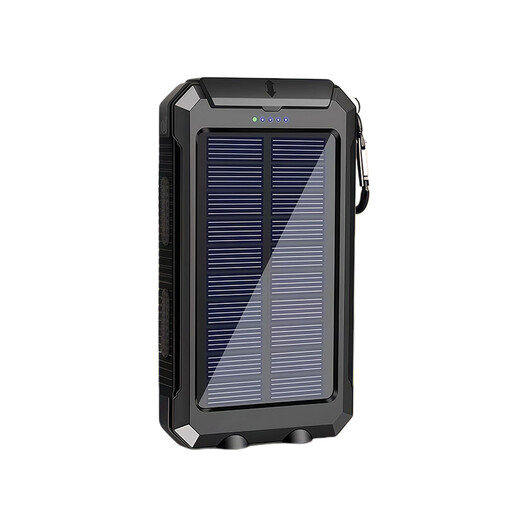
An option to compare if your camera or compatible charger can be powered via USB.
The product name lists 10,000 mAh, a solar charging feature and an LED torch. The description says it can charge USB devices.
 No image available
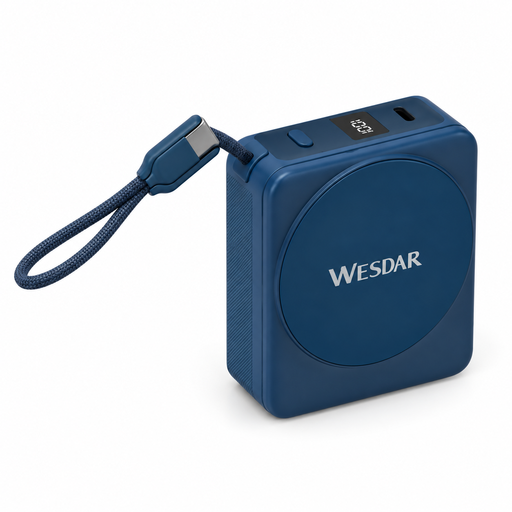
Worth comparing if your camera or a compatible USB charger can be powered via the built-in USB-C cable.
The product description lists 22.5 W wired charging, 15 W wireless charging and a digital display. The wireless feature doesn’t confirm that it can charge a camera battery.
 No image available
Worth considering if your camera or compatible USB charger supports USB-C and USB-PD.
The product description lists Power Delivery 3.0, up to 25 W and the ability to charge two devices at once.
No, not without first checking the charging method for your camera or battery. Check your manual to see whether the battery can be charged via USB while in the camera; for a spare battery, you’ll need a charger designed for that battery type. Then check the charger’s power requirements.
It depends on the camera model and charging method. For the cameras covered by the relevant support article, Sony Netherlands says the camera must be switched off while charging via USB as described. Follow the manual for your exact model.
Compare the camera or battery charger’s required connector, cable and any USB-PD support with the specifications of the power bank port. Sony Netherlands notes that USB-PD compatibility and the required output can vary by camera model.
Not reliably by simply dividing the mAh figures for the power bank and camera battery. In its tests, the Consumers’ Association compares manufacturers’ claims with the actual output of a power bank; where available, compare this information with the details for your battery and charger.
Use a dry, clear spot, keep the equipment away from moisture and leave the charger uncovered so heat can escape. The Fire Service advises placing chargers in the open. Don’t use a damaged cable or a swollen battery.