
Vandaag of morgen in huis

Kwaliteit gegarandeerd

Welkomstaanbiedingen ontgrendelen: GRATIS bezorging | Tot 80% korting | Gratis 30 dagen JoyPlus-proefperiode
Download de app
A broken or slow charging cable is a familiar problem. You reach for your phone only to find it has barely charged. The search for a new cable begins, but the market is overwhelming. Many cables promise the world, but in practice, they fall short. As a Product Recommendation Officer at Joybuy, I see the challenges consumers face every day. Let's cut through the marketing jargon and focus on what really matters.
Before you buy a new charging cable, be aware of a few common pitfalls:
To avoid a bad purchase, focus on three concrete characteristics. These determine whether a cable is suitable for your devices and your needs.
The connector is the first and most important point. The three most common types are:
Always check both ends of the cable: the side that goes into your device and the side that goes into the charger.
For fast charging, your device, your charger, and your cable must all be aligned. The power is expressed in Watts (W). A standard cable might only handle 12W, whereas a fast-charging cable is needed for power levels of 30W, 60W, or even 100W for laptops.
Check the cable's specifications for the maximum supported wattage. A cable that can handle 100W can easily charge a 30W phone, but it won't work the other way around.
The lifespan of a cable depends heavily on its material.
Based on these objective criteria, we have selected a number of cables that suit different user profiles.
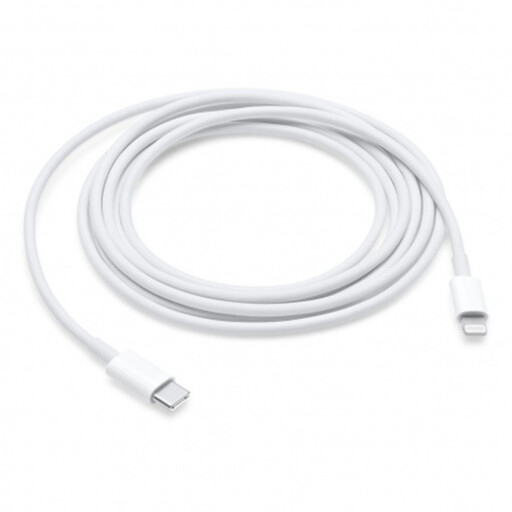
Why This Fits Their Persona: Ideal for owners of an iPhone 14 or older who use a modern USB-C charger. The 2-meter length provides the freedom to use your phone comfortably while it's charging, for instance on the couch or at the office.
As an official Apple product, this cable bypasses the compatibility and fast-charging pitfalls. It is guaranteed to be compatible and supports Power Delivery (PD) for fast-charging eligible iPhones.
Guaranteed performance and safety thanks to Apple certification. The extra-long 2-meter cable offers plenty of freedom of movement.
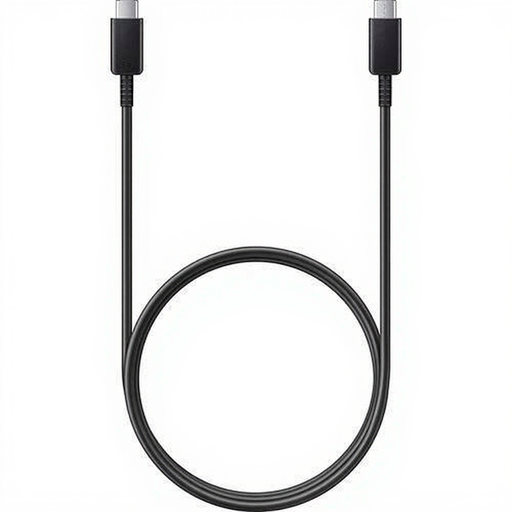
Why This Fits Their Persona: This user is looking for a reliable, no-nonsense solution for their Samsung phone and other USB-C devices. The 1.8-meter length is practical for home or office use, without the cable getting in the way.
As an original Samsung accessory, this cable is designed to work optimally with Samsung's fast-charging technology. This avoids the pitfall of third-party cables that don't deliver the promised speed.
Reliable performance and support for Samsung Super Fast Charging. The generous 1.8-meter length offers extra flexibility.
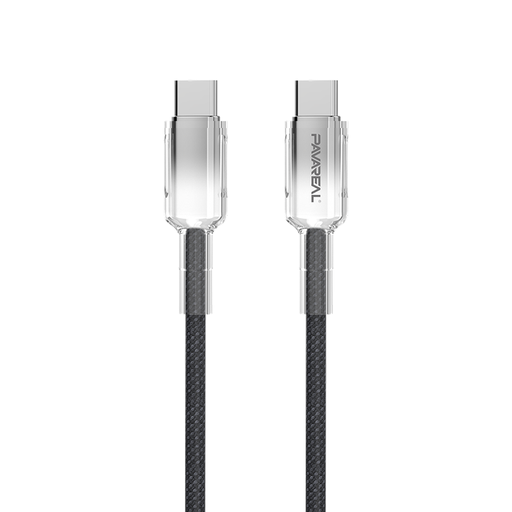
Why This Fits Their Persona: This user is tired of cables that break after just a few months. They are looking for a robust, future-proof cable that can withstand intensive daily use and is suitable for all their USB-C devices, including a laptop.
Its construction, featuring a braided nylon exterior and zinc alloy connectors, directly addresses the pitfall of poor durability. This cable is designed to withstand bending and pulling.
Highly durable construction for a long lifespan. Supports up to 100W of power, making it suitable for charging laptops and other high-power devices.
We have compiled a complete, up-to-date list of products that fully meet these strict selection criteria and relevant safety standards.
Check the product page for the maximum power in Watts (W) that the cable can handle, for example, 60W or 100W. This should be equal to or higher than your charger's output. Also, look for terms like Power Delivery (PD) or your device brand's specific fast-charging standard.
For durability, the answer is often yes. A braided cable is more resistant to wear and tear from daily coiling, bending, and travel. If your cables often break at the connector, a model with a nylon exterior and reinforced ends is a wise investment that can save you money in the long run.
No, it will not fit. Older iPhones (up to the 14 series) use a Lightning cable. Starting with the iPhone 15 series, Apple has switched to the universal USB-C port. You will need a USB-C to USB-C cable to charge these new models.
