
Vandaag of morgen in huis

Kwaliteit gegarandeerd

Welkomstaanbiedingen ontgrendelen: GRATIS bezorging | Tot 80% korting | Gratis 30 dagen JoyPlus-proefperiode
Download de app
A broken or slow charging cable is a common frustration. Just when you're in a hurry, your phone refuses to cooperate. The phone accessory market is flooded with options, but many of them lead to disappointment. Before you purchase a new cable, it's wise to understand the potential pitfalls. Common problems include:
This guide will help you avoid these issues and find a charging cable that suits your devices and lifestyle.
Choosing the right cable depends on a few technical specifications. Paying attention to these details will help you avoid a bad purchase.
The first step is to check which connectors you need.
Always check the port on your device as well as the one on your charger or computer.
A fast-charger cable can charge your device significantly faster, but only if the entire setup is compatible. Pay attention to the following:
A 100W cable plugged into a 20W adapter will not charge your phone any faster than 20W. Match the components to achieve the desired result.
The lifespan of a charging cable is largely determined by its material.
Everyone uses their devices differently. Here are some options tailored to specific needs.
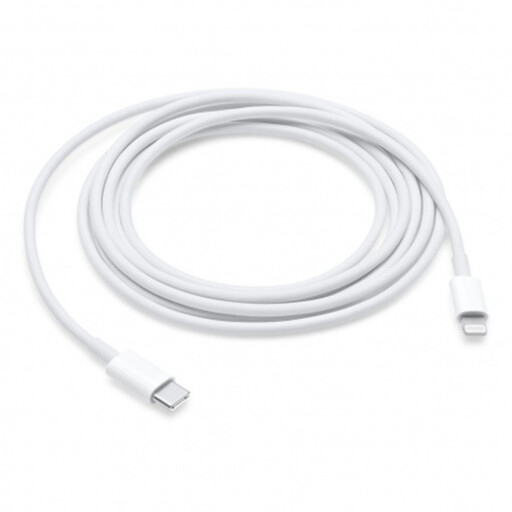
Why This Fits Their Persona: Perfect for those with an iPhone, iPad, or iPod who want the assurance of an official cable. This cable works seamlessly with Apple devices and supports fast charging when paired with a compatible USB-C adapter.
Avoids the "Accessory Not Supported" notification and guarantees compatibility, a common problem with non-certified cables.
Official Apple quality for guaranteed performance. The 2-meter length offers extra flexibility.
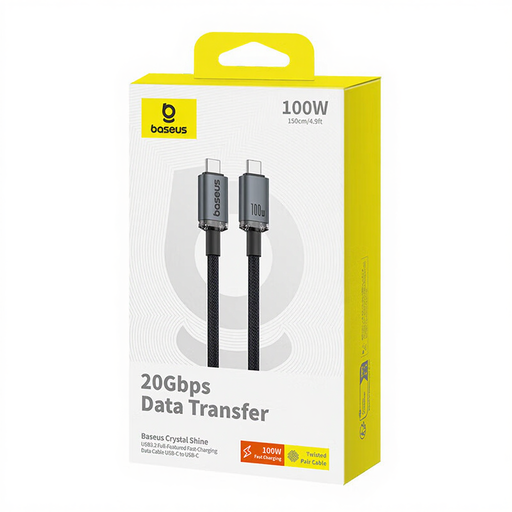
Why This Fits Their Persona: Ideal for users seeking a powerful, all-in-one solution for their USB-C laptop, tablet, and smartphone. This cable can not only charge but also transfer data at high speeds and even drive a 4K display.
Delivers on the "fast-charging" promise with a clearly specified power rating of 100W PD. This isn't vague marketing, but a concrete specification for demanding devices.
Supports 100W Power Delivery for charging laptops and offers a very high data transfer speed of 20Gbps.
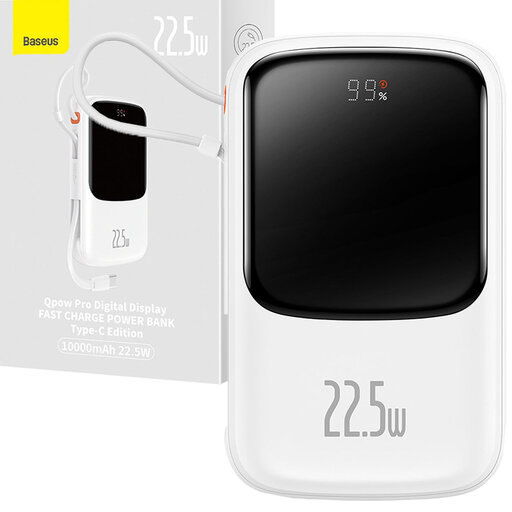
Why This Fits Their Persona: For those who are often on the go and don't want to lug around separate cables and adapters. This compact power bank has a built-in Lightning cable, so you can charge your iPhone anytime, anywhere.
Solves the problem of a forgotten cable. The integrated cable means you always have a complete charging solution on hand.
Compact size with 10,000 mAh capacity and a built-in, retractable Lightning cable that supports 20W fast charging.
We have compiled a complete, up-to-date list of products that fully meet these strict selection criteria and safety regulations.
Check the product information for terms like Power Delivery (PD) and the maximum wattage (W). For example, a cable rated for 60W or 100W is designed for fast charging. Keep in mind that you also need a compatible fast-charging adapter and a device that supports this speed.
This can have several causes. The most common is that the power adapter is not powerful enough. A fast-charging cable only performs optimally with an adapter that delivers the same amount of power. It could also be that the USB port you're connecting to (for example, on an older laptop) has a low power output.
The lifespan heavily depends on usage and build quality. A standard cable can show defects within a year of heavy use. A cable with a braided nylon exterior and reinforced connectors is designed for a longer lifespan and can last for several years with normal use. To extend its life, coil the cable loosely and avoid sharp bends.
