
Vandaag of morgen in huis

Kwaliteit gegarandeerd

Welkomstaanbiedingen ontgrendelen: GRATIS bezorging | Tot 80% korting | Gratis 30 dagen JoyPlus-proefperiode
Download de app
A broken or slow charging cable is a common frustration. It's tempting to quickly grab the first cable you see, but that's often a recipe for disappointment. Many cables on the market promise the world but fail after a few months or charge at an excruciatingly slow pace. Before you purchase a new charging cable, it's wise to know what to look for. We'll outline the most common pitfalls and show you how to avoid them.
Not all cables are created equal. Marketing terms can be misleading and lead to a bad purchase. These are the problems we see most often:
charging cable, the adapter (the power brick), and your device (phone, tablet) all support the same fast-charging protocol, such as Power Delivery (PD). A fast-charging cable alone is not enough.data cable. Some cheaper variants are designed purely for power delivery and do not support data transfer.To avoid a bad purchase, check these three points before making your choice.
The connector must, of course, fit. The two most common types are:
Samsung charging cable), laptops, and also the newer iPhones (from iPhone 15 onwards). A USB-C cable is versatile and often supports high charging speeds.Lightning cable or a USB-C to Lightning cable, depending on your adapter.Always check which port your device has and which port your power adapter uses (often USB-A or the newer USB-C).
The power, measured in Watts (W), determines how quickly your device can charge. A standard cable might only deliver 5W, whereas a fast-charging cable combined with a PD adapter can deliver 30W, 60W, or even 100W. For fast-charging a modern smartphone, a cable that supports at least 20W is a good starting point. For laptops, you'll quickly need a cable that can handle 60W to 100W.
A cable that is built to last is often made from more robust materials. Cables with a braided nylon exterior are generally more resistant to bending and pulling than standard plastic cables. Also, pay attention to the reinforcement at the connectors.
A long charging cable (for example, 2 or 3 meters) offers more freedom of movement, which is convenient on the couch or in bed. Keep in mind that with extremely long cables of lower quality, the charging speed can slightly decrease.
Based on these criteria, we have selected a few popular choices that suit different users.
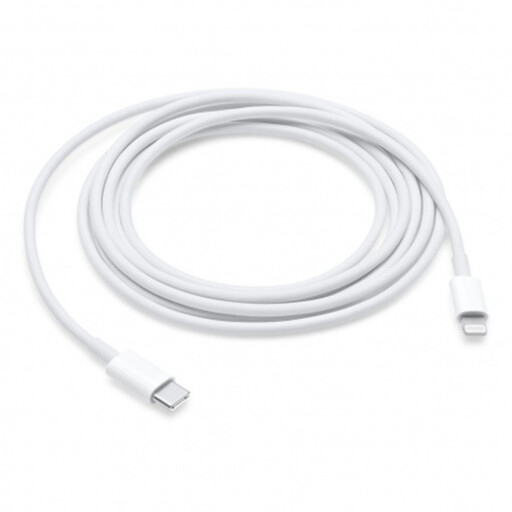
Why This Fits Their Persona: Ideal for owners of an iPhone (up to model 14) or iPad with a Lightning port who use a modern USB-C adapter. The extra 2-meter length provides plenty of freedom of movement.
As an official Apple charging cable, this product guarantees compatibility and support for fast charging via Power Delivery, thereby avoiding the 'fast charging myth'.
Supports fast charging for compatible iPhones and iPads. The 2-meter length is practical for use far from a power outlet.
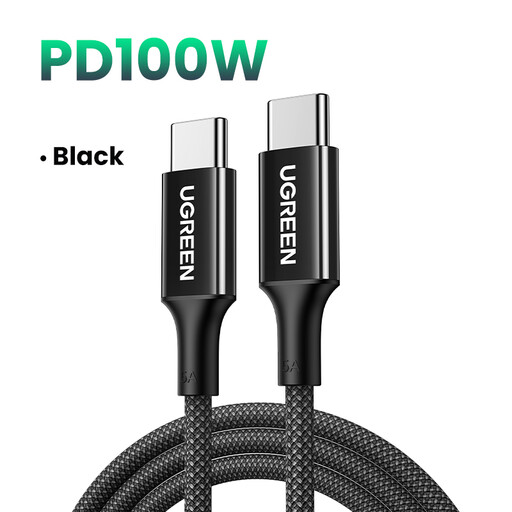
Why This Fits Their Persona: For those who need to charge a USB-C laptop, tablet, and smartphone. This cable can handle it all, making it a powerful, universal solution.
The braided nylon construction directly addresses the pitfall of fragility. The clear 100W specification is a factual power rating, not a vague marketing promise.
Supports up to 100W Power Delivery, capable of charging most USB-C laptops at full speed. The braided exterior provides extra durability.
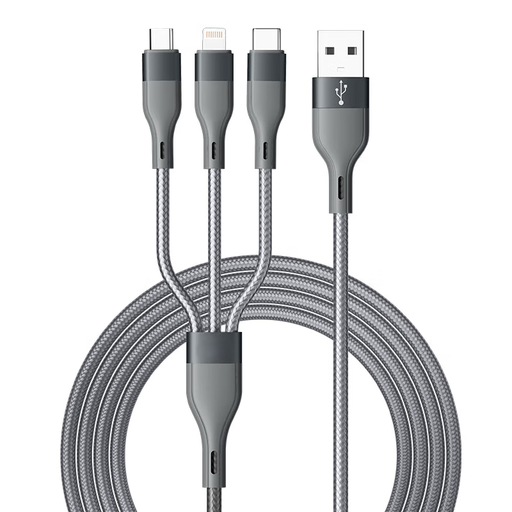
Why This Fits Their Persona: Perfect for families, travel, or for anyone who wants a single living room cable that everyone can use. No more hassle searching for the right cable.
This product solves the pitfall of incompatibility by combining three common connectors (Lightning, USB-C, Micro-USB) into a single product. One cable for almost all your devices.
Extremely versatile thanks to the three different connectors. The 1.5-meter length is a practical middle-ground for most situations.
A good charging cable is a small investment that can save a lot of frustration. We have curated a complete overview of cables that meet the key specifications for durability and charging speed.
No. For fast charging, the cable, the power adapter, and the device itself must all support a fast-charging protocol like Power Delivery (PD) or Quick Charge (QC). A cable that can handle high wattage is a requirement, but it's not the only factor.
The easiest way is to look at your device's charging port. A small, oval port is USB-C. This is the standard on virtually all Android phones from recent years and on iPhones from the iPhone 15 onwards. A smaller, non-oval port that only fits one way is Lightning, found on iPhones up to the 14-series.
A longer cable offers more convenience, but there is a minor downside. Over a longer distance, minimal power loss can occur, which might slightly reduce charging speed. However, with high-quality cables, this effect is negligible for daily use. For the highest possible charging and data speeds, a shorter cable (e.g., 1 meter) is technically optimal.
