If you listen from a fixed spot and can position speakers to your left and right, compare a stereo pair with a single speaker: according to their manufacturers, several models can be paired. If space is limited or you mainly want background music, start with one speaker and first check that it works with your music service, phone or computer, and preferred controls. These capabilities are manufacturer specifications, not the findings of an independent listening test that identifies a winner for your home office.
Who is this guide for?
Chamber music listener with a fixed workspace
You want to listen to instruments from a regular seat, with speakers arranged to your left and right, and may have room for two speakers. Sonos, Google and Apple describe ways to use two compatible models as a stereo pair.
Home worker with limited desk space
You want to start playing music without a large setup and need to check that the playback option works with your phone, computer and music service. The options vary by model, so check with the manufacturer.
Home worker who doesn't want a voice assistant
You want to consider microphones and data processing. Sonos describes the Era 100 SL as a Wi-Fi speaker without built-in voice control; check which voice features are available on other versions.
What should you consider when choosing?
Two speakers as a stereo pair
Choose this setup: if you want to listen in stereo from a fixed spot and have room to position two compatible speakers separately.
Bear in mind: you’ll need two speakers. A wider soundstage as described by manufacturers is no guarantee that the setup will sound better in your room.
One speaker
Choose this setup: if space is limited or you mainly want to play background music.
Bear in mind: check that the playback option works with your devices and music service. A single speaker is not the same as a left-right stereo pair.
| Consideration |
What should you check? |
Who should give this more weight? |
| Stereo positioning and space |
Check whether two speakers of the model can form a stereo pair and whether you can position them where you want. |
If I want to listen to instruments from a fixed seat, with speakers arranged to my left and right, I need room for two suitable speakers. Around 36% of consumers give stereo positioning top priority. |
| Music service and playback device |
Decide which device and service you want to use for playback, then check the supported playback options for the exact model. |
I want to know in advance whether my phone or computer and music service will work with the speaker. Around 29% of consumers prioritise playback compatibility. |
| Microphone and privacy |
Check whether the version has voice control, which settings are available and what the privacy policy says. |
If I don’t want a voice assistant in my home office, I pay attention to microphone features and data processing. Around 21% of consumers give privacy top priority. |
| Size of the setup |
Compare the number of speakers required and any accessories needed for your chosen playback option. |
I want to keep the setup compact and know in advance which components I’ll need for the way I plan to use it. Around 14% of consumers prioritise the overall size and configuration. |
Pitfalls to avoid
-
Assuming Bluetooth in the specifications guarantees Bluetooth streaming
Simply listing a wireless technology doesn’t tell you how your phone or computer sends music to the model.
Check which music services and playback methods are explicitly supported by the exact model. Apple lists Apple Music and AirPlay, among other options, for HomePod; Bluetooth in the specifications alone doesn’t promise streaming in the same way as a standard Bluetooth speaker.
-
Comparing one speaker with a stereo pair as if they were the same setup
A pair changes both the positioning and the number of speakers you need.
First decide whether you can place two speakers on either side of your listening position. Then compare the setups and check that your music source actually contains stereo audio.
For the Era 100 line-in described by Sonos, you’ll need a separately available adapter.
Relevant brands to consider
Sonos
Sonos describes the Era 100 as a speaker with Wi-Fi and Bluetooth that can later be expanded with a second Era 100.
- According to the Sonos manual, two Era 100 speakers can be used as a stereo pair.
- The USB-C line-in described requires a separately available adapter. Sonos’ claims about sound and Trueplay are manufacturer material, not an independent listening comparison.
- The Era 100 SL is a separate version without built-in voice control.
Apple
Apple describes HomePod (2nd generation) as supporting playback through services including Apple Music and AirPlay, and pairing with a second HomePod as a stereo pair.
- The manufacturer describes support for using two HomePods in the same room as a stereo pair.
- Apple lists a compatible iPhone or iPad and Wi-Fi as setup requirements. Apple’s sound claims are not independent measurements for chamber music.
Google
In 2020, Google described Nest Audio as a speaker that can be used with a second Nest Audio as a stereo pair.
- Google lists a 19 mm tweeter and a 75 mm mid-woofer.
- The description and claims about sound and suitability for music come from Google. Check whether your current music service is supported.
JBL
JBL describes the Authentics 200 as having Wi-Fi, Bluetooth and voice assistant features.
- The product information lists several streaming options and sound controls.
- The manufacturer’s information doesn’t show how a single Authentics 200 will sound in a particular home office compared with a separately positioned stereo pair.
Joybuy products
The products below include a wireless speaker and two soundbars. Check that the form factor and connections suit your workspace; according to the product information, the soundbars are intended for use with a TV.
 No image available
Edifier ES300 Wi-Fi and Bluetooth speaker, 60 W
The product name lists Wi-Fi, Bluetooth, AirPlay 2, USB and AUX; check which connection is right for your source device.
The product name also specifies 60 W, Hi-Res Audio, LDAC and 12 hours of battery life. Before buying, check the applicable conformity information for the specific version.
View at Joybuy
 No image available
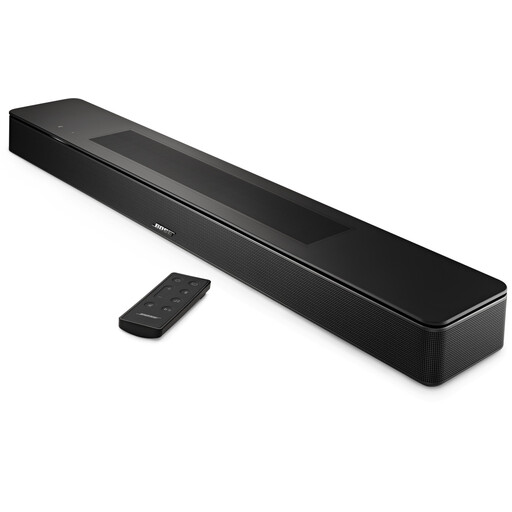
Bose Smart Soundbar, black
The product information describes this model as a soundbar for use with a TV, rather than a conventional standalone desk speaker. Check that its shape and positioning suit your home office.
Check the applicable conformity information for the specific version.
View at Joybuy
 No image available
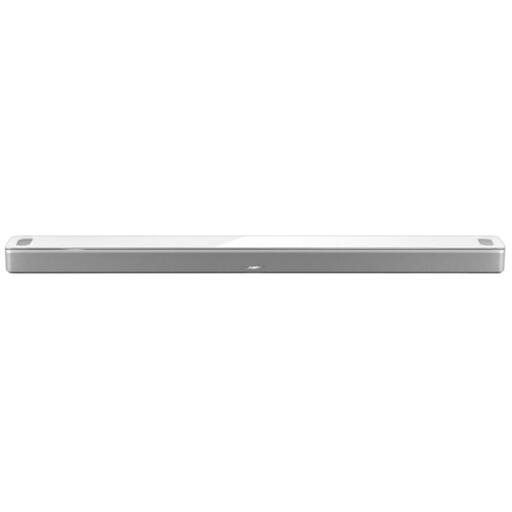
Bose Smart Ultra Soundbar, white
The product information describes this model as a soundbar designed to sit by a television. That’s a different form factor from a standalone speaker on a desk.
Check that its positioning and the playback option you want suit your home office, and check the applicable conformity information for the specific version.
View at Joybuy
Frequently asked questions
Do I definitely need two speakers for chamber music?
No. One speaker may be enough if you have limited space or mainly want background music. Sonos, Google and Apple describe how two compatible speakers can be used as a stereo pair; choose based on your listening position, available space and music source.
Can I connect my computer directly to a Sonos Era 100?
For the USB-C line-in described by Sonos, you’ll need a separately available Line-In Adapter or Combo Adapter. Also check which audio output your computer has and which adapter is suitable.
What can I do to protect my privacy after setup?
The Dutch Data Protection Authority advises checking your account and device settings, changing default login details where possible and updating the device regularly. Before buying, read the privacy policy and check which microphone and voice settings the model offers.
What rights do I have when I buy a speaker online?
According to the Dutch government, applicable distance purchases from a business generally come with a 14-day cooling-off period; exceptions and the seller’s identity are still relevant. Your statutory rights if a product is faulty are separate. Check who the seller is and what terms apply to any return.
Which product regulation is relevant to sales in the Netherlands?
Radio equipment covered by Directive 2014/53/EU must meet the applicable EU conformity requirements and carry the required CE marking. EUR-Lex and the European Commission describe these rules; the marking is not proof of sound quality. Check the conformity information for the specific version.


