Start by testing your internet speed over a wired connection, then check the signal where you hold your meetings: a faster router upstairs won’t automatically fix a weak signal through a floor. If you can run an Ethernet cable to the cellar, first try a wired connection to your laptop. For Wi-Fi on several devices, a wired access point is a good option, while a wireless mesh node is only likely to work somewhere it can still get a usable signal. Before you buy, check the connections and power supply required. For radio equipment, also look for the CE mark and check the applicable requirements.
Who is this guide for?
Fixed cellar workspace with the option of a cable
You mainly want video calls to run smoothly in one fixed spot, and may be able to run a cable down to the cellar. The Consumers’ Association and Ziggo describe wired testing and connections as practical steps for troubleshooting Wi-Fi problems.
Cellar user without an Ethernet cable
You want Wi-Fi without running cables and need to know whether a wireless node will still have a connection where you plan to put it. The Consumers’ Association and TP-Link highlight placement and the connection between mesh nodes as important considerations.
User with an existing home network
You want to keep your current router and only extend the network once you’ve checked the connection and placement. The Consumers’ Association recommends a wired test; TP-Link explains that the features available can vary in access point mode.
What should you look for when buying?
First, test your internet connection using a cable. If it works well, choose between working with a direct wired connection, a wired access point or a wireless node in a spot with a usable signal. The Consumers’ Association recommends wired testing, and Ziggo advises connecting Wi-Fi extenders by cable where possible.
| What to consider |
What to check before buying |
Who is it important for? |
| Stable connection in one spot |
Test your internet connection using a cable, and check whether your laptop has an Ethernet port or a suitable adapter, and whether you can run a cable to the cellar. |
If I hold meetings in one fixed spot, I want to know whether a cable can connect my laptop directly; around 36% of consumers prioritise a reliable wired connection at their workspace. |
| Coverage without running cables |
Check the signal both where you plan to put the node and where you hold meetings. Don’t choose based only on the stated coverage area or speed. |
If I can’t run an Ethernet cable to the cellar, I want a node that can still get a connection; around 29% of consumers prioritise wireless coverage without running cables. |
| Keeping your current router |
Check that the exact model supports the access point mode you want, an Ethernet connection and the required power supply. |
If I want to keep using my current router, I’ll check whether an additional node works with it and which features will remain available; around 21% of consumers prioritise keeping their existing router. |
| Finding the cause and costs first |
Compare the wired test with the signal in the cellar, and factor in any cables, adapters and power supplies you may need. |
If I don’t yet know whether the problem is with the connection, placement or Wi-Fi, I want to find out before replacing anything; around 14% of consumers prioritise diagnosing the issue and avoiding unnecessary costs. |
Common buying mistakes
-
Buying a faster router just because video calls stutter in the cellar
The router’s position, floors and walls, or your fixed internet connection could also be limiting performance. A new router won’t automatically fix a problem with the connection itself.
First, test the connection using a cable, then check the signal where you hold meetings. If the wired test is poor too, investigate the connection or router placement before replacing any equipment.
-
Putting a wireless mesh node somewhere with barely any signal
The node needs a usable connection to your existing network. Obstacles such as concrete floors can also affect the signal.
Check the signal where you plan to put the node. If you can run a cable, check whether the device you’ve chosen supports a suitable wired mode.
If a wireless connection doesn’t work, you may still need to run a cable or add another node, which means extra installation work and materials.
-
Confusing an access point with a complete router
An access point can provide Wi-Fi in another spot, but it doesn’t automatically replace your main router. A wired setup may also require a suitable power supply.
Before buying, check the connection diagram and what’s included with the exact model.
A PoE setup may require a suitable PoE power supply. Check what’s needed for the device you’ve chosen.
Brands to consider
TP-Link
The Deco X50 range is a mesh router with wireless or wired connections between nodes. The mode you choose determines which router features remain available.
- TP-Link lists three gigabit ports per Deco X50 unit and optional Ethernet backhaul.
- The manufacturer warns that building materials and other conditions affect actual coverage. The product specifications don’t tell you what the signal will be like in your cellar.
Ubiquiti
The UniFi U6+ is a wired access point for a spot with an available network connection, not a standalone replacement for your main router.
- Ubiquiti specifies one gigabit Ethernet port for the U6+.
- Ubiquiti specifies a power range of 44–57 V DC. Check which compatible PoE power supply your setup requires. These specifications don’t measure performance in a cellar.
FRITZ!
FRITZ! repeaters can extend an existing Wi-Fi setup. The right connection depends on your setup.
- FRITZ! explains how to integrate a repeater via LAN into a FRITZ!Box mesh network.
- That combination doesn’t guarantee that the same mesh features will be available with a router from another brand.
KPN
SuperWifi is a provider-specific mesh router for households with a compatible KPN home network setup.
- KPN describes SuperWifi points as part of a connected mesh network.
- Check that the model and connection are right for your setup. The brand description doesn’t guarantee coverage through a cellar floor.
Joybuy products for Wi-Fi in the cellar
This selection includes wired access points, a repeater, mesh systems and a router. A wired access point needs a suitable network connection and power supply; a wireless node must still be able to connect to your existing network. Check the signal and the connections required for your setup.
 No image available
TP-Link Omada EAP653 access point
A good fit for a wired setup where you want to provide Wi-Fi in a chosen spot.
Wi-Fi 6, one gigabit Ethernet port and PoE; designed for wall or ceiling mounting. A suitable power supply is required for PoE.
View at Joybuy
 No image available
Ubiquiti U7 Pro access point
An option for Wi-Fi at a fixed workspace if you can run a cable to the access point.
The product information lists one Ethernet port and PoE+ power; a suitable PoE+ power supply is required. Wall or ceiling mounting is specified.
View at Joybuy
 No image available
TP-Link Omada EAP673-Extender repeater
A good fit if you want to extend your network to the cellar without running a cable, provided the device can still connect to your existing network where you put it.
The product information lists dual-band Wi-Fi, one Ethernet port and 10, 100 and 1000 Mbit/s connections. It needs to be placed within range of your existing network.
View at Joybuy
 No image available
TP-Link Deco XE75 Pro (3-pack) Wi-Fi 6E mesh system
A good fit if you’re looking for a mesh system with several nodes and can check the signal between them.
Tri-band Wi-Fi 6E; the set includes three units, each with three Ethernet ports according to the product information. The stated specifications don’t indicate cellar coverage.
View at Joybuy
 No image available
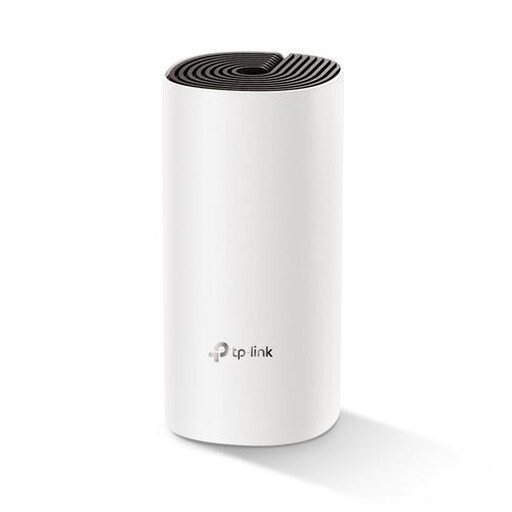
TP-Link Deco M4 (1-pack) Wi-Fi 5 router
A router option for anyone who wants to assess their existing setup before replacing or extending it.
The product information lists dual-band Wi-Fi 5 and two Ethernet ports. The stated configuration includes one unit; cellar coverage hasn’t been measured.
View at Joybuy
Frequently asked questions
Do you need to replace your provider’s router to make video calls in the cellar?
No, not necessarily. First, test your internet connection over a wired connection, then check the signal and placement. An extra node can extend your existing network. TP-Link explains that when a Deco is in access point mode, the main router continues to manage the network, while some Deco router features are unavailable.
Where should you put a wireless mesh node?
Choose a spot where the node can still connect to your existing network, then check the signal where you hold meetings. Ziggo recommends connecting its Wi-Fi extenders by cable where possible.
What extra costs and rights should you check?
If you’re installing a wired access point, factor in any cables and a suitable power supply. ACM ConsuWijzer explains that in the Netherlands, statutory guarantee rights apply alongside any seller’s guarantee: under the applicable conditions, the seller must repair, replace or refund a product that stops working too soon under normal use. This protection isn’t simply limited to two years.
Do you need a licence for ordinary home Wi-Fi in the Netherlands, and what should you check on the device?
You don’t need a licence or registration to use Wi-Fi within the Netherlands’ licence-exempt frequency conditions, according to the Dutch Authority for Digital Infrastructure. Equipment placed on the Dutch market must have the correct CE marking. Since 1 August 2025, stricter cybersecurity requirements have also applied to radio equipment covered by the rules. An older declaration of conformity on its own doesn’t prove that a particular model meets all current requirements.
Can you use your own router instead of your internet provider’s?
Yes. According to ACM ConsuWijzer, you have the right to choose your own router. Network and security requirements may also apply to your own modem or another directly connected device. Ask your provider which settings you need if you want to replace the main connection device.


