
Cassette archivist
Wants to assess audible issues while digitising and listening back, and check whether they’re also present in the recorded file. The Audacity Manual explains how to connect cassette equipment to a recording setup.


For checking a cassette transfer in a quiet study, either closed-back or semi-open wired studio headphones could be suitable. Choose closed-back if you want to reduce background noise or sound leakage, and consider semi-open if you’ll mainly be listening back and sound leakage isn’t a concern. Check the plug, available headphone output and fit beforehand. Headphones won’t prevent the recording from clipping, so check the recording meter too and listen back to the saved file.
Wants to assess audible issues while digitising and listening back, and check whether they’re also present in the recorded file. The Audacity Manual explains how to connect cassette equipment to a recording setup.
Already has a cassette deck, interface or computer and is looking for headphones that work with the available connection and monitoring route. The Audacity Manual describes connection options for recording equipment.
Listens back to full cassette sides in a quiet room and weighs comfort against the need for isolation.
The Audacity Manual describes the connection route for recording, while Audacity Support explains how clipping can sound in a recording. So assess both your headphone setup and the recorded file.
| What to consider | What should you check? | Who is this important for? |
|---|---|---|
| Assessing the recording | Check the recording meter during a test recording and listen back to the saved file. | If I want to know whether sections have been captured properly, I compare the file I listen back to with what I expect to hear. Around 40% of consumers prioritise assessing the recording. |
| Connection and monitoring | Check the headphone output, plug and any adapter; also listen back to the saved file. | If I already use a cassette deck, interface or computer, I want to know whether the headphones fit the output and which monitoring route I’m listening through. Around 30% of consumers prioritise connection and monitoring. |
| Comfort during long listening sessions | Pay attention to the fit of the headband and ear pads, for example during a longer listening session. | When listening to a full cassette side, I want the headphones to stay comfortable; specifications on paper don’t automatically tell me how they’ll fit. Around 20% of consumers put long-wearing comfort first. |
| Isolation and sound leakage | Decide whether you want to block out sound or prevent others from hearing what you’re listening to. | If there’s background noise or someone else is in the room, I may value isolation or reduced sound leakage. Around 10% of consumers prioritise this. |
beyerdynamic offers the DT 770 PRO in 32, 80 and 250 ohm versions, according to the manufacturer. The version you choose should suit your device’s output.
Check the full variant name and your device’s output before ordering.
The connection route and recording meter both affect what is actually captured. Audacity Support describes clipping as distortion that can occur when the recording level is too high.
Make a test recording, check the meter and listen back to the saved section. If the recording has clipped, you may need to transfer it again.
A semi-open design doesn’t provide the same isolation as a closed-back one. In a quiet room, a semi-open model could still be an option if sound leakage isn’t a concern.
Take the room conditions and whether anyone else is present into account when choosing.
The wired, closed-back ATH-M40x is worth comparing if you’re looking for a model with swivelling ear cups.
The closed-back DT 770 PRO is worth considering if the impedance version and replaceable ear pads matter to you.
The semi-open K240 Studio is worth considering if you’ll mainly be listening back in a quiet room.
The closed-back HD 280 PRO could suit a workspace where you want a coiled cable and replaceable ear pads.
The MDR-7506 is another professional headphone option for studio and home use.
These Joybuy headphones offer a range of connections and features. Check each version to make sure its connection matches the output you want to use for cassette monitoring.
 No image available
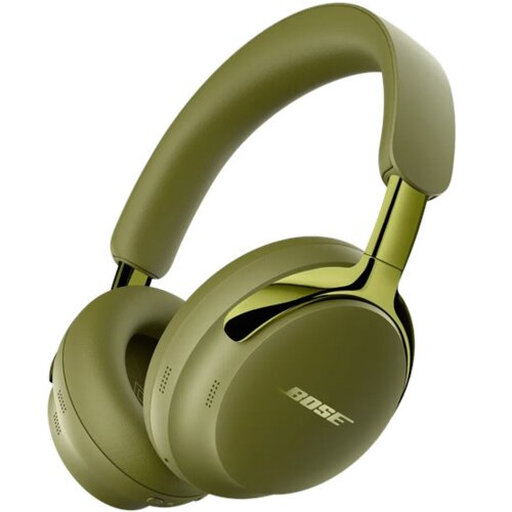
The product information lists a 3.5mm audio cable and passive use without a battery for wired listening.
The model name describes wireless over-ear headphones; check that the wired connection suits your setup.
 No image available
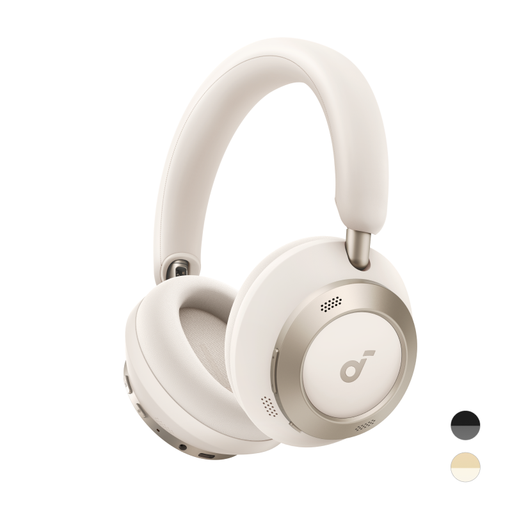
The product information lists a detachable cable with USB-C and 3.5mm connections.
Before choosing this version, check which connection your monitoring route requires.
 No image available
The product information describes a closed-back design and an audio cable for wired listening, even without a battery.
Check that the connection and fit suit your listening setup.
 No image available
The product name describes this model as wireless headphones. Before buying, check whether this version has the wired connection your monitoring route requires.
The product information lists a foldable FlexiCurve design.
 No image available
The product information lists a 3.5mm wired analogue connection and an impedance of 32 Ω.
The product information lists a weight of 240 g and memory foam ear cushions; check the connection and fit for your needs.
It depends on which signal you want to check and which outputs are available. For recording, the Audacity Manual generally recommends connecting the cassette deck’s line-out to a suitable line-in, rather than a microphone input. Check separately which headphone output you want to monitor through, and listen back to the saved file too.
Software monitoring can cause an audible delay. If you use this route, check your monitoring settings; a delay doesn’t automatically mean the headphones are faulty.
No, headphones don’t change the recording level. Audacity Support describes clipping as a recording-level issue; make a test recording and check the recording meter.
Check that the connection fits and whether you need an adapter. The manufacturers of the DT 770 PRO, K240 Studio and HD 280 PRO list replaceable ear pads; check which parts are compatible with your version of each model.
When you buy online from a business, you’ll often have a 14-day cooling-off period; check the terms of your specific purchase. You’re also entitled to a product that is fit for purpose. According to the Dutch government, there is no fixed term for the statutory guarantee in the Netherlands, and the retailer is your point of contact if a product is faulty.
Not necessarily. VeiligheidNL recommends headphones that fit well, so background noise is less likely to make you turn up the volume. Keep the listening volume at a sensible level, even in a quiet room.