
Vandaag of morgen in huis

Kwaliteit gegarandeerd

Welkomstaanbiedingen ontgrendelen: GRATIS bezorging | Tot 80% korting | Gratis 30 dagen JoyPlus-proefperiode
Download de app
A new case fan might seem like a straightforward purchase, but the market is flooded with marketing terms and specifications that confuse more than they clarify. The result? You overpay for flashy lights that offer little cooling, or your PC suddenly sounds like a jet engine. As a Joybuy Product Recommendation Officer, I'm here to help you cut through the noise. We'll focus on what truly matters, ensuring you make an informed decision for your case cooling.
Before we look at products, let's discuss the three most common pitfalls for PC builders.
To make the right choice, it's essential to understand a few core specifications. These determine the performance, noise, and compatibility of your PC fan.
The two most common sizes are 120mm and 140mm. The choice depends on your case's compatibility.
These are the two most important performance metrics.
The way you control a fan determines how quiet and efficient your system is.
Below are several recommendations tailored to specific user profiles. These aren't 'winners', but practical choices that excel at a specific task.
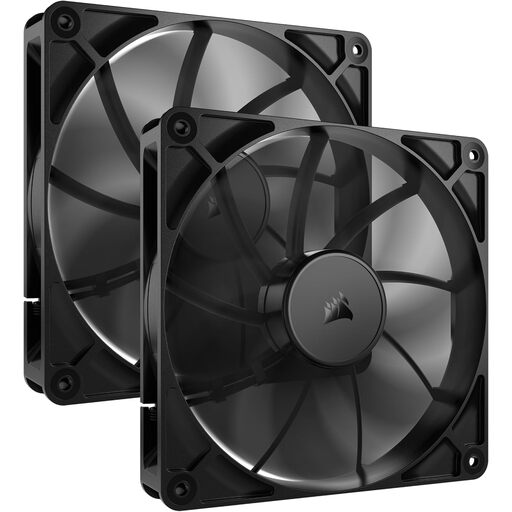
Why This Fits Their Persona: For those who prioritise performance over aesthetics, this duo-pack offers excellent value. You get two dependable 140mm fans that deliver solid airflow without the extra cost of RGB.
This product completely sidesteps the 'RGB tax'. The focus is on functional cooling. Thanks to PWM control, you can keep noise levels in check and avoid the 'hidden noise penalty'.
Good airflow (up to 95.5 CFM) for a 140mm fan. PWM support for precise speed control. Supplied as a convenient 2-pack.
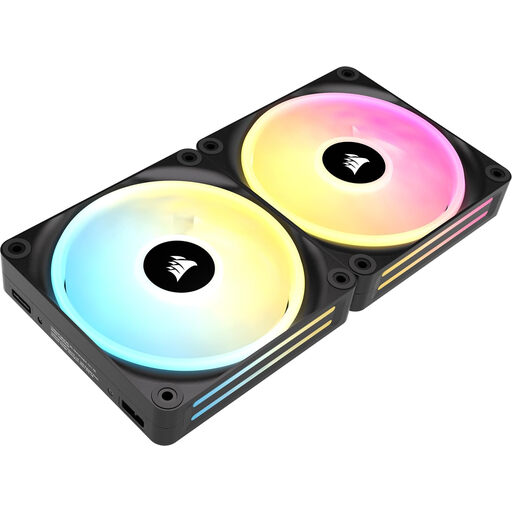
Why This Fits Their Persona: If you want a clean, modern build with minimal cable clutter and extensive RGB options, this is the ideal start. The iCUE LINK system makes building and managing your lighting and cooling significantly easier.
This system directly tackles the 'cable chaos' pitfall. The fans link together and connect to the included hub with a single cable. This saves time, frustration, and results in a much cleaner look.
Simplified cable management with iCUE LINK. Each fan has 34 individually addressable LEDs. Starter kit includes two fans and the required hub.
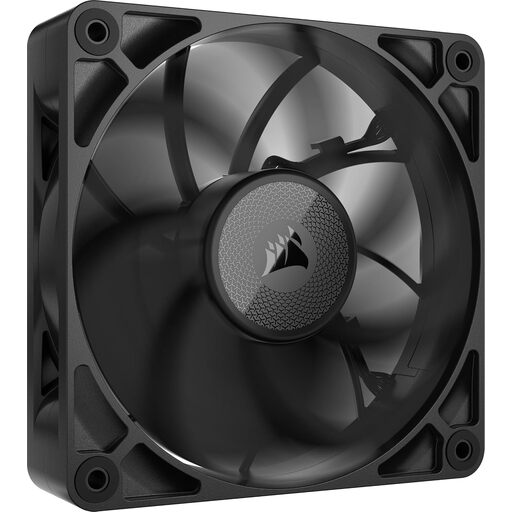
Why This Fits Their Persona: This fan is engineered for one purpose: maximum performance in high-resistance scenarios. It's ideal for users with thick radiators or restrictive cases who need every degree of cooling, while maintaining low noise levels at normal speeds.
This model focuses on high static pressure (4.18 mmH2O), sidestepping the 'high-CFM' trap. It is specifically engineered to force air through obstacles where a standard fan would fail. It's a functional, not cosmetic, upgrade.
Very high static pressure for radiators. Thicker 30mm frame for enhanced performance. Works within the iCUE LINK ecosystem for simple installation.
We have compiled a complete, real-time list of products that fully satisfy these strict selection criteria and UK safety regulations.
This depends on your case and components. A good baseline is two to three fans: one or two at the front for intake and one at the rear for exhaust. This creates positive or neutral air pressure, which helps prevent dust buildup and cool components effectively. More powerful systems with high-end CPUs and GPUs benefit from more fans.
The difference lies in how they are controlled. A 3-pin (DC) fan has pins for power, ground, and a speed signal. Its speed is regulated by adjusting the voltage, which is less precise. A 4-pin PWM fan has an extra pin for the PWM signal. This allows the motherboard to control the speed very precisely and dynamically, resulting in a quieter and more efficient system.
Technically, yes, but it's often impractical. Different brands use proprietary connectors and software (like Corsair iCUE, NZXT CAM, etc.). Synchronising lighting effects between different systems is difficult or impossible. For a seamless experience and the fewest headaches, it's recommended to stick to a single ecosystem for your RGB fan setup.
