
Vandaag of morgen in huis

Kwaliteit gegarandeerd

Welkomstaanbiedingen ontgrendelen: GRATIS bezorging | Tot 80% korting | Gratis 30 dagen JoyPlus-proefperiode
Download de app
By Joybuy Product Recommendation Officer, July 28, 2026
Driving an older, reliable car but missing the modern conveniences of a built-in infotainment system? You're not alone. An external CarPlay screen with a dashcam is a popular solution for modernizing your vehicle without an expensive and complex installation. But the market is flooded with options, and not every choice is a good one.
Before you invest, it's important to know the common pitfalls that can cost you money and patience.
To avoid these problems, there are a few technical specifications you should pay attention to.
A good system doesn't have to be complicated. Focus on these three key points to make a durable and functional choice.
The core of a good system is a stable connection. A modern portable Android Auto or CarPlay screen uses a combination of technologies:
A plug and play CarPlay system that relies solely on an old Bluetooth version will likely lead to frustration.
The screen is your primary interface. Pay attention to the following points:
If you're considering a model with a dashcam, look beyond the mere presence of a camera.
Not everyone needs the same thing. Here are some options tailored to different needs and budgets.
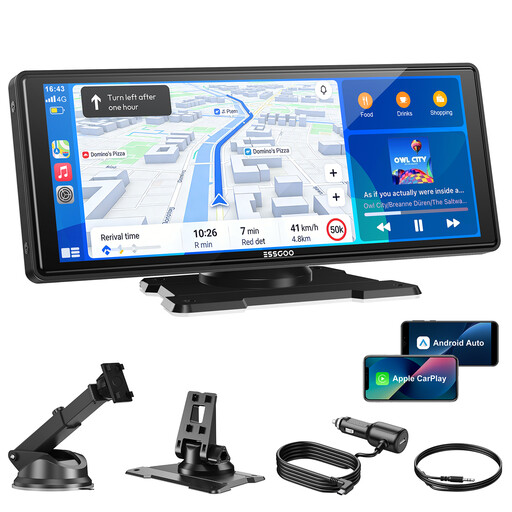
Why This Fits Their Persona: Ideal for those primarily looking for a large, clear car display with navigation and music. This model focuses on the core wireless CarPlay and Android Auto experience without the extra cost of a built-in dashcam.
This screen delivers what it promises: a stable, wireless connection via dual-band Wi-Fi. No hidden subscription fees for basic functions.
Large 10.26-inch HD screen (1600x600) and four audio options (built-in speaker, Bluetooth, FM, AUX) for flexibility.
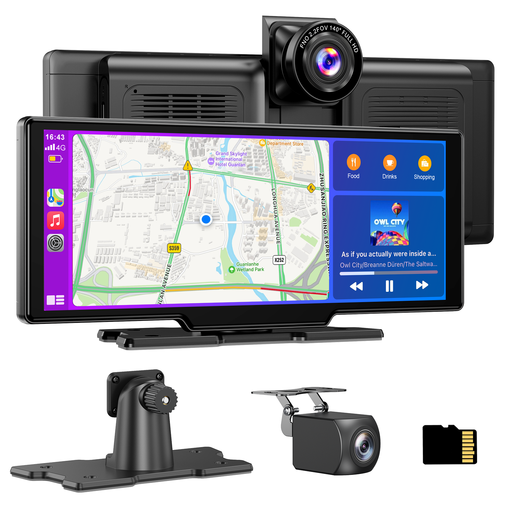
Why This Fits Their Persona: For the driver who wants a complete upgrade: modern infotainment and the security of a high-quality front and rear dashcam. All in one sleek, integrated device.
It tackles the poor image quality pitfall with a 4K front camera and a 1080p rear camera. A 64GB TF card is included, so there are no unexpected extra costs to start recording.
Combines a wireless CarPlay screen with a full-fledged recording system. The included rear camera also functions as a parking aid.
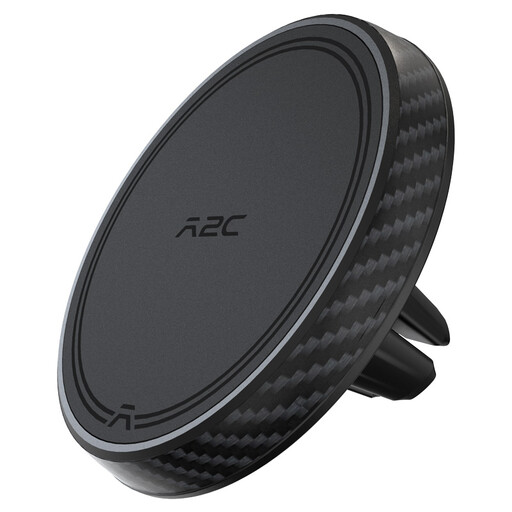
Why This Fits Their Persona: For the driver who finds a large screen distracting and prefers to use their own smartphone's familiar interface for navigation. This is the simplest and most affordable solution.
No screens, no software, no connection issues. This is a purely mechanical solution that just works, without any technical complexity or hidden costs.
Very simple installation in the air vent. The magnetic holder (MagSafe compatible) holds the phone securely and doesn't obstruct the view.
We have compiled a complete, up-to-date list of products that fully meet these strict selection criteria.
Is a plug-and-play CarPlay screen truly universal? Yes, most models are designed as a universal car screen. They are powered by the 12V-24V cigarette lighter and are mounted on the dashboard or windshield. This works in virtually any car, from an older city car to a delivery van. Always double-check the product's voltage compatibility to be sure.
How does the audio work with an external screen? These systems usually offer multiple audio options. You can use the built-in speaker, but for better quality, you can send the audio to your car's speakers via an AUX cable, FM transmitter, or Bluetooth. The AUX cable or a direct Bluetooth connection to your car stereo typically provides the clearest and most stable sound.
Will a screen like this drain my car battery faster? No, not with proper use. The screens are designed to draw power only when the car is on (via the cigarette lighter). They automatically turn on and off with the ignition, so they won't drain the battery when the car is parked.
