
Vandaag of morgen in huis

Kwaliteit gegarandeerd

Welkomstaanbiedingen ontgrendelen: GRATIS bezorging | Tot 80% korting | Gratis 30 dagen JoyPlus-proefperiode
Download de app
You drive a perfectly good car, but the dashboard feels dated. No navigation, no easy way to play your music, and making calls is a hassle. A modern infotainment system seems like the solution, but the market for a standalone CarPlay screen with a dash cam is full of pitfalls. Many products promise the world but deliver mostly frustration in practice.
Before you invest in an upgrade, it's wise to know the most common problems. This will help you avoid wasting money on a device that ends up in a drawer after a few months.
To sidestep these pitfalls, there are a few technical specifications you must check. These determine whether a system is a worthwhile upgrade or a waste of money.
A smooth experience starts with the connection. A good wireless CarPlay and Android Auto screen connects automatically as soon as you get in the car. Pay attention to the following specifications:
The dash cam is a crucial component for your safety. Look beyond the marketing terms and focus on the resolution.
The whole point of a portable car navigation screen is to avoid a complex and expensive installation. A true plug and play CarPlay system meets these requirements:
Based on these objective criteria, we have selected a few models that suit different user profiles.
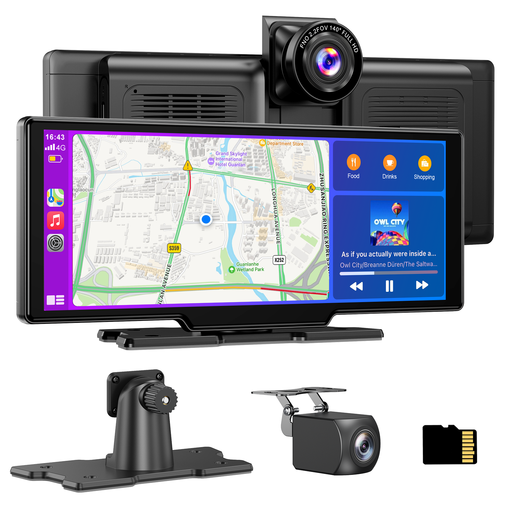
Why This Fits Their Persona: This is a complete all-in-one solution. Ideal for those who want to modernise their car with navigation, media, and a full camera system without hassle or extra costs.
Avoids the pitfall of a subpar camera by combining a 4K front camera with a 1080P rear camera. The included 64GB card means no hidden costs.
Ready to use right out of the box thanks to the included 64GB TF card and rear-view camera. Installation is a matter of plugging it in and mounting it.
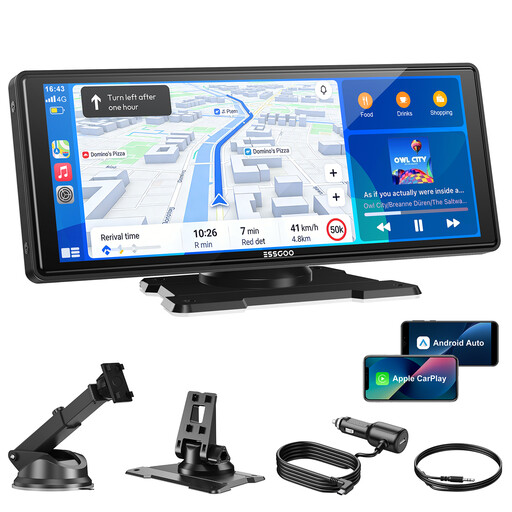
Why This Fits Their Persona: For those who drive daily and primarily want a stable, large, and bright screen for navigation and media. The focus here is on connectivity and ease of use, with the option to add a camera later.
Tackles the frustration of a slow connection with dual-band Wi-Fi (2.4/5GHz) and Bluetooth 5.3. This ensures a fast and stable automatic pairing with your phone.
Stays up-to-date with new features via automatic OTA (Over-The-Air) updates. The large 10.26-inch HD screen is bright and easy to read.
Why This Fits Their Persona: Perfect for those who are on the road a lot in a van or truck. The 12-24V compatibility, large split-screen, and dual cameras offer maximum functionality and safety for long journeys.
Combines a large, functional screen with a reliable 4K dash cam. You don't have to compromise between entertainment and capturing evidence on the road.
Split-screen functionality allows you to view navigation and camera feeds simultaneously. The robust design is built for a wide temperature range (-30°C to 65°C).
We have compiled a complete, up-to-date list of products that meet these selection criteria and current regulations.
No, this is a common misconception. The term 'wireless' refers to the connection between the screen and your smartphone for CarPlay or Android Auto. The screen itself always needs power and is connected via a cable to your car's 12V cigarette lighter socket.
Yes, in most cases. These screens are designed as a universal, 'plug-and-play' solution. Because they are powered by the cigarette lighter (suitable for both 12V and 24V), they are compatible with almost any vehicle, from an old city car to a modern truck, as long as a 12V/24V socket is available.
Most screens offer multiple options for audio playback. The four most common methods are:
