
Vandaag of morgen in huis

Kwaliteit gegarandeerd

Welkomstaanbiedingen ontgrendelen: GRATIS bezorging | Tot 80% korting | Gratis 30 dagen JoyPlus-proefperiode
Download de app
Driving a car that's still mechanically sound, but whose dashboard is in desperate need of an upgrade? You're not alone. A modern infotainment system with navigation and apps is standard today, but a costly head unit replacement isn't always necessary. A CarPlay screen is a smart, affordable solution.
But the market is flooded with options that look great at first glance but cause frustration in practice. Before you make a purchase, it's crucial to know the common pitfalls that can worsen your driving experience rather than improve it.
wireless CarPlay but use outdated technology. The result? The connection constantly drops, precisely when you need navigation the most.external car display that takes minutes to boot up or lags with every touch is not only annoying but also unsafe.You don't need to be a tech expert to avoid these issues. Just pay attention to a few key specifications that make the difference between a bad purchase and an upgrade you'll enjoy for years to come.
A stable connection is the foundation of a good experience. For a smooth wireless CarPlay or Android Auto screen experience, it's crucial to check for:
You'll be looking at it constantly, so the quality of the car navigation screen is paramount.
Modern screens often offer more than just navigation.
Not every portable car screen is created equal. We've highlighted some popular choices that suit different types of drivers.
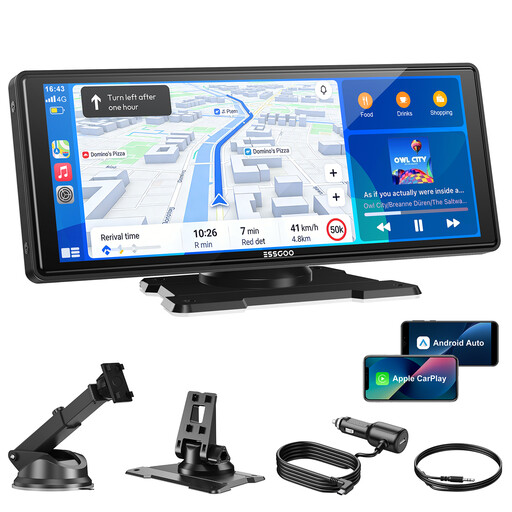
Why This Fits Their Persona: Ideal for those seeking an affordable and straightforward upgrade. This screen focuses on the core functions: stable wireless CarPlay/Android Auto and a large, clear display without costly extras.
Tackles connectivity issues with Dual-Band Wi-Fi and Bluetooth 5.3. Its four audio options (including AUX and Bluetooth) bypass the poor sound quality pitfall.
Large 10.26-inch HD screen for an excellent overview. Simple plug-and-play installation via the 12V socket.
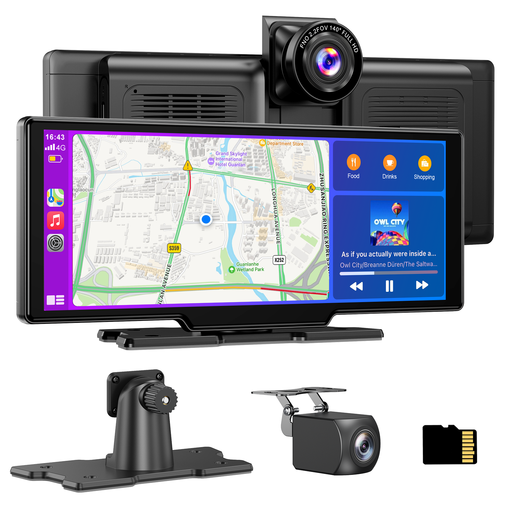
Why This Fits Their Persona: For the driver who wants to combine convenience and safety. This 2-in-1 system offers both a modern infotainment screen and a complete front-and-rear dash cam solution.
This integrated system prevents compatibility issues between separate devices. The included 64GB TF card means you can start recording immediately with no hidden costs.
A complete CarPlay with dash cam solution: 4K front camera and a 1080p waterproof rear camera. Loop recording ensures you never run out of storage space.
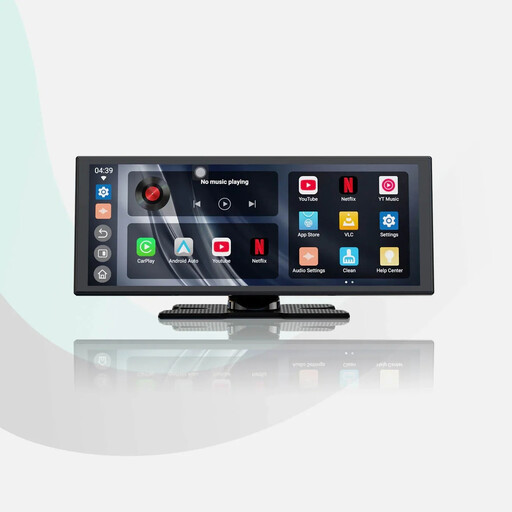
Why This Fits Their Persona: For those seeking a premium experience that rivals a factory-installed system. The large screen, fast performance, and built-in entertainment apps make waiting or taking a break more enjoyable.
The "Instant Boot" technology, supported by a built-in battery, tackles the frustration of a slow-booting screen. Dual Wi-Fi and dual Bluetooth minimise connection issues.
Extra-large 11.4-inch HD screen (1920x720) and pre-installed apps like YouTube and Spotify. The audio mixing feature allows music to continue playing during navigation prompts.
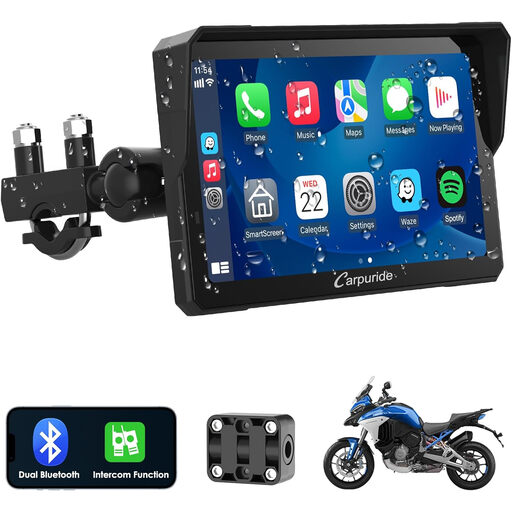
Why This Fits Their Persona: Specifically designed for the challenges of motorcycling. This screen is rugged, waterproof, and can be operated with gloves on, making it a safe navigation solution for any bike.
A standard car screen won't survive on a motorcycle. This model is fully waterproof and built to withstand vibrations and the elements, preventing a common failure point of unsuitable screens.
Waterproof design, a glove-friendly touchscreen, and an intercom function for communication. Built-in compass and barometer functions are a bonus for adventurous rides.
We have compiled a complete, up-to-date list of products that fully meet these strict selection criteria and current safety regulations.
You typically have three options. You'll get the best sound quality using an AUX cable connected to your car stereo's AUX input. Another great option is to pair the screen with your car stereo via Bluetooth. If your car has neither, you can use an FM transmitter. You set an empty FM frequency on both the screen and your radio.
Yes, essentially. Most portable screens are powered via the 12V-24V cigarette lighter socket, which is present in almost every car, camper, or truck. Therefore, compatibility doesn't depend on your vehicle's make or year, but on the presence of this power connection.
The lifespan depends on the build quality and usage. A good model with a robust housing and protection against overheating can last for many years. Avoid prolonged exposure to direct, bright sunlight when the car is parked to extend the life of the screen and its internal components.
