
Vandaag of morgen in huis

Kwaliteit gegarandeerd

Welkomstaanbiedingen ontgrendelen: GRATIS bezorging | Tot 80% korting | Gratis 30 dagen JoyPlus-proefperiode
Download de app
A larger screen in your car can make navigation, music and phone calls easier to manage. However, not every CarPlay screen for your car is suitable for every vehicle. Compatibility, audio connections and camera installation are sometimes oversimplified, particularly with portable models.
Joybuy Product Recommendation Officer filters the most important product specifications and compares them side by side. This makes it easier to see which features suit your car, family and everyday needs.
A wireless CarPlay screen can only connect to a compatible iPhone. Some devices also require a car that originally had wired CarPlay. So check the following:
A product that only works with OEM wired CarPlay is not automatically suitable for an older car without this function. A portable model that connects via the 12V socket is often more flexible, but you should then check the audio output.
A 10- or 11-inch Apple CarPlay display is easy to read, but it can obstruct your view if the mounting bracket is positioned incorrectly. Pay attention to:
Install a car navigation screen so that it does not restrict your view of the road, mirrors or instruments. Ideally, operate the screen before setting off or when safely stationary.
A 4K dash cam sounds appealing, but image quality also depends on the lens, lighting, storage and compression. Check whether a memory card is included, how loop recording works and whether footage can be locked manually.
With a rear-view camera for your car, the mounting position, cable length and water resistance are at least as important as the resolution. In practice, a 1080P camera may be more convenient than a higher stated resolution if the cabling or viewing angle is better suited to your car.
For Apple CarPlay, you need a compatible iPhone. Android Auto works with a suitable Android smartphone. Some models also support AirPlay or Miracast for screen mirroring, but this is not the same as full CarPlay or Android Auto integration.
Also check the power range. According to the product description, various portable screens use the cigarette lighter socket and support 12–24 V. This may make them suitable for cars, motorhomes, vans and lorries, but always check your vehicle’s connection.
A larger screen makes maps and menus easier to read, but it takes up more dashboard space. Many portable models use a wide aspect ratio, for example:
Resolution is a verifiable specification, not a guarantee of perfect visibility in all conditions. Position the screen out of direct sunlight and make sure it is securely mounted.
A CarPlay screen can transmit sound via Bluetooth, AUX, an FM transmitter or the built-in speaker. Bluetooth or AUX will usually work better with your car’s existing speakers, provided your vehicle supports the connection.
Adding an extra camera involves more work than simply connecting the screen. The cable needs to be routed neatly to the rear and the camera must be securely mounted. Storage capacity is also important for a dash cam with loop recording. In addition, check whether a memory card is included and what maximum capacity is supported.
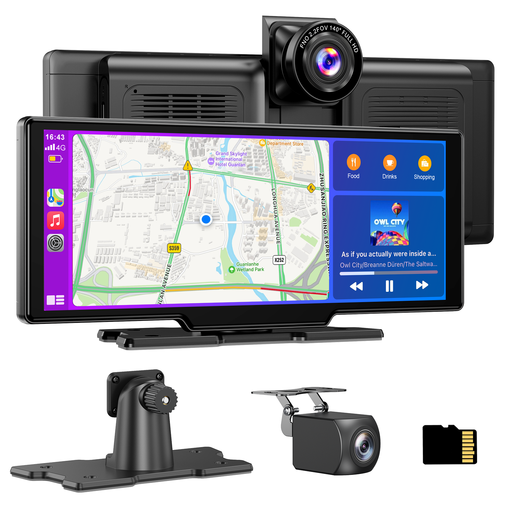
Why it suits this profile: According to the product specification, this portable screen supports wireless CarPlay and Android Auto and is powered via a 12–24V connection. This makes it a practical upgrade without replacing the factory-fitted stereo.
The description mentions automatic reconnection after the initial pairing, a 64GB TF card included in the box and four audio options. However, check the available space on your dashboard beforehand.
10.26-inch screen, a 4K front camera according to the product specification, 1080P rear camera, 140° viewing angle and support for loop recording.
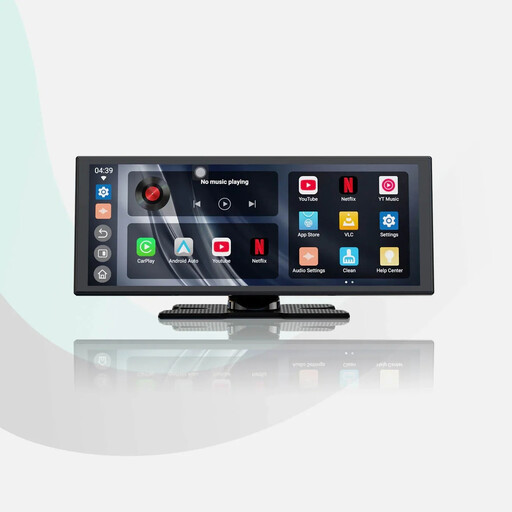
Why it suits this profile: This model combines a large 11.4-inch screen with wireless Apple CarPlay, Android Auto and built-in apps. It is suited to drivers who want to use navigation, music and entertainment on a single display.
The product specification mentions dual Wi-Fi and dual Bluetooth for connectivity. The included 1080P rear camera has a rotating housing and parking guide lines.
1920 × 720 pixels, wireless CarPlay and Android Auto, audio mixing according to the product description and a stated quick-start function.
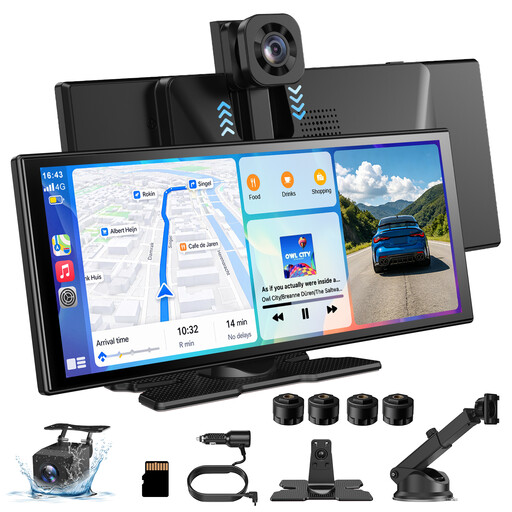
Why it suits this profile: As well as wireless CarPlay and Android Auto, this model is aimed at users who want a front camera, rear camera and screen mirroring.
The listed specifications mention iOS 10+, Android 11+, four audio outputs and a 360° rotating front camera. Check the desired mounting position and the audio connection available in your vehicle.
11.3-inch display, stated 4K front camera, 1080P waterproof rear camera and support for AirPlay and Miracast.
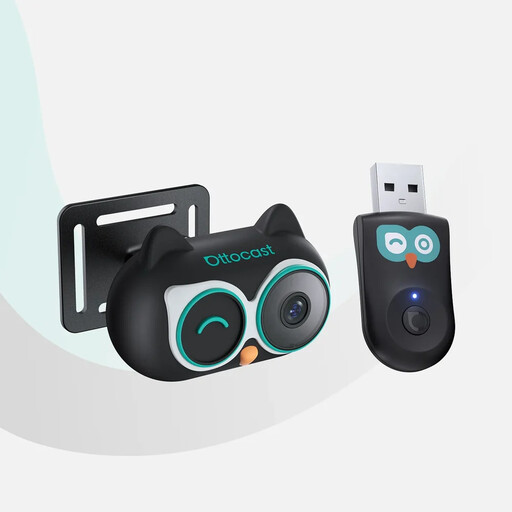
Why it suits this profile: According to the product description, parents with an iPhone and a car with OEM wired CarPlay can combine navigation and camera footage on the original car display.
The limitations are clearly stated: CarPlay is iPhone-only, Android Auto is not supported and the car must have wired CarPlay with a touchscreen.
According to the product specification, there are four display modes, a 150° viewing angle, 1080P night mode and a 3-metre cable.
After installation, test whether the screen remains firmly in place when braking and cornering. Route camera cables neatly and make sure they do not run alongside pedals, airbags or moving parts. Also check that the rear camera shows the desired area before securing the cable permanently.
A baby car camera is intended as a viewing aid; do not use the image as a substitute for attentive and safe driving. When recording video, you must also consider the privacy of passengers and other road users. Make sure you understand the rules that apply to your particular situation.
We have put together a complete, up-to-date list of products that fully meet these strict selection criteria and the applicable European safety regulations.
No. A portable model with 12V power can be widely compatible, but smartphone and audio support varies from product to product. Some devices also require the car to already support wired CarPlay. Therefore, check both the product requirements and your car’s connections.
That depends on the model. Some screens support both wireless CarPlay and Android Auto. Others, such as the OTTOCAST Cabin Care, explicitly state that Android Auto is not supported. Also check the required Android version.
CarPlay and Android Auto themselves generally do not require a separate screen subscription, but features such as YouTube, Netflix or other apps may use mobile data or a hotspot. With a dash cam, a memory card, additional cabling or professional installation may involve extra costs. Also check the warranty terms and included accessories before placing your order.
