What should you look for when choosing?
Start with your card format and your device’s connector. Then decide whether UHS-II is relevant to your card and where you’ll keep a second copy.
| What to consider |
What to look for |
Who is this important for? |
| Card and device connection |
Check whether you use SD or microSD and whether your device has USB-A or USB-C. Also check the supported card capacity of the exact model. |
If I use different card formats, I want to choose the right slot straight away and connect the reader directly. Around 40% of consumers give card and device compatibility top priority. |
| Transferring large files |
Compare the UHS rating of both the card and the reader. The SD Association describes UHS-II as a faster card interface than UHS-I; a USB rating is not the same as a measured transfer time. |
When I transfer large videos, I want the reader to match my card’s interface. Around 30% of consumers put transfer speed first. |
| A separate copy after transferring |
Decide in advance whether the files will also go to external storage or another destination, and check that you can access the copy there. VeiligInternetten describes a backup as a separate copy. |
If I don’t want my recordings to remain only on the original card, I’ll plan a second storage destination too. Around 20% of consumers make their backup approach their main priority. |
| Portability and extra ports |
Count the connections you need to use at the same time, such as a card slot and a port for external storage. Also check the size and any cables supplied with the exact model. |
When I want to carry less or connect more devices, I look at the design and number of ports. Around 10% of consumers prioritise a compact or versatile set-up. |
Card readers and hubs at Joybuy
This selection at Joybuy includes hubs with card readers and a separate UHS-II card reader, to suit different card formats and connection needs.
 No image available
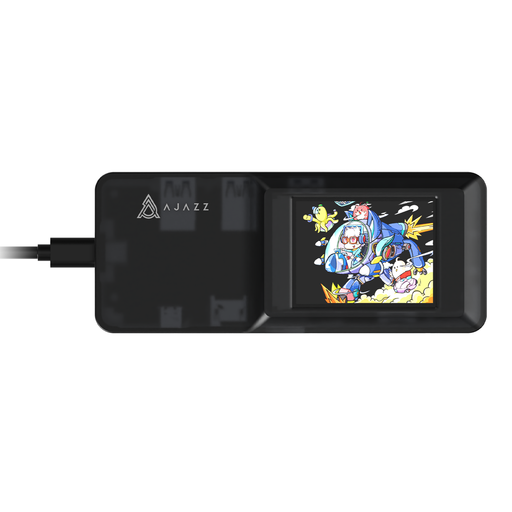
AJAZZ AKP01E Visualization Hub 8-in-1 Expansion Dock
A USB-C hub with SD and TF card slots for anyone looking to combine card reading with extra connections.
The description states that the SD and TF card slots can’t be used at the same time.
View at Joybuy
 No image available
Kingston Technology Workflow Dual-Slot SDHC/SDXC UHS-II Card Reader
An option for anyone looking to transfer SDHC or SDXC video from a UHS-II card and needing a USB-C connection.
The product name specifies UHS-II and USB 3.2 Gen 1; the product description mentions an included USB-C cable.
View at Joybuy
 No image available
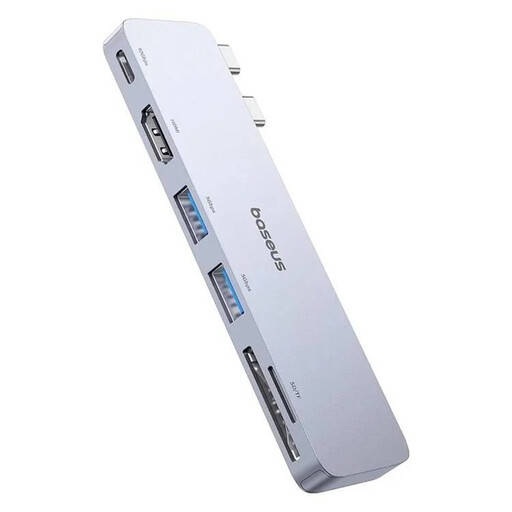
BASEUS Ultra Joy 6-in-1 100W Hub, SD/microSD Slot, Grey
A hub for reading SD or microSD cards and combining card use with extra connections.
The product name lists one USB-C port, two USB ports and one HDMI port. The quoted 40 Gbps is not a confirmed card speed.
View at Joybuy
Frequently asked questions
Does transferring my holiday videos to my laptop automatically back them up?
Only if a separate copy is also kept somewhere else. VeiligInternetten lists external storage and cloud storage as possible places to keep files; check that you can access the copied files.
Do I need public Wi-Fi to transfer videos with a card reader?
No, you don’t need public Wi-Fi for a local transfer. If you need online access to files or cloud storage over public Wi-Fi, VeiligInternetten recommends using a VPN; mobile data or a hotspot are alternatives. This is security advice, not a legal requirement.
What warranty applies when buying a card reader in the Netherlands?
As well as any seller’s or manufacturer’s warranty, you have a statutory guarantee. ACM ConsuWijzer explains that, under the applicable conditions, the seller must offer a solution if a product breaks sooner than you could reasonably expect during normal use; there is no fixed statutory warranty period for all card readers.
Can I archive my own holiday videos in a café?
The Dutch government does not list any special archiving permit for making local copies of your own videos. For other people’s copyright-protected material, the Dutch government distinguishes between a private copy for personal use and distribution or making it available to the public.


