What should you look for?
Start with the card format and the connection on your receiving device. Then consider whether UHS-II, extra card slots or additional ports suit the way you use your devices on the go.
| What to consider |
What should you check? |
Who is this important for? |
| Card format and connection |
Check whether the reader accepts microSD or SD cards and whether USB-A or USB-C works with your device. For a phone, also check which connection or adapter you need. |
If I want to copy directly from my drone card to my phone or laptop on the train, both the slot and the connection need to be compatible. Around 33% of consumers prioritise card format and connection. |
| Checking files and disconnecting |
Check that you can open the files at their destination and that there is enough storage space. Safely eject removable storage on Windows. |
If you want to wait until you’ve checked the copy before reusing the original card, it’s worth following a reliable checking and disconnection process. Around 27% of consumers say keeping their copied footage safe is their top priority. |
| UHS support |
Compare the UHS ratings of the card and reader. A stated MB/s figure doesn’t guarantee the copy speed you’ll get with your card and device. |
If I want to transfer a lot of footage during a short train journey, I check whether my card and device also support the reader’s higher standard. Around 20% of consumers prioritise transfer time. |
| Extra slots and ports |
Choose SD and microSD slots if you use both formats. If you’re considering a hub, check which card slots and other ports it has. |
If you use SD cards as well as microSD cards, or other peripherals while travelling, extra connections may come in handy. Around 20% of consumers prioritise flexibility across multiple card formats or ports. |
Joybuy products
A selection of Joybuy products with connections and card readers for copying drone footage. Check that each model’s card slot and connection work with your card and device.
 No image available
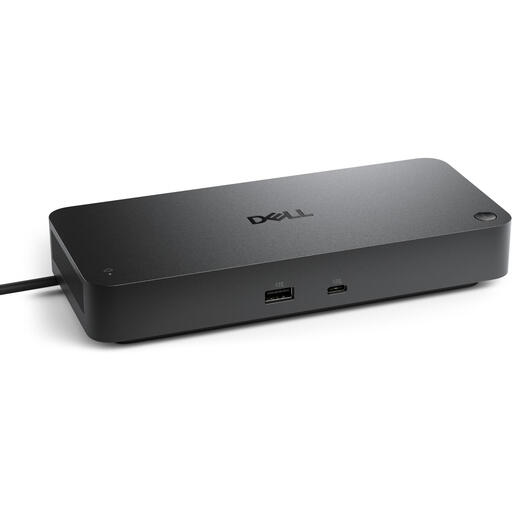
DELL Pro SD25 Wired USB 3.2 Gen 2 Type-C Black
The product name lists USB Type-C. Check that this model offers the card reader function and card format you need.
Listed connection and standard: USB 3.2 Gen 2 (3.1 Gen 2) Type-C.
View at Joybuy
 No image available
Kingston Technology Workflow Dual-Slot SDHC/SDXC UHS-II Card Reader
A good fit if you want to use SD and microSD cards with a device that connects via the supplied USB-C cable.
The product name lists UHS-II and USB 3.2 Gen 1; the instructions describe access to SD and microSD cards.
Don’t disconnect the reader while files are transferring; the product instructions warn that this could lead to data loss or damage.
View at Joybuy
 No image available
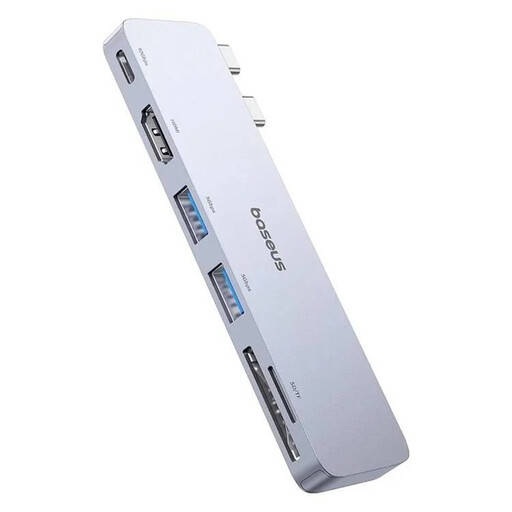
BASEUS Ultra Joy 6in1 100W, Grey
A hub may be useful if you need other connections as well as an SD or microSD card reader while copying files.
The product name lists 1x USB-C, 2x USB, 1x HDMI and an SD/microSD slot. It also includes 100W in the product name.
Disconnect any connected external devices before unplugging the hub; the product instructions warn you to do so.
View at Joybuy
 No image available
Verbatim CMH-13 USB Type-C 10000 Mbit/s Silver
This model may suit you if you’re looking for a USB-C hub with SD and microSD card slots. Check that the connections work with your device and intended use.
The product information lists USB Type-C and microSD and SD card types. The title states 10000 Mbit/s.
Use certified USB-C cables and adapters, and don’t exceed the stated USB Power Delivery limit of 100 W.
View at Joybuy
Frequently asked questions
Can I copy drone footage directly to an iPhone?
It depends on the iPhone, connection and card reader. Apple Support explains how to access connected SD cards using the Files app and lists compatible connections or adapters. Check that your iPhone recognises the reader and that the files are in the destination after copying.
Do I need a UHS-II reader for my drone card?
Only if your card and receiving device support it and you’ll benefit from it. The SD Association describes UHS-II as a faster bus interface than UHS-I; Lexar notes that results vary depending on the card and system configuration.
How do I safely disconnect a card reader from a Windows laptop?
First check that the files have copied and are accessible. Then use the Windows Safely Remove Hardware and Eject Media feature. Microsoft Support advises safely removing removable storage before disconnecting it to prevent data loss.
What can I do if a card reader I bought online doesn’t work properly?
In the Netherlands, the government says that you’re entitled to a statutory guarantee when you make a purchase. If a product is faulty, the seller must provide a solution. For distance purchases, you’re also generally entitled to a 14-day cooling-off period. The rules for faulty products and cancelling a purchase are not the same.
Could privacy rules apply to drone footage?
It depends on what appears in the footage and how you use it. The Dutch Data Protection Authority says that people who are recognisable or identifiable in drone footage may be considered personal data, and that the GDPR may apply. The card reader itself doesn’t determine whether processing or sharing the footage is permitted.


