
Card portfolio creator
You want to photograph cards straight-on, clearly and with consistent framing. Canon Europe says a tripod is useful for keeping your framing consistent.


Start with a fixed set-up and controlled lighting. Your existing smartphone may be all you need, as long as test shots show the whole card clearly, with its colours and the details you want to capture. Adobe suggests a smartphone as a possible starting point, while Canon Europe highlights a tripod for consistent framing. Only switch to another camera if you need more control over cropping or close-ups: a compact camera such as the OM SYSTEM Tough TG-7 has a built-in close-up mode, while a mirrorless camera lets you choose a lens but may require you to buy one separately.
You want to photograph cards straight-on, clearly and with consistent framing. Canon Europe says a tripod is useful for keeping your framing consistent.
You want to show printed designs, foil or materials without distracting reflections or colour casts. Adobe discusses how a neutral, matt background can affect reflections and colour casts.
You want to capture small lettering, edges or handmade details separately, as well as the whole card. Check the close-up capabilities of the specific camera and lens; OM Digital Solutions and Canon Europe describe the capabilities of individual models and lenses.
First, take some test shots with your current device and a fixed set-up. Only upgrade if it can’t give you the framing, clarity or workflow you need.
| What to consider | What to look for when buying | Who should prioritise this? |
|---|---|---|
| The whole card clearly in frame | Take a test shot of the entire card and check the text at the size at which your portfolio will be viewed. See whether a tripod or fixed support will work in your space. | If I want to show cards side by side, I look for clear framing and a consistent composition; around 36% of consumers prioritise overview shots. |
| Reflections and colour | Test glossy cards with different lighting positions and a neutral, matt background. Check light areas and colours on the screen you’ll use to show the photos. | For foil or glossy print, I want to make sure reflections don’t cover text or illustrations; around 29% of consumers prioritise reflections and colour reproduction. |
| Small details | Test the smallest detail you want to capture at your actual shooting distance. With a mirrorless camera kit, check the magnification of the included lens, not just the camera body. | If I want to show small lettering, edges or handmade details separately, I need to be able to achieve the framing I want; around 21% of consumers prioritise detail shots. |
| A simple set-up | Try your current device first. Then check what’s included in the set you’re considering, including the lens, storage and power supply. | If I only add to my portfolio occasionally, I don’t want to buy extra camera equipment if my current photos are already good enough; around 14% of consumers prioritise a simple set-up. |
The megapixel count alone won’t tell you whether small text will look sharp and clear. The lens, image sensor, set-up and lighting all play a part.
Compare test shots at the size at which you plan to show them before choosing based on resolution.
Being able to focus close to a subject doesn’t automatically mean the whole card will fit in frame, or that you’ll have enough room to position the lighting.
Test both the whole card and the smallest detail you want to capture from your working distance. If you’re buying a camera kit, check exactly which lens is included.
The Nikon Z50II kit comes with a NIKKOR Z DX 16–50mm lens; the 1:1 capability belongs to the separate NIKKOR Z MC 50mm f/2.8 lens, not the kit lens.
Read the full list of what’s included and check the magnification of the lens you’ll actually receive.
If the kit lens can’t capture the details at the size you want, you may need to buy a separate lens.
The EOS R50 is a mirrorless camera for anyone who wants to choose their own lens. The RF-S 18–45mm kit lens could be a starting point for overview and detail test shots.
The Tough TG-7 is a compact camera with a built-in close-up mode, for anyone who doesn’t want to choose a separate macro lens.
The Z50II with the NIKKOR Z DX 16–50mm f/3.5–6.3 VR is a mirrorless camera kit; a separate Z macro lens is another option if you want to emphasise details.
The ZV-E10 II with a 16–50mm kit lens is a mirrorless camera option if you also have other uses for interchangeable lenses beyond card photography.
This selection includes digital cameras and compact cameras, including mirrorless cameras supplied with a lens. For card portfolios, assess them based on how they capture the whole card, reflections and the detail framing you need.
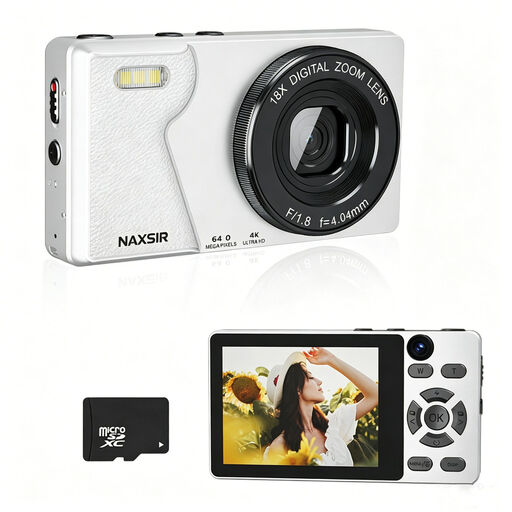 Image unavailable
Could suit a simple card photography set-up if autofocus and the included memory card are important to you. Check with test shots that text and details are clear.
The product title lists 64 MP photo resolution, 18× digital zoom and a 32 GB memory card. Autofocus is mentioned in the product description.
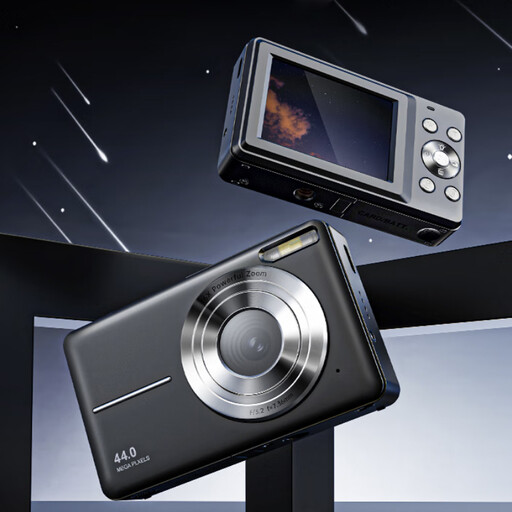 Image unavailable
A pocket camera could suit anyone looking for a compact camera for card photos. Check the framing and clarity you need with a test shot.
The product title lists 4K, 44 MP and 16× zoom. Autofocus is mentioned in the product description.
 Image unavailable
This mirrorless camera kit could suit you if you’re looking for an interchangeable lens. Take a test shot to check whether the kit lens captures your chosen card details at a large enough size.
The product description lists an E PZ 16–50mm lens, a 24.2 MP APS-C sensor and autofocus.
 Image unavailable
Could suit you if you’re looking for a mirrorless camera with a zoom lens. Check that the supplied lens gives you the card framing you want.
The product title lists a 16–50mm f/3.5–5.6 OSS II lens. The product description mentions a 24.2 MP APS-C sensor and autofocus.
 Image unavailable
A compact camera could suit you if you don’t want to choose an interchangeable lens. Check whether its fixed set-up gives you the framing you want.
The product specifications list 20 MP, 2.7× optical zoom and JPEG and RAW files. Autofocus is mentioned in the product description.
No. First, take a photo of the whole card and a close-up with your current set-up, then assess both at the size at which you plan to show them. If you need more magnification after that, compare the close-up mode or the exact lens. Canon specifies capabilities for the RF-S 18–45mm; Nikon lists 1:1 for the separate Z MC 50mm f/2.8 lens.
Place the camera and cards in the same position each time, and keep the background and lighting set-up consistent. Canon Europe says a tripod is useful for consistent framing; check that the text and edges are sharp in every shot.
Check whether the lens, storage media, charger and any other necessary items are included in the version you’re buying. According to the Dutch government, the Netherlands has no fixed statutory warranty period; if a product is faulty, contact the retailer.
Not necessarily. According to the Dutch government, you can generally only use someone else’s copyright-protected work with the creator’s permission. You may not share or publish a copy made for personal use. Before publishing, check that you have permission or that a relevant exception applies.