
Creators with a work surface prone to shadows
If you film from above, you’ll want to avoid your hands and tools casting too much shade over the card and white background. Canon Europe describes fill lighting as a way to reduce harsh shadows.


Start by considering the size of your work surface and the position of your camera and hands. Choose continuous lighting that you can place out of shot, then check the shadows in a test recording. A diffused panel is compact; a light with a softbox takes up more space but gives you more control over the light. Set your camera’s white balance too, as simply adding more light won’t automatically make whites and card colours look true to life.
If you film from above, you’ll want to avoid your hands and tools casting too much shade over the card and white background. Canon Europe describes fill lighting as a way to reduce harsh shadows.
If you want paper, ink and embellishments to look true to life, pay attention to the lighting settings and your camera’s white balance. Nikon describes using a white card when setting the white balance.
If you have limited workspace, you’ll need to position your light, camera and hands practically. Check the mounting options and which parts are included with the version you’re considering.
| What to consider | What should you check? | Who is this important for? |
|---|---|---|
| Shadows on the card and background | Make a test recording with your hands moving. Assess the diffuser, the position of the light and whether there’s room for additional fill lighting. | When I move my hands over the work surface, I want them to cast as little shadow as possible over the card. Around 40% of consumers prioritise reducing shadows. |
| Colours and how whites appear | Check the colour settings and colour rendering specified for the exact model. Test it with white paper and adjust your camera’s white balance. | I want paper, ink and embellishments to look true to life on screen. Around 30% of consumers give colour rendering top priority. |
| Space, mounting and what’s included | Measure your desk and check the height, mounting, power supply and contents of the version you’re considering. | With limited desk space, I want to know in advance where I can put the light and camera, and which parts I’ll need. Around 20% of consumers prioritise setup space and what’s included. |
| Flicker or fan noise | Test the light with your own camera settings and listen back to a recording. Check whether the model has active cooling. | When recording a lesson with spoken instructions, I don’t want distracting bands on screen or fan noise in the recording. Around 10% of consumers prioritise a recording free from distractions. |
As your hands move through the light, they can cast shadows over the card and white background. The position and spread of the light source also affect how noticeable those shadows are.
Make a test recording with your hands moving, then compare the results after repositioning the light or adding a diffuser.
Some setups may need an additional fill light.
According to the manufacturer, the contents of the NEEWER NL660 vary by version; a stand is not included with every option.
Compare the contents and mounting options for the exact version. Also check separately whether a softbox is included and whether it fits the light.
Your camera’s white balance affects how white and other colours appear in the recording.
Check the paper and ink in a test image and adjust the white balance before recording your lesson.
The NL660 is an adjustable LED panel that can be used as a key or fill light.
The Key Light Air is a compact panel designed for a desk.
The P260C Pro is a diffused, bi-colour LED panel.
The 100x S is an adjustable point light source for use with a compatible light modifier, such as a softbox.
This selection includes ring lights, fill lights and camera bundles with extra video lighting. Assess each light in your own overhead setup and check which parts are included. The Dutch government advises checking the applicable CE marking on the specific electrical product.
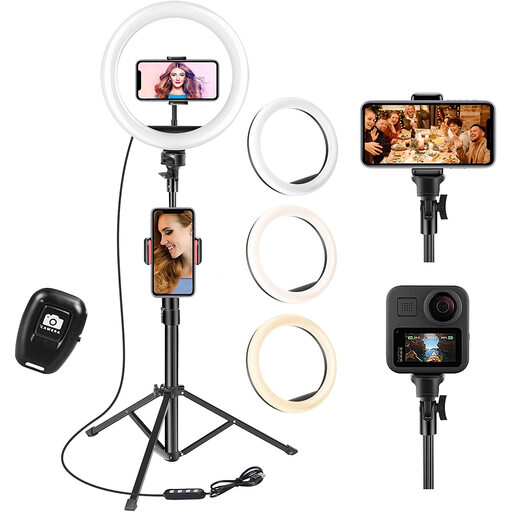 Image unavailable
Make a test recording to see whether the ring light suits your overhead setup and illuminates the work surface evenly.
The title lists a 63-inch tripod, three colour modes and ten brightness levels.
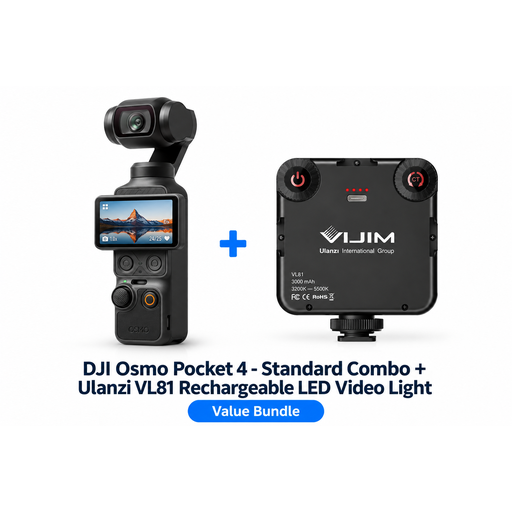 Image unavailable
This bundle includes a camera and a Ulanzi VL81 LED video light. Assess the light as part of the bundle and test it above your work surface.
The product title describes the VL81 as a rechargeable video light.
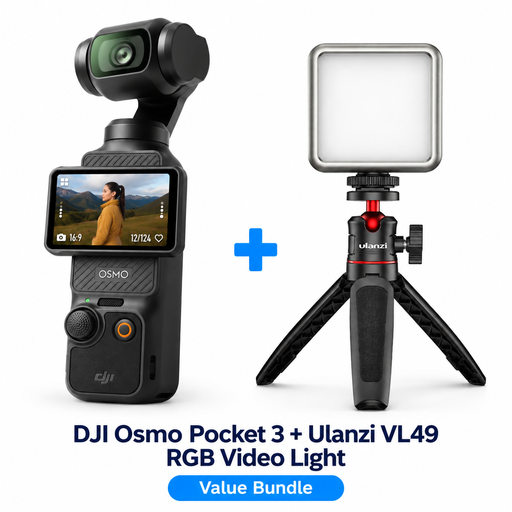 Image unavailable
This bundle includes a camera and a Ulanzi VL49 LED video light. Make a test recording to check whether the lighting works well with your cards and white background.
The product title lists RGB lighting options.
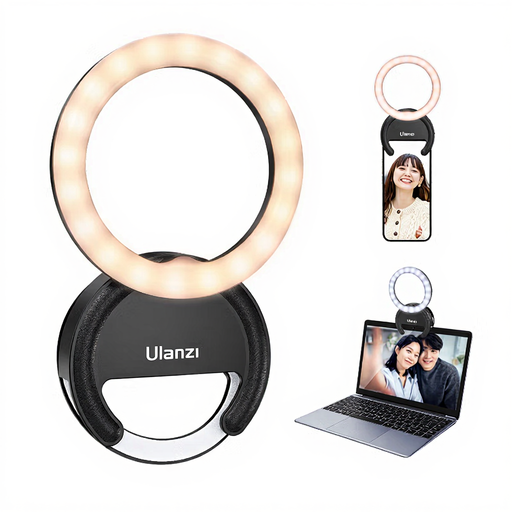 Image unavailable
Test whether the ring light and phone mount work with the camera setup you’re using for the lesson.
The product title lists three colour temperatures from 3000–7000 K and five brightness levels.
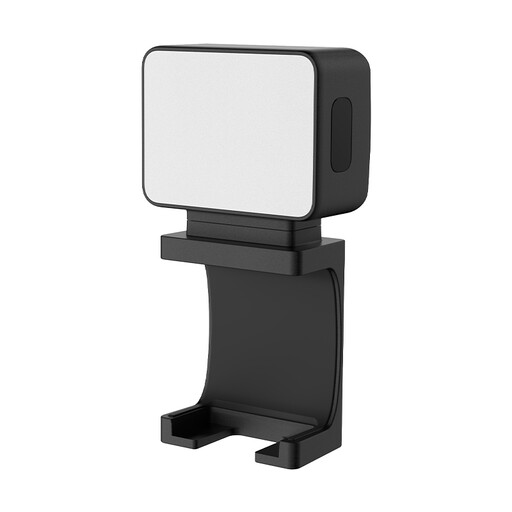 Image unavailable
If you’re considering a separate fill light, check that its mount suits your setup and that you can keep it out of shot.
The product title lists a magnetic mount and a 500 mAh battery.
Check the image on your camera and adjust the white balance to suit the light you’re using; a shot of white paper can help. Make sure the exposure is right too, so details on white cards remain visible.
Test the light with the camera settings you’ll actually use to film. Sony explains that flickering light sources can cause bands and that adjusting the shutter speed may help. The right setting depends on your camera, light and region.
It depends on the version. For the NEEWER NL660, the manufacturer lists options both with and without a stand. Check the contents of the exact version you’re ordering and make sure any softbox you’re considering will fit the light.
According to the Dutch government, you’re entitled to a product that works as it should, but there is no fixed statutory warranty period in the Netherlands; what you can expect also depends on the product. If a product is faulty, contact the seller. The manufacturer’s warranty is in addition to your statutory rights.
The Dutch government states that electrical appliances placed on the market in the EU must carry the applicable CE marking. Check the marking and instructions for the specific item; a model specification is no substitute for checking the product itself.