
Vandaag of morgen in huis

Kwaliteit gegarandeerd

Welkomstaanbiedingen ontgrendelen: GRATIS bezorging | Tot 80% korting | Gratis 30 dagen JoyPlus-proefperiode
Download de app
Maintaining your car yourself can save you time and garage bills, but only if you choose the right tools. A cheap scanner that only reads one system, a polisher without the right backing plate, or a tyre inflator with a confusing display will quickly lead to frustration.
As a Joybuy Product Recommendation Officer, I filter product information based on verifiable features. Below, you’ll find out what to look for in car maintenance tools, which specifications matter, and which type of product suits your needs.
Terms like “suitable for all cars”, “plug-and-play” and “faultless” sound clear, but actual compatibility depends on make, model, year, connection type and vehicle software. According to manufacturers’ own information, the functions of a car diagnostic tool, OBD2 scanner or TPMS diagnostic tool can vary from vehicle to vehicle.
So always check:
A car polisher with a high RPM isn’t automatically suitable for every paint finish. Too much pressure, heat or speed can damage the paint. Similarly, a car tyre inflator with a maximum pressure of, say, 150 PSI tells you little about its speed, battery life, or suitability for your tyre size.
So look at the combination of RPM range, adjustability, accessories and run time.
A polisher needs pads and suitable polishing compounds. A car battery charger must match the battery type and capacity. With LED car bulbs, the correct fitting, CANbus compatibility and proper alignment can be more important than the claimed light output.
The purchase price of the main device is therefore not always the full cost of use.
A basic OBD2 scanner often only reads engine and emissions-related fault codes. For ABS, airbag, transmission, TPMS or body systems, you need full system diagnostics. Also check whether the device only reads codes or can also:
Pay attention to the update terms. “Free updates” may refer to a limited period or specific software. Check the product page before you order.
For small paint corrections and hard-to-reach areas, compact devices are practical. A dual-mode polisher can combine a rotary motion with an eccentric motion. A free eccentric motion is generally more forgiving for beginners, while rotary polishing requires more control and care.
Look out for:
Always work on a clean, cool surface and test on an inconspicuous area first.
A car tyre inflator should clearly display the set pressure and be able to stop automatically. Compare the pressure in bar, as this is the unit usually shown on your vehicle’s sticker or in the manual. Do not use the inflator as a replacement for a professional check if your tyres are damaged.
With a car battery charger, check:
Work with a battery in a well-ventilated area and follow the instructions.
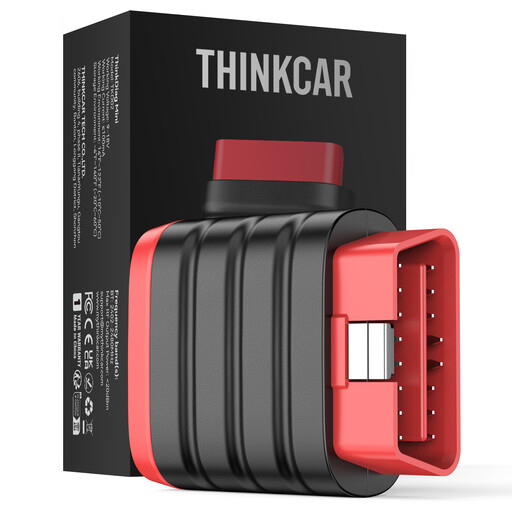
Why this fits the profile: This compact device works via Bluetooth with Android and iOS devices and is suitable for car owners who want to carry out basic diagnostics themselves without buying a large diagnostic tablet.
The product information clearly states that service resets and special functions are not included. This means you know upfront that it is primarily a diagnostic adapter.
Compact size, Bluetooth connection, support for multiple protocols and, according to the product information, a lifetime update provision.
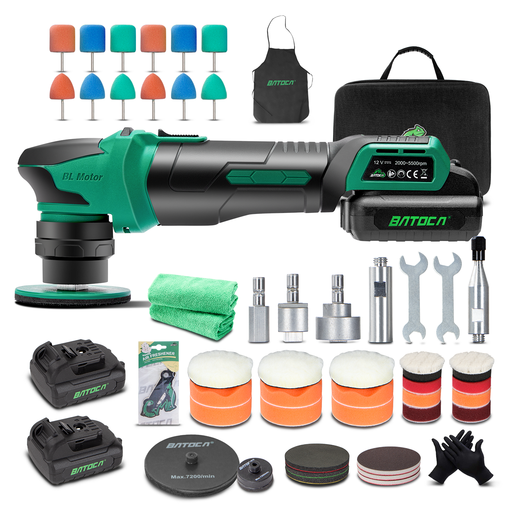
Why this fits the profile: The dual-mode machine is aimed at detail work on items such as bumpers, mirrors and alloy wheels. The set includes two 12 V batteries and multiple backing plates and pads.
The four speed settings from 2,000 to 5,500 RPM offer more control than a machine with just one fixed speed. Use the correct pad and work with limited pressure.
Rotary and eccentric modes, brushless motor according to the product description, two batteries and 25 mm and 75 mm backing plates.
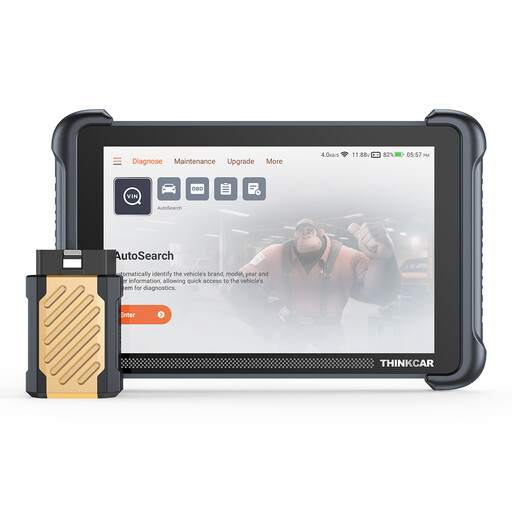
Why this fits the profile: This diagnostic tablet is intended for users who want to view not only fault codes but also full systems, service resets and active tests.
The product information explicitly states that functions can vary per vehicle. So check compatibility and the required internet connection for certain operations before you buy.
8-inch screen, Bluetooth, CAN FD and DoIP support according to the product description, and 34 listed service functions.
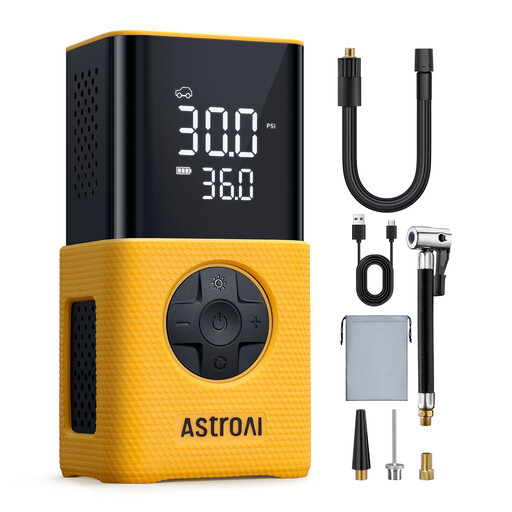
Why this fits the profile: Thanks to its compact, cordless design, this tyre inflator is suitable for use on the go, in the boot, or for regular use with cars and bikes.
The inflator has an adjustable pressure, automatic shut-off and multiple units. According to the product information, it is not intended for 4x4s, campervans, lorries or trailers.
Digital display, 150 PSI stated maximum, 4 pressure units, five modes and a built-in LED light.
We’ve put together a full, up-to-date list of products that fully meet these strict selection criteria and current European safety regulations.
Alongside diagnostics, tyres and polishing, these categories can be useful:
Not automatically. Many vehicles from a certain production standard support OBD2, but the available systems and functions differ. Check the scanner’s vehicle list, protocols and model compatibility.
The lifespan depends on storage, load, battery care and usage conditions. Clean pads and brushes after use, charge batteries according to the instructions, and store electronics in a dry place. A brushless motor or metal housing can be a relevant product specification, but it does not guarantee a fixed lifespan.
In addition to the purchase price, software updates, subscriptions, adapters or brand-specific functions can incur costs. In particular, check whether “free updates” are for life, temporary, or only apply to basic software.
