
Vandaag of morgen in huis

Kwaliteit gegarandeerd

Welkomstaanbiedingen ontgrendelen: GRATIS bezorging | Tot 80% korting | Gratis 30 dagen JoyPlus-proefperiode
Download de app
A warning light on the dashboard doesn’t always mean you have to head straight to the garage. With the right car diagnostic tool, you can read fault codes, view live data and sometimes carry out a maintenance function. But not every OBD2 scanner does the same thing. A simple code reader for the engine is very different from a full vehicle diagnostic scanner with ABS, SRS and transmission diagnosis.
So the most important question isn’t how many features are listed on the box, but which features your car actually supports.
A scanner may be described as suitable for many brands, but that doesn’t mean every function will work on every model. ECU coding, active tests, ABS SRS diagnosis and service resets all depend on the make, model, year of manufacture and ECU version.
So check before you buy:
A car diagnostic tool can read a fault code and sometimes clear it. But that doesn’t automatically remove the cause. After clearing, the warning can return if the problem is still there.
So look out for features such as:
Some scanners come with a period of free updates. After that, certain vehicle data or special functions may only be available with a renewal. Other models advertise lifetime updates, but always check what that actually covers: just OBD2 functions, or also brand-specific software and service functions.
A wireless car scanner is convenient to use, but it needs a phone app, Bluetooth and sometimes a separate account. A wired tablet often works without a phone, but is less flexible to move around the car.
A basic OBD2 scanner usually focuses on emissions-related engine codes. For more extensive maintenance, you need a device that can access multiple control modules, such as:
Also check whether the scanner only displays codes or also offers ECU information, live data and active tests.
Many modern cars use CAN communication. A CAN FD scanner supports a newer data transfer method found in certain recent vehicles. That doesn’t automatically mean all functions are available for every model.
On some vehicles from FCA and other manufacturers, access requires a secure gateway. This may involve registration with an official service and sometimes a separate fee. So don’t assume AutoAuth is a standard feature without conditions.
A service reset tool can, for example, reset the oil service, electronic parking brake or battery registration. A scanner with ECU coding can adjust configurations or teach in components on supported vehicles. These are not universal functions.
Only use active tests and coding when you understand the procedure involved. An incorrect setting can cause faults. Follow the vehicle manufacturer’s instructions and check the battery voltage during longer diagnosis or programming sessions.
The selection below is based on verifiable product information, such as supported systems, protocols, connection method and listed service functions. According to the manufacturers’ product information, functions may vary by vehicle.
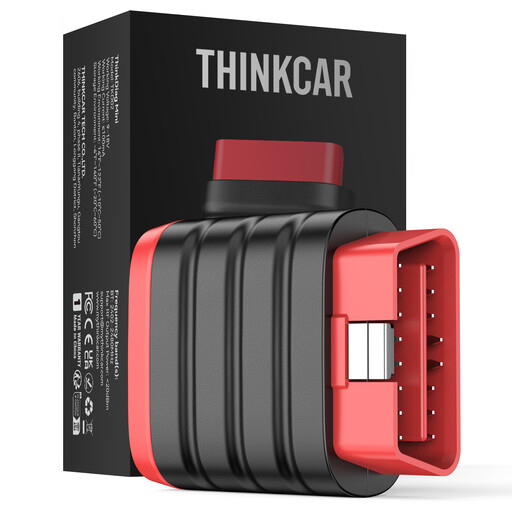
Why it suits this profile: This compact device works via Bluetooth with iOS and Android devices and is suitable for car owners who want to carry out basic diagnosis on the go.
The product information clearly states that this model does not include maintenance resets or special functions. So you won’t accidentally buy a basic scanner expecting ECU coding.
Bluetooth, support for multiple protocols, full-system diagnosis and, according to the product information, lifetime free updates.
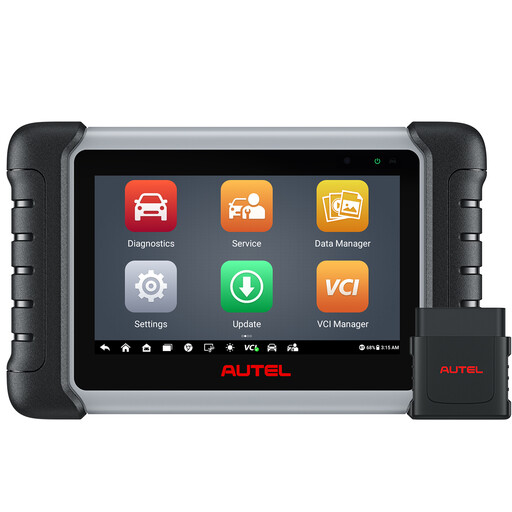
Why it suits this profile: This tablet is designed for comprehensive diagnosis in a home garage, mobile workshop or small garage, with a wireless connection up to the stated distance.
The product information mentions full-system diagnosis, live data, active tests and more than 38 maintenance functions. At the same time, it states that compatibility must be checked per vehicle.
Bi-directional control, Bluetooth, Auto-VIN, TPMS and BMS functions and support for 21 languages according to the product information.
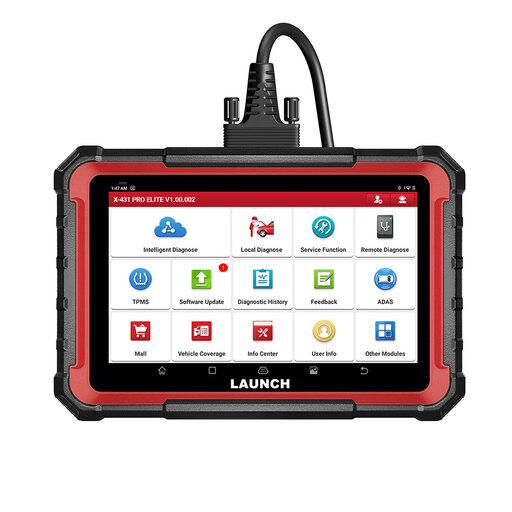
Why it suits this profile: This model is intended for users who want full system diagnosis, ECU coding, active tests and expansion modules all in one tablet.
The product information explicitly states that active tests, coding and service functions vary by make, model and system. That makes a VIN check before purchase important.
8-inch screen, CAN FD and DoIP support, ECU coding, bi-directional tests and stated support for reporting and expansion modules.
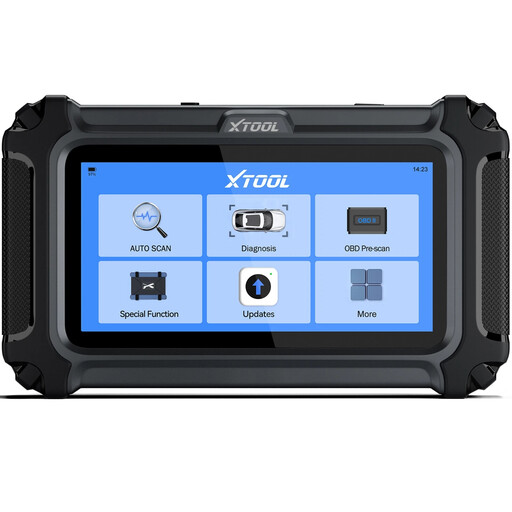
Why it suits this profile: Suitable for car owners and DIYers who want to check the engine, transmission, ABS and SRS without immediately choosing a large workshop tablet.
The product information states that the scanner works via a wired OBD connection and that advanced functions vary by vehicle. This makes the terms of use clear upfront.
Four main systems, live data, reporting, CAN FD, FCA AutoAuth and stated free software updates.
We’ve put together a full, up-to-date list of products that fully meet these strict selection criteria and comply with current European safety regulations.
Check these points before ordering:
A separate TPMS diagnosis tool is more logical for a tyre service, for example. For battery checks, a standalone BT500 battery tester may be suitable; according to the product information, this device supports 6-, 9-, 12- and 24-volt batteries, but not lithium or deep-cycle batteries. For cable breaks in a 6- to 42-volt DC circuit, a wire tracer is a different type of tool from an OBD2 scanner.
Many models allow this, but clearing only removes the stored code. The cause must be checked first. It’s best to make a report or note the fault code before clearing it.
The hardware can remain usable for several years. The practical lifespan mainly depends on updates, battery condition, software support and the development of vehicle protocols. A scanner with CAN FD may be more suitable if you also want to check newer vehicles.
That varies by product. Some models advertise lifetime updates, others offer one or two years of updates. Check whether this applies to all vehicle software and service functions. Also look out for separate costs for AutoAuth, brand access or expansion modules.
