
Vandaag of morgen in huis

Kwaliteit gegarandeerd

Welkomstaanbiedingen ontgrendelen: GRATIS bezorging | Tot 80% korting | Gratis 30 dagen JoyPlus-proefperiode
Download de app
A car diagnostic tool can help you read fault codes, clear service reminders and check certain vehicle systems. However, not every OBD2 scanner is suitable for every car. A basic engine fault code reader, for example, may only check the engine, while a more advanced vehicle diagnostic tool can also support ABS, SRS and the transmission.
The biggest mistake is buying based on a long list of features without checking compatibility. Below, you’ll find what to look out for and which models suit different user profiles.
Many product pages claim broad coverage for European, Asian and American vehicles. That does not automatically mean every reset function is available for your make, model, year and ECU version. EPB reset, TPMS reset, injector coding and DPF regeneration can vary considerably between vehicles.
Before buying, check:
An OBD2 scanner can read or clear a warning, but it will not automatically fix the underlying cause. After clearing the code, a warning light may appear again. Use the code as a starting point for inspection and repair. Extra care is needed with systems such as airbags, brakes and steering.
Some devices work with an app, an account or paid software. “Free updates” may also only apply for a specific period or to selected vehicle software. Check:
A basic code reader often communicates with the engine management system through the standard OBD2 port. For more advanced diagnostics, you need a device that supports multiple modules, such as:
An ABS SRS scanner is particularly useful if you carry out your own maintenance or are checking a second-hand car. Bear in mind that “full system” coverage in the product description may still depend on the make, model and specification.
Not everyone needs sixteen reset functions. For regular home maintenance, oil reset, battery registration, TPMS reset and EPB reset may be relevant. For more intensive use, functions such as:
may be more useful. Always check that the function is specifically listed for your car.
Newer vehicles use communication protocols that are not supported by every older car diagnostic tool. CAN FD is a more modern version of CAN with greater data capacity. DoIP uses Internet Protocol for diagnostics on certain vehicles.
For some FCA models, including Chrysler, Dodge, Jeep, RAM and Fiat, FCA AutoAuth may be required to access secured systems. According to the product information for several of the scanners mentioned, you need to register this account separately; any costs are not automatically included with the purchase of the device.
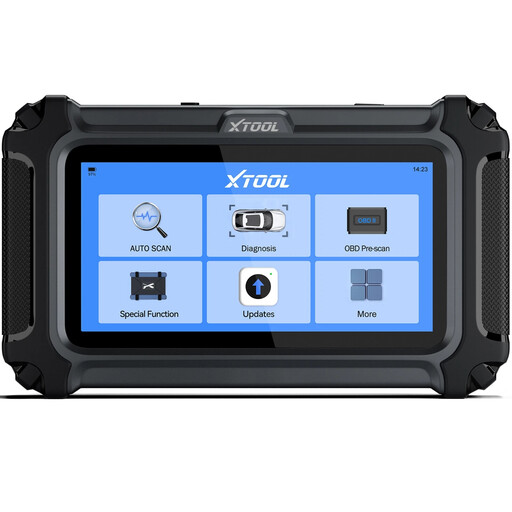
Why it suits this profile: This wired device is aimed at DIY users who want to read engine, transmission, ABS and SRS systems without a complicated workshop setup.
The product information states that functions may vary by make, model, year and ECU. It also explains that compatibility can be checked in advance.
Supports live data, up to four graphs, AutoVIN and free updates according to the product description.
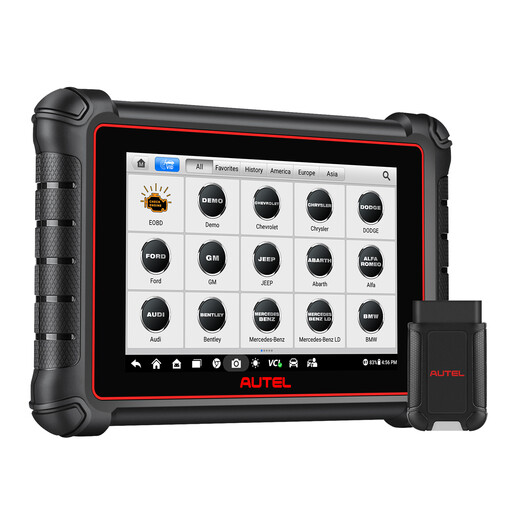
Why it suits this profile: This model is ideal for users looking for a standalone touchscreen device with extensive diagnostic and service capabilities.
The specifications mention CAN FD, DoIP and FCA AutoAuth. For FCA vehicles, you still need to register an AutoAuth account.
8-inch touchscreen, bidirectional tests, more than 40 service tasks according to the product description, plus support for Dutch-language menus.
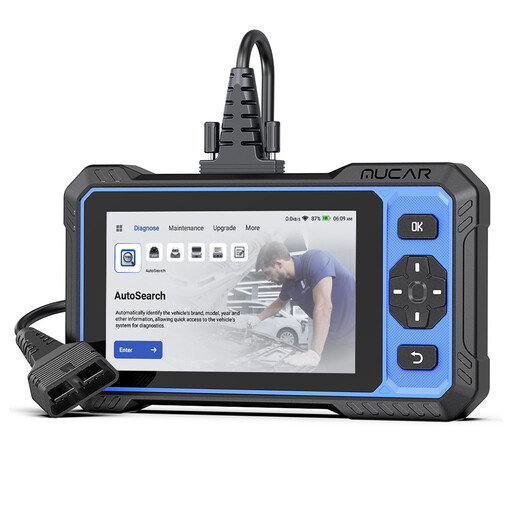
Why it suits this profile: A suitable choice for small garages, mobile mechanics and experienced hobbyists who want to use active tests and multiple maintenance functions.
The product information explicitly mentions support for CAN FD and FCA AutoAuth, and states that vehicle coverage must be checked by model.
Four system groups, fifteen reset functions and bidirectional tests according to the product description; updates are listed there as free for life.
A compact Bluetooth adapter such as the THINKCAR ThinkDiag Mini may be an interesting option for simple diagnostics via iOS or Android. According to the product information, this model supports full-system diagnostics but does not offer maintenance resets. The THINKCAR BD6 adds five reset functions. This difference shows why comparing features is more important than simply choosing a product labelled “OBD2 scanner”.
We have put together a complete, up-to-date list of products that fully meet these strict selection criteria and the applicable European safety regulations.
No. The capabilities depend on the vehicle module, protocol and software coverage. A basic device will often mainly read engine data. For ABS, SRS or transmission codes, you need a model with multiple system groups. A cleared code may also return if the underlying cause has not been fixed.
It depends on the product. Some models state that they offer free lifetime updates, while other devices have a limited update period or use an app account. Also check whether additional services, such as FCA AutoAuth, need to be registered and paid for separately.
This is possible with models that support these service functions, but not for every car. Check the compatibility list before buying. A car oil reset generally clears a service reminder, while a TPMS reset recalibrates the tyre pressure monitoring system after, for example, changing a sensor or rotating the tyres. Always consult the vehicle handbook.
