
Vandaag of morgen in huis

Kwaliteit gegarandeerd

Welkomstaanbiedingen ontgrendelen: GRATIS bezorging | Tot 80% korting | Gratis 30 dagen JoyPlus-proefperiode
Download de app
A car diagnostic tool can help you read fault codes, view live data and carry out maintenance functions. However, many motorists buy a scanner that offers fewer features than they expected. A basic OBD2 scanner, for example, may only read engine data, while accessing ABS, SRS, transmission or battery management systems requires support for multiple vehicle systems.
For private car owners, DIY enthusiasts, mobile mechanics and garages, there are three pitfalls in particular to watch out for.
The term OBD2 refers to a communication protocol, not to the number of systems a device can read. A budget scanner may be suitable for clearing an engine warning light, but may not provide access to systems such as ABS, airbags or automatic transmissions.
So check whether the product description explicitly mentions full-system diagnostics, ECM, TCM, ABS and SRS, or similar coverage. Also check which vehicle makes, models and years are actually supported.
A list of 15, 20 or 30 maintenance functions may sound comprehensive, but functions such as DPF regeneration, BMS reset, injector coding, SAS calibration and ECU coding won’t necessarily work on every vehicle.
According to the product information from the relevant brands, functions can vary by make, model and year. Check compatibility with your vehicle before ordering. A tool may technically include a function, but that function may not be available for your car.
According to some models’ product descriptions, lifetime free updates are included. But check exactly what gets updated: only the basic software, vehicle coverage, service functions, or secure protocols too? Other devices may require a subscription or additional software.
Also consider the connection. A Bluetooth dongle with an app is compact and handy on the go, while a tablet with its own screen may be more practical in a workshop.
Useful vehicle diagnostics go beyond reading fault codes. Look for support for:
With bi-directional control, a compatible tool can send commands to certain vehicle components. According to the manufacturer’s product description, this can be used, for example, to activate a fan, injector, window mechanism or valve. Only use these functions if you understand the consequences and follow the vehicle’s instructions.
Check that the scanner supports your car’s protocols. CAN FD is relevant to a number of newer vehicles. For certain FCA models with a secure gateway, FCA AutoAuth may be needed to access diagnostic functions. According to the product information, availability depends on the make, model and trim.
So a device with CAN FD isn’t automatically suitable for every vehicle using this protocol. Always check the latest compatibility list or ask the seller to confirm compatibility based on the make, model and VIN.
Make a list in advance of the functions you really need. For routine maintenance, oil reset, EPB reset, TPMS reset, BMS registration and ABS bleeding may be useful. DPF regeneration may be important for diesel drivers. For garages, ECU coding, active tests and detailed reporting may be more of a priority.
Look out for the difference between:
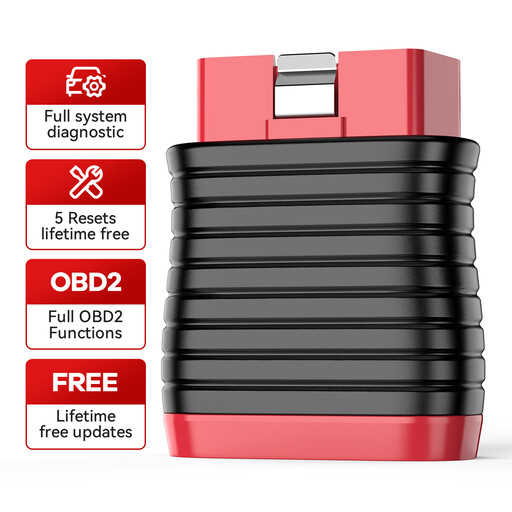
Why it suits this user: According to the product description, this Bluetooth dongle works with Android and iOS devices and uses the ThinkDiag+ app. That makes it a good choice for occasional use without the need for a large diagnostic tablet.
The product information clearly states that the device focuses on full-system diagnostics and five reset functions. It also mentions the limitations around advanced coding.
Bluetooth 5.0-class connectivity via smartphone, full-system diagnostics according to the product description, and five listed reset functions. The manufacturer says lifetime free updates are included.
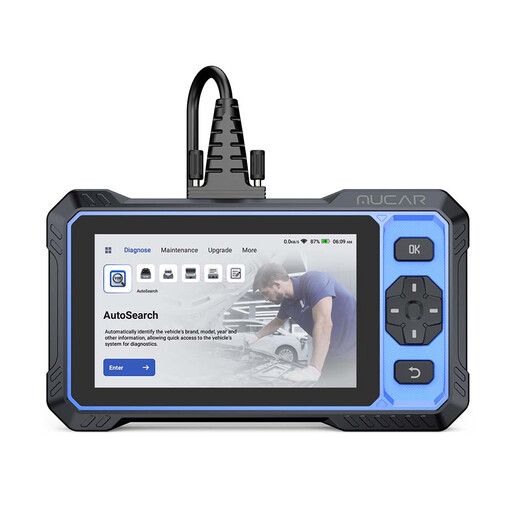
Why it suits this user: The 6-inch touchscreen, Android system and combination of full-system diagnostics and active tests make it well suited to more intensive DIY use and small workshops.
The product information notes that functions depend on the vehicle and distinguishes between diagnostics, active tests and service functions. This helps avoid assuming that every function works on every vehicle.
According to the manufacturer: CAN FD, FCA AutoAuth, bi-directional control, more than 20 service functions and lifetime free updates.
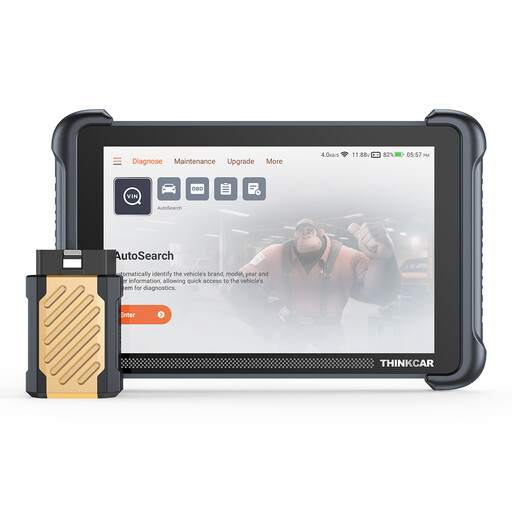
Why it suits this user: According to the product description, this model is designed for repair technicians and car enthusiasts who need a larger screen, extensive features and broad protocol support.
The specifications list full-system diagnostics, ECU coding, active tests and 34 reset functions separately. They also state that functions may vary by vehicle.
8-inch screen, support for CAN FD and DoIP, ECU coding, bi-directional control and, according to the manufacturer, lifetime free updates.
We’ve put together a complete, up-to-date list of products that meet these strict selection criteria and comply with current European safety regulations.
No. It depends on the vehicle protocol, the control unit and the scanner’s software coverage. A basic OBD2 scanner can often read engine data, but may not be able to clear ABS, SRS or transmission faults. Check compatibility by make, model and trim.
Not always. Some devices work with a free app, while other features or vehicle software may require a subscription. According to the product descriptions for several models, lifetime free updates are included, but check exactly which features are covered before you buy.
Only if the tool, vehicle and relevant software function support it. ECU coding and DPF regeneration can affect how the car operates. So follow the instructions, use a stable connection and leave complex procedures to someone with the right technical knowledge.
