
Vandaag of morgen in huis

Kwaliteit gegarandeerd

Welkomstaanbiedingen ontgrendelen: GRATIS bezorging | Tot 80% korting | Gratis 30 dagen JoyPlus-proefperiode
Download de app
A car diagnostic scanner can help you read fault codes, view live data and carry out maintenance functions. However, not every OBD2 scanner is suitable for every car. A cheap device may only read the engine control unit, while a fault could also be stored in the ABS, airbag, transmission or comfort module.
So don’t focus only on the number of features listed in the advert. Above all, check that the scanner is right for your vehicle, software needs and working style.
The term full-system diagnostic scanner sounds clear, but the systems available vary by make, model and year. For some cars, for example, you may be able to read the engine and ABS, but not perform coding or an active test.
Before you buy, check:
A bidirectional diagnostic scanner can send commands to certain components in compatible vehicles. For example, it may activate a cooling fan, fuel injector or window function. This is also known as an active test.
However, that doesn’t mean you can test every component on every car. The ECU, vehicle software and manufacturer determine which tests are available. Use active tests with care and follow the on-screen instructions.
Some devices offer free lifetime updates, while others provide only a limited period of updates without a subscription. So check:
A scanner with no recurring software costs can be appealing for a home mechanic, but always check the terms for the model you’re considering.
A standard OBD2 scanner communicates using protocols found in many vehicles since the 1990s. For newer vehicles, additional protocols may be important:
A CAN FD scanner or DoIP diagnostic tool is most relevant if you maintain several recent vehicles. Always check that the protocol works with your make and model.
A basic code reader can display and clear codes. A more advanced car diagnostic tool may also offer functions such as:
The number of functions doesn’t tell you everything. A scanner with 30 reset functions may offer fewer options for your car than the product name suggests. If in doubt, check compatibility using your make, model, engine variant and VIN.
For a garage or mobile mechanic, a clear screen, stable connection and reporting features are useful. A Bluetooth scanner is compact and works with a smartphone, while a diagnostic tablet often has its own screen and can be operated while wearing gloves.
Also check:
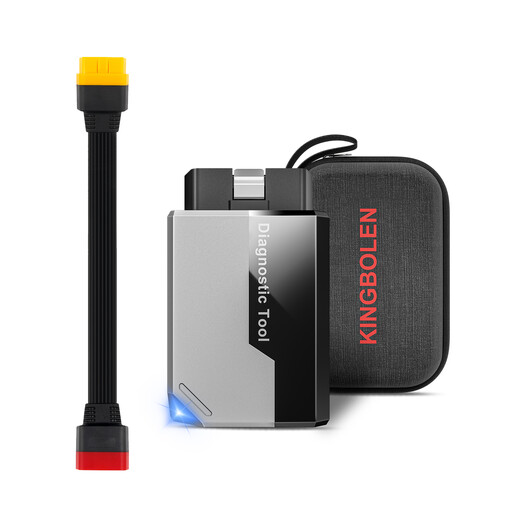
Why it suits this user: This compact device connects to Android and iOS devices via Bluetooth. It’s a good fit for DIY enthusiasts who want to use their smartphone as a screen and don’t need a large diagnostic tablet.
The product information mentions full-system diagnostics, while making clear that functions vary by make and year. So check compatibility before you buy.
Bluetooth 5.2, live data, active tests and a range of service functions, all in a pocket-sized device.
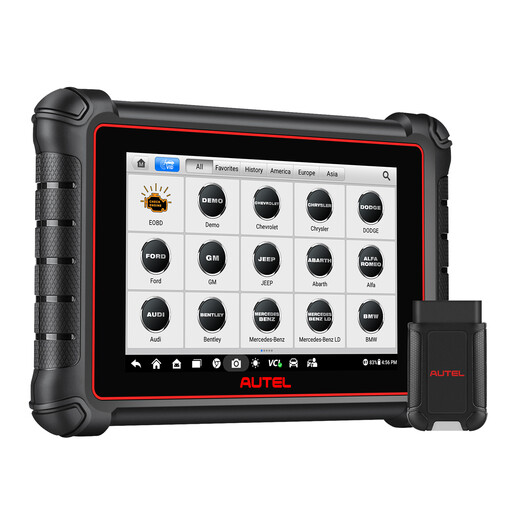
Why it suits this user: This 8-inch diagnostic tablet is designed for users who want to manage a wide range of vehicle data, active tests and maintenance functions from a single device.
The specifications list CAN FD, DoIP and FCA AutoAuth, but also explain that AutoAuth registration and vehicle compatibility are required.
Full-system diagnostics, more than 3,000 listed active tests, and CAN FD and DoIP support according to the product information.
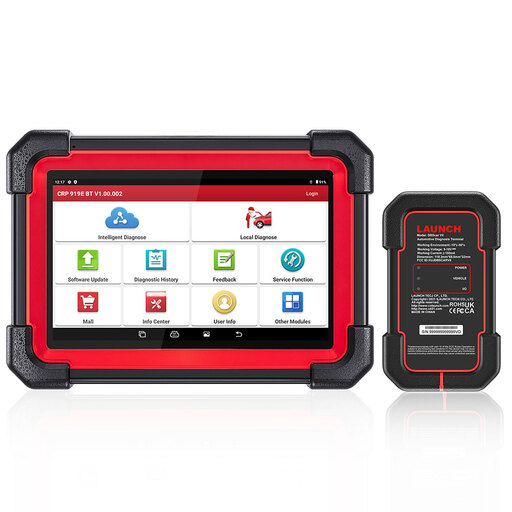
Why it suits this user: This scanner is a good option for mobile mechanics, small garages and fleet managers who want to work wirelessly with advanced diagnostics, reset and coding functions.
The product description warns that ECU coding and active tests aren’t available for every vehicle. That makes a VIN check essential before you buy.
7-inch screen, Bluetooth VCI, CAN FD, DoIP, ECU coding and more than 31 listed service functions.
A diagnostic scanner often displays the battery voltage, but that isn’t the same as a full battery test. If you’re investigating starting problems, you can use a separate car battery tester.
According to the product information, the VDIAGTOOL BT500 battery tester supports 6V, 9V, 12V and 24V batteries, depending on the selected mode. It carries out charging, starting and resistance tests, among others, and is designed for lead-acid, AGM, GEL and EFB batteries. According to the description, it doesn’t support lithium or deep-cycle batteries. So check the battery type before testing.
We’ve put together a complete, up-to-date list of products that meet these strict selection criteria and the applicable European safety regulations.
No. A basic scanner often works mainly with the engine ECU and standard OBD2 functions. To access the ABS, airbag, transmission or comfort modules, you’ll need a scanner with the right full-system support. A fault code may also return if the underlying problem hasn’t been fixed.
With normal use, the hardware can last for several years. How useful it remains depends mainly on software updates, vehicle coverage, battery condition and support for new protocols. Also check whether lifetime updates are included or become chargeable after a certain period.
It depends on your vehicles and the work you do. For engine faults alone, a basic OBD2 scanner may be enough. If you need service functions, ECU diagnostics, active tests or support for several vehicle makes, you may be better off choosing a more advanced car diagnostic scanner. Always check coverage for your own car first.
