
Vandaag of morgen in huis

Kwaliteit gegarandeerd

Welkomstaanbiedingen ontgrendelen: GRATIS bezorging | Tot 80% korting | Gratis 30 dagen JoyPlus-proefperiode
Download de app
A new CarPlay display, dashcam or OBD2 scanner might seem like an easy choice. But most disappointing purchases aren’t caused by a low price. They’re more often down to unclear compatibility, tricky installation or features that prove less useful in practice than the product title suggests. This buying guide helps you compare car accessories using verifiable specifications, so you can choose the right option for your vehicle and how you use it.
A portable CarPlay screen may be described as suitable for many cars, but always check the power supply voltage, connections and smartphone version. A system that runs from a 12V socket isn’t the same as a built-in car stereo. You should also check whether your phone supports wireless CarPlay or Android Auto.
“4K” is an attention-grabbing feature in a dashcam. But image quality also depends on the lens, viewing angle, storage and performance at night. Check whether a memory card is included, whether loop recording is available and whether you can lock footage manually. A wide viewing angle can capture more, but it may also distort the image at the edges.
A basic car diagnostic device often reads engine management codes. A more advanced system may also access ABS, airbags, transmission or service functions. That doesn’t mean every function is available for every vehicle. For example, KINGBOLEN and XTOOL product information states that features can vary by make, model and year. Check compatibility using your vehicle details before you buy.
Wireless CarPlay and Android Auto usually require Bluetooth and Wi-Fi for initial pairing and communication. Also consider:
If a product mentions AirPlay, MirrorLink or Miracast, check which features work with your phone. According to the product descriptions, several ESSGOO models support iOS and Android devices, but the required software version varies by model.
Don’t focus solely on the term 4K dashcam. Also check:
A rear camera with a waterproof housing can be handy if you’re mounting it on the outside of the vehicle, but make sure the cable is routed neatly and securely. The product page should clearly state what’s included. Some models come with a 64GB card; for others, you’ll need to buy storage separately.
An OBD2 diagnostic scanner plugs into your car’s OBD port. Check the difference between:
Only use reset and coding functions if you understand what they do. The presence of a menu doesn’t automatically mean the function is available for your car. Also check whether updates are included, how long they remain valid and whether certain makes require a separate account.
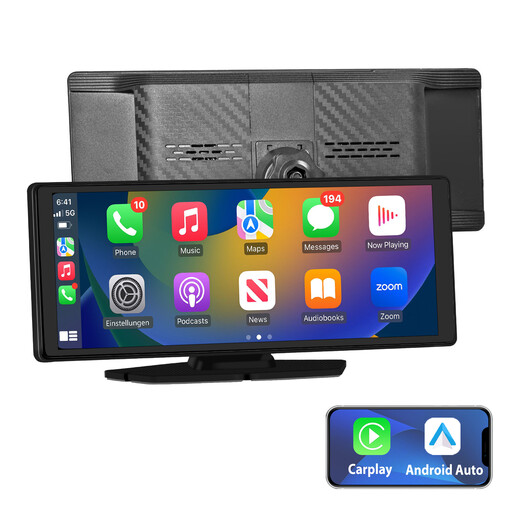
Why it suits this profile: This plug-and-play system combines a touchscreen with wireless CarPlay, Android Auto, GPS navigation and several audio connections. It’s a practical way for drivers to upgrade an older car without replacing the existing stereo.
The product description lists a 10.26-inch IPS screen, AUX, FM, Bluetooth and an included mounting bracket. Be sure to check the available space and audio input first.
Wireless CarPlay and Android Auto; 1024 × 600 IPS touchscreen; installation via the 12V socket.
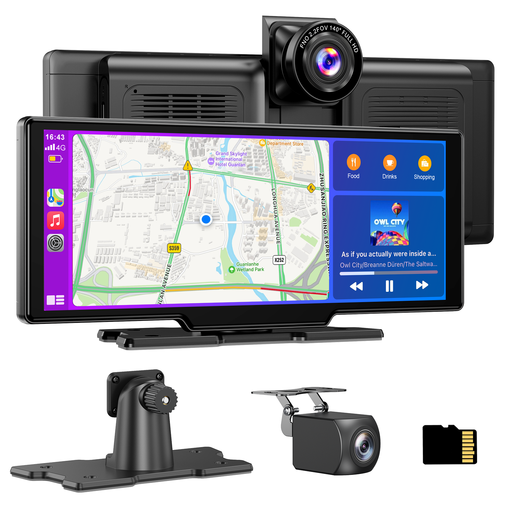
Why it suits this profile: The product specifications combine a CarPlay display with front and rear cameras, GPS functionality and several audio options. It’s designed for drivers who want entertainment, navigation and recording in one device.
The product page lists 4K for the front camera, 1080P for the rear camera, loop recording and an included 64GB TF card. Check the cable route to the rear before installation.
1600 × 600 touchscreen; 140° viewing angle for both cameras; Bluetooth, AUX and FM transmitter.
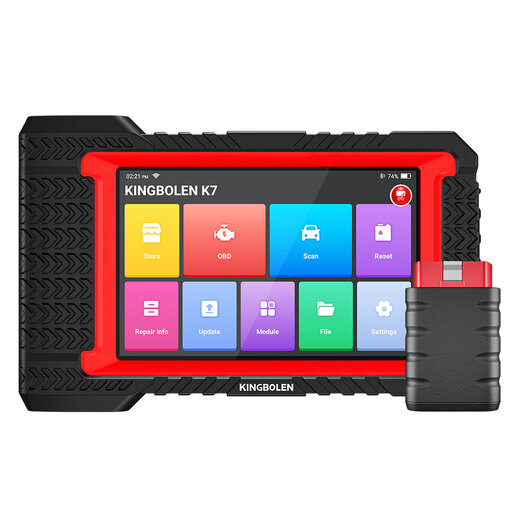
Why it suits this profile: According to the product information, this scanner is designed for DIY users, mobile mechanics and small garages that need more than just engine diagnostics.
The description explicitly notes that reset functions can vary by vehicle. This makes a compatibility check essential before using coding or active tests.
Bluetooth connection; full-system diagnostics according to the product listing; several service and reset functions.
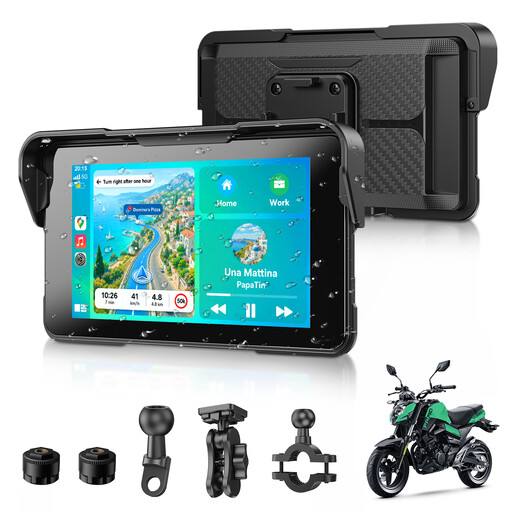
Why it suits this profile: This compact screen is designed for wireless CarPlay and Android Auto on a motorbike, and has an IP67-rated water-resistant housing.
The product information states that it’s protected against water and dust. Check that the mount fits your handlebars, and position the screen so it doesn’t get in the way of the controls.
5-inch size; Bluetooth 5.3; support for GPS navigation and a TPMS setting.
We’ve put together a complete, up-to-date list of products that meet these strict selection criteria and the applicable European safety requirements.
Not every accessory needs to be large. A digital tyre inflator is useful for cars, motorbikes and bicycles, as long as you check the maximum pressure, charging method and included valve adapters. A Bluetooth FM transmitter is a simple solution for vehicles without Bluetooth. Choose a model with AUX, USB and Type-C if you want several connection options.
For everyday use, install accessories while the vehicle is stationary, secure cables safely and make sure screens, mounts or cables don’t obstruct your view or interfere with the controls. A diagnostic device with a reporting function can be useful, but any repair should always be based on both the fault code and the car’s technical condition.
Not automatically. Many portable models use a 12V or 24V connection, making them suitable for a wide range of vehicles. You’ll also need a compatible iPhone or Android phone, a suitable audio connection and enough space for installation.
Its lifespan depends on heat, direct sunlight, power supply, memory card and frequency of use. Choose a model with a suitable operating temperature, replace a worn memory card and check regularly that loop recordings are still being saved.
On top of the purchase price, updates, make-specific features or accounts may incur extra costs. Some models include free updates, while other features depend on the vehicle type or require separate registration. Check these terms before ordering so you can estimate the total cost of use.
