
Musician using one camera
You want to use one HDMI camera as your video source, without setting up multiple cameras. Check the camera output, USB connection and supported video format. OBS Project explains how to add capture cards as video sources.


If you’re using one HDMI camera, choose a capture card that supports the camera’s output and your computer’s connection. If vocals or instruments come through a separate audio source, check how that sound will reach your stream and test the synchronisation. For multiple camera angles, you’ll need a switcher with several HDMI inputs.
You want to use one HDMI camera as your video source, without setting up multiple cameras. Check the camera output, USB connection and supported video format. OBS Project explains how to add capture cards as video sources.
You want vocals or instruments to reach your stream through a separate audio source. OBS Project lets you add audio as a separate source; also check that your capture device’s input is compatible with your equipment.
You want to switch between cameras during the same performance rather than capture a single HDMI source. The Blackmagic Design ATEM Mini Pro is one example of a switcher with multiple HDMI inputs.
First, decide whether you’ll connect one camera or switch between cameras during your performance. Then check how the audio from your music source will reach your computer and stream.
For consumers choosing a capture solution for a performance from a home office, each row focuses on one key buying priority.
| What to consider | What should you check? | Who is this important for? |
|---|---|---|
| Music audio alongside the camera image | Map out the route from your microphone or instrument, through the audio source, to your computer and stream. Check that the input is compatible with your equipment and make a test recording. | If I connect vocals or instruments separately, I want to know how that sound will reach my stream alongside the camera image. Around 36% of consumers say music audio is their top buying priority. |
| Connecting one HDMI camera | Check the camera’s unencrypted HDMI output, resolution and frame rate, the required USB connection, and the system requirements for the exact card revision. | If I want to use one camera, its output format needs to be compatible with the capture card and computer. Around 29% of consumers give connecting one camera top priority. |
| Switching between cameras | Count the HDMI sources you want to connect at the same time. For the exact switcher version, check its inputs and the output you need for your computer or stream. | If I want to switch between angles during a performance, I’m looking for a device that can handle multiple camera sources. Around 21% of consumers prioritise switching between cameras. |
| Simple Full HD setup | Compare the camera output with the maximum capture and passthrough resolutions. Also check whether audio comes in over HDMI or needs a separate connection. | If I only need the Full HD features required for my setup, I don’t want to assume the card also supports higher formats or a separate audio input. Around 14% of consumers give a simple Full HD setup top priority. |
An HDMI input for video doesn’t automatically mean you can connect your mixer or microphone to it. OBS Project offers separate audio and video sources. Use the audio meters and listen to a test recording to check that the sound is coming through and sounds right.
Audio inputs vary from one device to another. The presence of a socket doesn’t prove that it’s compatible with your mixer’s output.
Before you buy, check your equipment’s audio output and the card’s input. Test the entire signal path before your performance.
Passthrough is a local video output; a claim about passthrough doesn’t tell you what the delay will be in OBS or for viewers.
Test the final stream separately and decide whether you need the local HDMI output for monitoring.
Support can vary by revision or version. Elgato lists 2160p60 for compatible cameras and the latest Cam Link 4K revision; ATEM Mini versions don’t necessarily have the same features.
Check the full model or part number, along with the inputs and video formats you need, for the version you plan to buy.
A capture card doesn’t cover music rights. BumaStemra distinguishes between the circumstances of a stream, platform agreements and possible neighbouring rights in music recordings.
Before publishing, check the repertoire, any recordings, revenue and the platform you’ve chosen against the applicable terms.
Cam Link 4K is an HDMI-to-USB option for using one camera as a video source.
USB Capture HDMI Plus is a single-channel option with HDMI passthrough and a separate 3.5mm audio input.
ATEM Mini Pro is a video switcher for anyone who wants to use multiple HDMI cameras during a performance.
Live Gamer MINI GC311 is an external capture card for a setup that fits within its specified Full HD formats.
This Joybuy selection focuses on HDMI capture for a simple Full HD setup, with a separate microphone input.
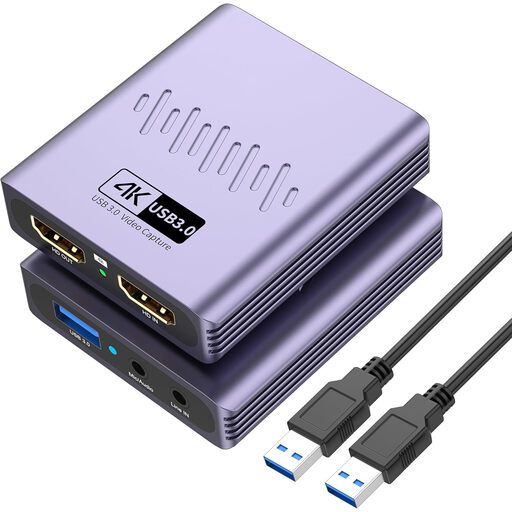 No image available
The listed microphone input may be useful if you want to connect a separate audio source; check that it’s compatible with your equipment.
USB 3.0; 4K passthrough; capture up to 1080p; microphone input and headphone output; driver-free installation according to the product title.
Yes, OBS Project supports separate video and audio sources. Select the sources you want and make a test recording: selecting the same audio device twice can cause an echo.
No. Elgato lists 2160p60 only for compatible cameras and the latest Cam Link 4K hardware revision. Check the part number for your version and your camera’s HDMI output.
Select the right audio source in OBS, check the audio meters during a rehearsal and listen back to the recording. A capture card doesn’t automatically set the levels for your entire audio chain.
According to ACM ConsuWijzer, consumers generally have up to 14 days after delivery to change their mind about an ordinary online purchase, although there are exceptions. The seller must also offer an appropriate solution if a product doesn’t perform as you could reasonably expect under normal use. This is separate from your right to change your mind.
A capture card doesn’t give you permission to use music. BumaStemra describes an exception to its own licence for streams on YouTube, Facebook, Instagram or Twitch that don’t generate revenue or buyout payments. This doesn’t automatically cover all rights: music recordings may involve neighbouring rights, and a platform may block a stream. Check the terms that apply to your repertoire, stream and platform.