What should you look for when buying?
First, check your audio and source connections. Then decide which monitor and recording settings you need, and finally check which cables and connections you’re missing.
| What to consider |
What should you check? |
Who is this important for? |
| Commentary and game audio |
Check where your headset connects and whether OBS is capturing the same audio source twice. |
If I stream from a shared bedroom, I want my commentary to be clear without echo or unnecessarily loud audio. Around 29% of this group are likely to put sound quality first. |
| Monitor picture |
Compare your preferred monitor resolution and refresh rate with both the passthrough and recording modes. |
I want to keep my own monitor picture while discussing the action, rather than assume passthrough also indicates recording quality. Around 23% of this group are likely to make preserving their monitor picture their main priority. |
| Source and computer |
Make a note of your source, HDMI output, computer port and intended recording software; also check your console’s audio output. |
When I connect a console, I want to know in advance whether the source, computer and software will work together. Around 18% of this group are likely to prioritise compatibility. |
| Recording detail |
Compare the recording setting you actually need with the mode available on the exact model and its software requirements. |
For replays and detailed analysis, I want to capture enough picture information without choosing higher specifications I don’t need. Around 18% of this group are likely to prioritise recording detail. |
| Cables and accessories |
Check what’s included in the box, which HDMI cables you have available and which USB port your computer has. |
I want to connect the whole setup without discovering after purchase that I’m missing a cable. Around 12% of this group are likely to prioritise having all the necessary connections and accessories. |
Joybuy products for capture card setups
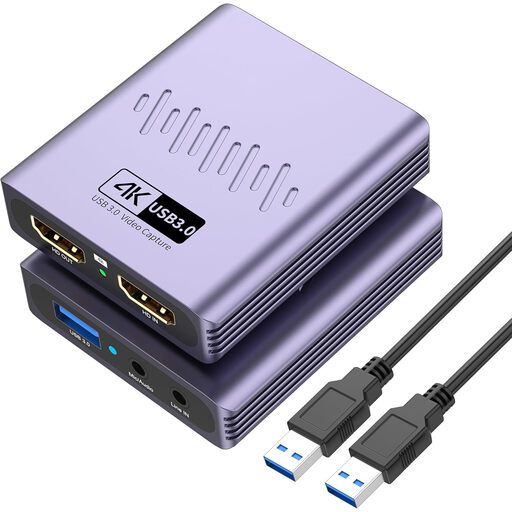
A Joybuy product option for an HDMI capture setup where 1080p recording and microphone and headphone connections are useful.
 No image available
VIELLAN HDMI video capture card with USB 3.0
The listed connections may be useful if you want to use a microphone and headphones in your setup; check they’re compatible with your source and preferred audio setup.
The product title lists video recording up to 1080p and 4K passthrough: the stated 4K refers to passthrough, not recording.
The title also mentions driver-free installation, a microphone input and a headphone output.
View at Joybuy
Frequently asked questions
Can I simply discuss someone else’s tournament footage live?
Not just because you can technically capture the footage. The Dutch government distinguishes between a private copy for personal use and distributing or making protected material available to the public. For the tournament in question, check who owns the rights and what permission or applicable exception applies; a short, relevant discussion isn’t the same as rebroadcasting an entire match.
What if my housemate is recognisable in a public stream?
Consider this before publishing and, where possible, keep housemates out of shot. According to the Dutch Data Protection Authority, the exception for personal or household use doesn’t apply when footage is shared more widely, for example in public. Consent may be a possible legal basis, but it isn’t automatically the only one.
How do I add a capture card in OBS without getting duplicate audio?
Add the card as a video capture device, then check your audio sources and monitoring. OBS Project warns that selecting the same audio device both globally and in a scene can cause echo. Start with a short test recording and listen back through your headset.
Why is my PS5 setup showing a black screen or no game audio?
For the PS5 setup described with the Game Capture Neo, Elgato says HDCP must be disabled to capture the console signal. Elgato also notes that connecting a headset to the PS5 or controller may mean game audio isn’t output over HDMI. These technical steps don’t in themselves give you permission to rebroadcast protected broadcasts.
What can I do if my capture card stops working too soon under normal use?
Contact the retailer to discuss a suitable solution. ACM ConsuWijzer explains that, in addition to any manufacturer’s warranty, you have a legal guarantee if a product doesn’t perform as you could reasonably expect under normal use. There isn’t one fixed warranty period that automatically applies to every capture card.


