
Console speedrunner
You stream through a second computer but want to keep playing directly on a connected screen. Compare passthrough and recording separately, as they may not have the same limits.


If you’re playing on a console or second PC, choose a capture card with passthrough to your gaming screen and check the recording limit separately. That way, you won’t have to play using the software preview. If the game is running on the same PC, try OBS Game Capture first. In a shared bedroom, test how your headphones, game audio and microphone are routed before you start streaming.
You stream through a second computer but want to keep playing directly on a connected screen. Compare passthrough and recording separately, as they may not have the same limits.
You want to play with headphones in a shared bedroom while making sure both the game audio and your commentary can be heard. The connections and console settings will affect how you route the audio.
If the game is already running on the streaming PC, try OBS Game Capture first. OBS lists Window Capture as an alternative for some games and emulators.
First, work out where the game is running and how you want to play on your gaming screen. Then check that the audio and video set-up is suitable for a shared room.
| What to consider | What should you check? | Who is this important for? |
|---|---|---|
| Responsive gameplay | Compare the passthrough resolution and refresh rate with the signal from your console or second PC and your screen. | I want to play directly on my gaming screen rather than rely on the recording preview. Around 36% of consumers prioritise responsive gameplay. |
| Game audio and commentary | Test your headphones, game audio in OBS and microphone together. Also check that you haven’t added the same audio source twice. | If I need headphones so I don’t disturb my housemate, I want my voice and the game audio to be clearly audible as separate sources. Around 29% of consumers prioritise quiet, clear audio. |
| Connections and recording | Make a note of the HDMI signal, the recording you want, the available USB port and your computer’s operating system. | I want to know in advance whether my source, computer and preferred recording set-up will work together. Around 21% of consumers are primarily looking for a compatible source, computer and recording set-up. |
| Privacy in the room | Decide whether you need a camera, then watch and listen to a test recording to check what it captures from the room. | I don’t want my housemate to appear on camera or be heard without realising. Around 14% of consumers prioritise privacy in a shared room. |
Some models have different maximum passthrough and recording limits. According to NZXT, the Signal HD60 can pass through a 4K signal, but it cannot record in 4K or stream 4K to a computer.
Check the HDMI input, passthrough and recording limits separately for the exact model.
In some console set-ups, connected audio can affect the HDMI game audio signal. Elgato describes the use of a separate cable with certain PlayStation headset set-ups.
Before you start streaming, make a test recording with the console, headphones and microphone you’ll actually be using.
Depending on your set-up, you may need a separate audio cable.
Elgato states that the HD60 X’s 3.5mm connection is a line-in, not a microphone input.
Check the type of each input and, if needed, connect your commentary to the recording computer as a separate source.
A camera could capture your housemate, while an open microphone could pick up sounds from the room.
Turn off any sources you don’t need and check a test recording before you start streaming or publish anything.
These manufacturer specifications can help you compare models by their connections and signal limits; they are not independent performance tests.
The Game Capture HD60 X is an external option if passthrough at higher screen settings is important to you.
The Live Gamer MINI GC311 is a compact external option for an HDMI speedrun where 1080p60 is enough for both recording and passthrough.
The Ripsaw HD is worth considering if analogue audio connections are part of your streaming set-up.
The Signal HD60 is an external option if a 1080p stream is enough for you.
This selection of Joybuy products focuses on an external HDMI capture card with passthrough for a streaming set-up.
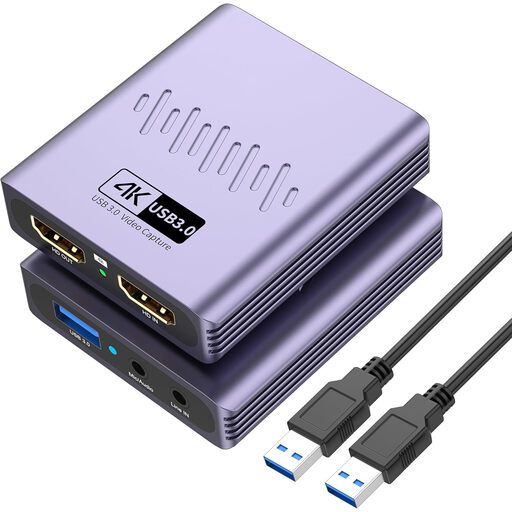 No image available
May suit an HDMI set-up where passthrough and microphone and headphone connections are useful.
The product title lists 4K passthrough, recording up to 1080p and USB 3.0.
A microphone input and headphone output are also listed. In this case, 4K passthrough does not mean that the card records in 4K.
Not necessarily. Try OBS Game Capture first and make a test recording. OBS lists Window Capture as an alternative for some games and emulators.
With a card that has HDMI passthrough, connect the console to HDMI-in, the gaming screen to HDMI-out and the recording computer via USB. Check in advance that the specific model passes the signal you want to your screen.
It depends on the console and connection. Elgato describes set-ups where a headset affects HDMI game audio and recommends a separate cable for certain PlayStation headset set-ups. Check that you can hear both the game and your voice in a test recording. A line-in is not automatically a microphone input.
According to the Dutch Data Protection Authority, you generally need consent to publish footage in which someone is identifiable. Position the camera so your housemate stays out of shot, unless you’ve agreed with them that you can publish it.
Elgato states that HDCP copy protection can prevent capture with the HD60 X and describes disabling HDCP to record supported PS5 gameplay. This doesn’t give you permission to publish protected films or music or circumvent copy protection; the Dutch Government warns against doing so.