
Vandaag of morgen in huis

Kwaliteit gegarandeerd

Welkomstaanbiedingen ontgrendelen: GRATIS bezorging | Tot 80% korting | Gratis 30 dagen JoyPlus-proefperiode
Download de app
Choosing a new office printer often feels like navigating a minefield of marketing jargon and unclear specifications. One promises dizzying speeds, another low costs, but in practice, the purchase often becomes a source of frustration. Before you invest in a new business multifunction laser printer, it's important to recognise the most common pitfalls that can harm your company's productivity and budget.
As a Joybuy Product Recommendation Officer, I filter the market for you. Below, we'll discuss the critical points to watch out for and provide concrete recommendations based on objective specifications, ensuring you make a well-informed choice.
Many companies fall into the same traps, lured by a low purchase price or impressive numbers on the box. Pay special attention to the following two points:
To avoid these pitfalls, you need to look beyond the marketing. Focus on the specifications that truly matter for an efficient office environment.
office all-in-one printer must do more than just print. An automatic document feeder (ADF) that can automatically duplex scan, copy, and print is indispensable. This not only saves paper but, more importantly, valuable time for your employees. A printer with Wi-Fi and duplex is the standard for a modern office.fast office printer actually performs.Not every office has the same needs. Below, we match specific user profiles to products that excel based on their specifications.
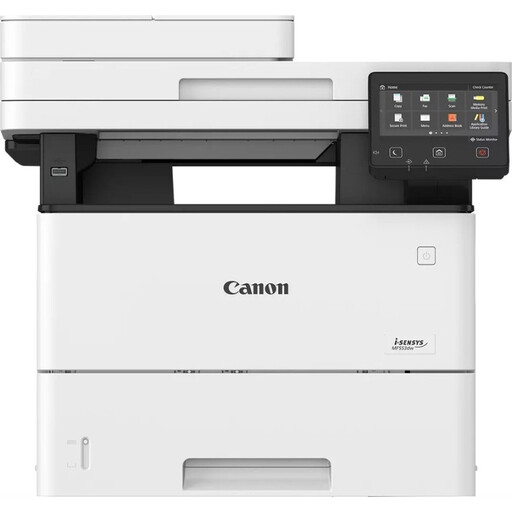
Why This Fits Their Persona: For SMEs and departments where speed and reliability are crucial. This model is designed for high print volumes and diverse tasks, from large reports to quick scans.
The print speed of 43 ppm is a realistic indicator for monochrome documents. The focus on laser technology and the availability of high-yield toners help keep the cost per page low at high volumes.
Full duplex functionality (print, scan, copy) and a robust ADF maximise workflow. The maximum monthly duty cycle of 150,000 pages shows it's built for heavy use.
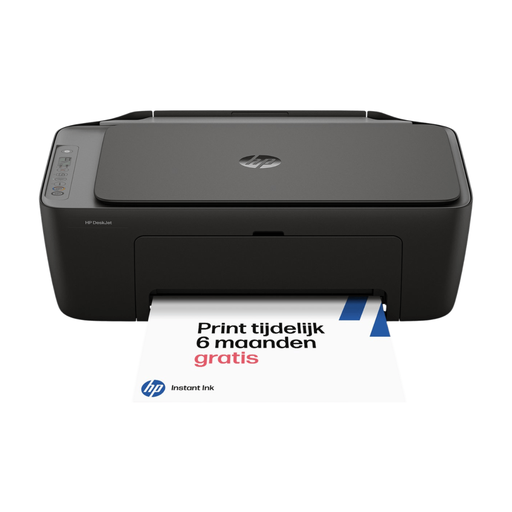
Why This Fits Their Persona: Ideal for freelancers or small start-ups who need a reliable all-in-one for lighter use, including colour printing, without the investment of a heavy-duty office laser printer.
This printer is transparent about its positioning: an ISO speed of 7.5 ppm (black) is suitable for home use. Compatibility with HP Instant Ink can make consumable costs predictable and manageable.
Offers the flexibility of colour printing, which a laser printer in this price range does not. Its compact size and easy setup via the HP app make it an accessible solution.
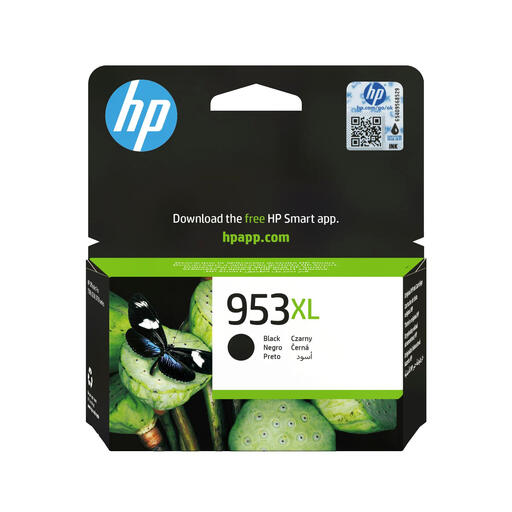
Why This Fits Their Persona: For managers looking to reduce the Total Cost of Ownership (TCO) of their existing printer fleet. The focus is not on a new printer, but on maximising the efficiency of current equipment.
This directly addresses the pitfall of high consumable costs. By opting for a High Yield (XL) cartridge instead of a standard version, you significantly lower the cost per page, which is especially important for larger volumes.
The page yield of approximately 2,000 pages means fewer cartridge replacements and a lower TCO. Using genuine cartridges guarantees compatibility and reliable performance.
Are you looking for a different type of printer? We have a complete and up-to-date overview of products that meet strict selection criteria.
Installation is typically straightforward. You can connect the printer directly to your router via an Ethernet cable or follow the Wi-Fi setup wizard on the printer's LCD screen. The wizard will guide you step-by-step to connect to your wireless network. Once the printer is connected, you can install the drivers on your employees' computers.
A toner's lifespan is expressed in the number of pages it can print. For the Canon i-SENSYS MF553DW, various toner cartridges are available, including high-capacity options that last for thousands of pages. The exact cost and page yield vary by toner type. It is advisable to invest in a high-capacity toner to lower the cost per page, which is a key consideration when buying the Canon MF553DW.
For offices that primarily print monochrome documents and handle high volumes, a Canon black and white laser printer is often the better choice. Laser printers typically offer higher print speeds and a lower cost per page for text. Inkjet printers are often more affordable to purchase and better suited for printing images and colour, but can be more expensive in consumables for high-volume use in the long run. The choice depends on your specific printing needs.
