If you mainly plan to view plans and map layers in a browser, start by looking for a screen that’s easy to read and a complete workstation; you won’t necessarily need a more powerful desktop. If you want to use local GIS software or files, check in advance which software and files the workshop uses, and whether the PC you choose is suitable. Product specifications alone don’t prove how it will perform with your files.
Who is this desktop choice for?
Map and plan reader
You want to study locations, regulations and map layers alongside plans during the workshop. The Dutch government describes the Omgevingsloket as a source of information about regulations and permits; PDOK Viewer can display multiple map layers on top of one another.
GIS course participant
You may want to work with local map files or GIS software. QGIS is available for a range of operating systems, so ask in advance which software and files the workshop uses.
Setting up a shared workstation
You’re setting up a desk for several participants to use, or where equipment will need to be reconnected. The specific configuration determines whether a screen and input devices are included, and which connections are available.
What should you look for in a desktop for the workshop?
First, find out whether the workshop mainly uses online map viewers or also involves local software and files. Then decide between an all-in-one setup and a separate PC with a monitor. Finally, check what you already have and what else you’ll need.
All-in-one
Choose this if: you don’t already have a suitable monitor and want to buy the screen and computer together.
Bear in mind: you have less flexibility to choose the screen and computer separately. Check that the size and resolution suit the plans you want to read.
Mini PC
Choose this if: you can reuse a suitable monitor or want to choose the screen separately.
Bear in mind: check what’s included with each configuration. The Lenovo configuration reviewed here is sold without a monitor or keyboard.
Larger, configurable desktop
Choose this if: the workshop software, local files or your expansion plans clearly call for a specific configuration.
Bear in mind: the workshop needs described here don’t in themselves call for a larger case or a dedicated graphics card. Compare specific configurations once you know which software and files will be used.
| What to consider |
What should you check? |
Who should pay particular attention? |
| Reading maps and plans |
Compare screen size and resolution, and check whether a monitor is included. PDOK Viewer can display map layers on top of one another. |
If you want to view locations and plans side by side, screen space should be your priority. Around 40% of consumers say that being able to read maps and plans easily is their top priority. |
| Working with local maps |
Ask which software and file types will be used, and how large the files are. Then compare the operating system, memory and storage of the exact configuration. QGIS offers downloads for several operating systems. |
If you work with local map files or GIS software, first check that your workshop software and files are compatible. Around 30% of consumers put compatibility first. |
| Complete workstation |
Check whether a screen, keyboard and mouse are included, and whether the connections are compatible. Acer lists these components for the C24A-P1MTL; Lenovo sells the monitor and keyboard separately with the configuration reviewed here. |
If several participants will use the same desk, you’ll want to know in advance which components and connections are available. Around 20% of consumers say a complete setup that’s ready to connect is their top priority. |
| Total cost and after-sales support |
Factor in any components that aren’t included. The Dutch government explains that there is no fixed term for statutory guarantee in the Netherlands, and that the seller must provide a solution when a claim under that guarantee is justified. |
If you need to set up the entire workstation, you’ll also want to know which components you still need and what your rights are after purchase. Around 10% of consumers put total costs and after-sales support first. |
Buying pitfalls to avoid
-
Assuming a mini PC is a complete workstation
The Lenovo ThinkCentre neo 50q Gen 4 reviewed here is sold without a monitor or keyboard. Without these components, the PC isn’t automatically ready to use at the workshop desk.
Before choosing a configuration, make a list of what you already have and what the product information says is included.
-
Assuming every configuration in a product range is the same
Specifications can vary between configurations. Acer, Lenovo and ASUS list the features mentioned for specific models or configurations. ASUS also warns that features vary between models in the PN64 series.
Compare the full model number and configuration, not just the product range name.
-
Buying an extended warranty as if statutory cover doesn’t exist
According to the Dutch government, there’s no fixed statutory warranty period in the Netherlands. If a claim under the statutory guarantee is justified, the seller must provide a solution; a manufacturer’s warranty is in addition to this.
Before choosing an extended warranty, check what extra cover it provides.
Relevant brands to consider
Acer
The Aspire C24A-P1MTL reviewed here is an all-in-one for anyone who wants the screen and PC in the same setup.
- For configuration DQ.BX9EH.001, Acer lists a 23.8-inch Full HD screen, 16 GB RAM, 1 TB SSD, keyboard and mouse.
- These features apply to this configuration and don’t mean that other Aspire C24 models include the same components.
Lenovo
The ThinkCentre neo 50q Gen 4, part number 12LM006LEZ, is a compact PC for use with a monitor you choose separately.
- For this configuration, Lenovo lists Windows 11 Pro, 16 GB RAM and 512 GB SSD.
- The monitor and keyboard are sold separately; these specifications aren’t the result of a workshop test.
HP
The Pro Mini 400 G9 configuration 6D494EA#ABH is an example of a compact office PC setup.
- For this configuration, HP lists Windows 11 Pro, 16 GB RAM and 512 GB SSD.
- The specifications listed apply to configuration 6D494EA#ABH and shouldn’t be assumed to apply to the whole series without checking.
ASUS
The ExpertCenter PN64 series is worth considering if you’re choosing a separate monitor and want to compare connections.
- ASUS lists two HDMI ports in the series specifications.
- ASUS says that features vary by model, and some configurations may not come with a pre-installed operating system. Check the full model variant.
All-in-one PCs for plans and maps
This Joybuy selection features all-in-one PCs with built-in screens, for a workshop setup where you want to view plans and maps.
 No image available
MSI Modern AM273QP AI 1UM-061EU
The built-in monitor combines the PC and screen in one setup for a workshop desk.
27-inch QHD IPS screen, Intel Core Ultra 5 125H, 16 GB DDR5, 1 TB SSD and Windows 11 Pro.
Joybuy
 No image available
MSI Modern AM273Q AI 1UM-058EU
The built-in monitor brings the PC and screen together in one setup for viewing workshop plans.
27-inch QHD IPS screen, Intel Core Ultra 7 155H, 32 GB DDR5, 1 TB SSD, Windows 11 Pro and Wi-Fi 6E.
Joybuy
 No image available
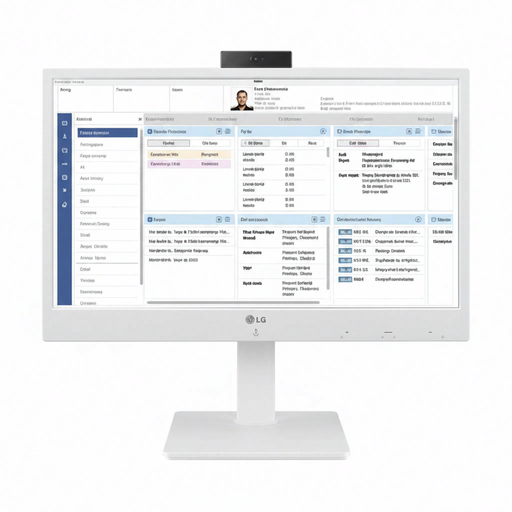
LG All-in-One Thin Client 24CR670N-6P
The built-in screen makes this an option to consider if you’re looking for an all-in-one setup; the product description mentions cloud and VDI applications.
24-inch Full HD IPS screen, integrated webcam, microphone and speakers, Wi-Fi, Bluetooth and Ethernet.
Joybuy
 No image available
HP 24-cr0050nd 895R0EA#ABH
The built-in screen combines the PC and monitor for a workstation where you want to view plans.
23.8-inch Full HD IPS screen, AMD Ryzen 5 7520U, 8 GB onboard memory, 512 GB SSD and Windows 11 Home. The power adapter must be purchased separately.
Joybuy
 No image available
LG AIO 24CQ651N-6N
The built-in screen could suit a shared workstation; the product description positions this thin client for cloud and VDI applications.
24-inch Full HD IPS screen and 8 GB DDR4 memory. Storage is described as a 128/256 GB option. The operating system is either not included or depends on the IT environment.
Joybuy
Frequently asked questions
Do you need to install QGIS for this workshop?
The workshop description doesn’t say. The Dutch government and PDOK offer ways to view information and map layers online; QGIS is also available to download separately. Ask the organiser which files and software will actually be used.
What should you check when setting up the workstation?
Before the workshop, check that a screen, keyboard and mouse are available and that the connections are compatible. Follow the workshop instructions for files and check in advance that the chosen viewer or software can use them; PC specifications alone can’t confirm this.
In the Netherlands, are you only covered by a one-year guarantee if the manufacturer states one year?
No. According to the Dutch government, there’s no fixed statutory guarantee period in the Netherlands: you’re entitled to a product that meets what you could reasonably expect. If a claim under the statutory guarantee is justified, the seller must provide a solution; a manufacturer’s warranty is in addition to this.
Can you tell from a map that canal restoration doesn’t need a permit?
No. According to the Dutch government, you can check the rules for a location in the Omgevingsloket and find out whether a permit or notification is required for a specific project. Without knowing the location and the planned work, it isn’t possible to determine whether a particular canal restoration plan requires a permit.


