
Reader of large plans
You view downloaded drawings or maps and want to be able to read the details, perhaps alongside your notes. PDOK explains how downloaded files can be used offline in a GIS application.


For reading and storing downloaded plans offline, prioritise a laptop with a comfortable, easy-to-read screen and enough local storage. A large screen can be useful, but it makes the laptop less compact to carry around. If you also work with GIS, first check the requirements for the specific software and version you need to use: QGIS offers desktop downloads for Windows, macOS and Linux, while Esri documents the supported Windows systems for ArcGIS Pro 3.7.
You view downloaded drawings or maps and want to be able to read the details, perhaps alongside your notes. PDOK explains how downloaded files can be used offline in a GIS application.
You store several documents or geodata files locally and want to access them without a network connection. The Consumers’ Association recommends considering 512 GB or more for large files, but the size of your own collection is what matters most.
You often move between study locations, or you need to use specified GIS software as well as read plans. QGIS offers desktop downloads for several operating systems; Esri documents ArcGIS Pro 3.7 for supported Windows systems. Check which software your course requires.
| What to consider | What to look for | Who is this most important for? |
|---|---|---|
| Viewing plans clearly | Compare screen size, resolution and finish. Also check the connections if you want to use an external monitor. | If I want to view a map and its accompanying notes at the same time, I prioritise having enough screen space. Around 40% of consumers rank space to read plans above other purchasing considerations. |
| Storing files offline | Add up the size of your files and the programmes you need, then compare the total with the SSD capacity of the exact configuration. | My downloaded plans and datasets need to be available even without a network connection, so I focus on local storage. Around 30% of consumers give offline storage top priority. |
| Taking your laptop with you | Compare the weight and size; check the connections and whether the required charger is included. | If I often move between study locations, I want a laptop that’s easy to carry without having to lug around more screen space than I need. Around 20% of consumers prioritise portability. |
| Using GIS software | Check the specified programme, version and operating system, then compare the exact configuration with the system requirements. | If my course specifies GIS software, I want to know before buying whether that particular application will work on the laptop. Around 10% of consumers give GIS compatibility top priority. |
Reading a PDF is different from editing geodata. QGIS offers desktop downloads for Windows, macOS and Linux; Esri documents ArcGIS Pro 3.7 for supported Windows systems.
Before buying, make a note of the specified GIS application and version, then check that software’s system requirements.
If you later find that specific GIS software is essential, you may need a different computer or working environment.
Downloaded datasets can be large and take up local storage when you save them for offline use.
Check how much space your files take up, then check the SSD capacity and any expansion options for the exact configuration.
If the internal storage fills up, you may need external storage.
Configurations can vary within a product range. For example, Lenovo states that the memory in model 82XN008RMH is soldered in place and cannot be upgraded.
Compare the full model number and actual configuration, including the connections and any charger supplied.
The IdeaPad Slim 3 is an example of a compact Windows laptop for documents and locally stored files.
The OmniBook X Flip is a compact convertible with a touchscreen, worth comparing if you’d also like touch controls.
The MacBook Air is a portable macOS option for documents and software that supports macOS.
The Vivobook S16 is a larger-screen option to compare if you want to view plans alongside your notes.
This selection includes compact laptops and models with a larger built-in screen for reading plans and storing downloaded files locally. Check compatibility with any specified GIS software separately.
 No image available
A 16-inch configuration to consider if you want to view plans on a larger built-in screen.
AMD Ryzen 5 7520U, 8 GB RAM, 512 GB SSD and Windows 11 Home.
The charger is not included and must be purchased separately.
 No image available
A more compact screen size to consider if you want to take your laptop between study locations.
AMD Ryzen 5 7520U, 8 GB RAM, 512 GB SSD and Windows 11 Home.
The charger is not included and must be purchased separately.
 No image available
A compact configuration to compare if you want to read plans and store files locally.
Ryzen 7 8840HS, 16 GB of memory and a 1 TB SSD.
 No image available
The 15.3-inch screen is ideal if you want to view plans and text side by side.
Ryzen 7 8840HS, 16 GB DDR5 and 512 GB PCIe 4.0 SSD; WUXGA screen and Windows 11 Home.
The charger is not included and must be purchased separately.
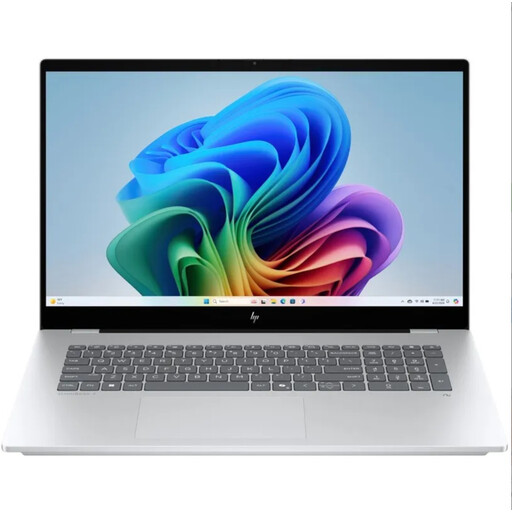 No image available
An option to compare if you want to view plans on a larger built-in screen and store plenty of material locally.
The product name specifies a QWERTY keyboard. Check the screen size, resolution and storage configuration of this model before ordering.
No, not if you’re only reading the plans. Adobe lists its own system requirements for Acrobat Reader. If you want to edit geodata locally, check the requirements for the GIS programme you’ll actually be using. PDOK explains that downloaded files can be used offline in a GIS application.
Download the dataset you need in advance and check that your GIS application can open the file. PDOK describes downloads as ZIP files and distinguishes them from map services, which retrieve data online as you navigate.
ACM ConsuWijzer states that online purchases generally come with a cooling-off period of up to 14 days after delivery, subject to legal exceptions. You’re also covered by the statutory guarantee if the product does not perform as you could reasonably expect under normal use; the seller is responsible for this.
Not necessarily: according to the Dutch Government, copyright-protected works may generally only be used with permission. A private copy for personal use must not be distributed or made public. Check the rights and terms of use for the specific plan; this general information does not establish what rights apply to your files.