What should you look for in a campsite e-reader?
First, decide where your books will come from and whether you can make them available offline before you set off. Then compare the screen, lighting, controls and protection with the way you’ll use your e-reader on the campsite.
The percentages below divide consumers by their main concern when buying an e-reader for reading fantasy on the campsite; each consumer falls into one category.
| Concern |
What to look for when buying |
Who should give this more weight? |
| Lighting and weather protection |
Adjustable screen lighting and the protection rating of the exact model; don’t assume it is dust- or sand-resistant. |
If I read outdoors and want to carry on in my tent later, I want to adjust the lighting and know how the device handles rain. Around 36% of consumers say lighting and weather protection are their main concern. |
| Making books available in advance |
Check where your e-books come from, their DRM and whether the exact model supports the files. Library books may require preparation with a computer and Adobe Digital Editions. |
If I don’t have Wi-Fi at the campsite, I want to load my novels in advance and be sure that the books I’ve chosen will work on the device. Around 29% of consumers say offline access to books is their main concern. |
| Size and charging |
Compare the screen size and controls with what you find comfortable to hold; charge the device before you set off and check the conditions behind any battery-life claims. |
If I want to read for a long time with little luggage and limited charging options, ease of handling and getting ready before I leave are important to me. Around 21% of consumers prioritise portability and charging. |
| Maps and page-turn controls |
Check whether your edition includes colour illustrations and whether the model has page-turn buttons. |
If I often turn back to maps or want to view them in colour, I pay more attention to the screen and controls. Around 14% of consumers give maps, colour and page-turn controls top priority. |
Joybuy e-readers for reading on the campsite
This selection from Joybuy includes e-readers with 6- to 7-inch screens, including colour models. Check that your preferred reading apps and book files work with the specific model.
 No image available
Bigme B751C S, 7-inch, colour
An option to compare if you want to view fantasy maps or illustrations in colour.
The product title specifies a 7-inch colour screen, 4+64 GB of storage, 300 ppi and front lighting with 36 levels.
Joybuy
 No image available
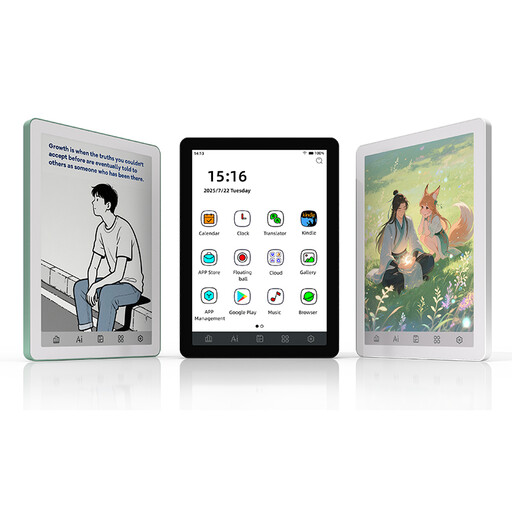
Bigme B6, 6-inch, white
A version to compare if you’re looking for a 6-inch screen for reading novels.
The product title specifies an E Ink screen, front lighting with 36 levels, Android 14 and 4+64 GB. The product description lists 300 ppi for monochrome content.
Joybuy
 No image available
Bigme B6, 6-inch, black
A version to compare if you’re looking for a 6-inch screen for reading novels.
The product title specifies an E Ink screen, front lighting with 36 levels, Android 14 and 4+64 GB. The product description lists 300 ppi for monochrome content.
Joybuy
 No image available
Bigme HiBreak Pro, colour screen
An option to compare if you want to view maps in colour and are considering an Android model; check that each reading app you want works for your needs.
The product title specifies a 6.13-inch E Ink screen, Android 14 and 8 GB+256 GB of storage.
Joybuy
Frequently asked questions
Should you choose a black-and-white or colour screen for fantasy books?
Colour isn’t essential if you mainly read novels; a colour screen is most useful if your edition includes maps or illustrations in colour. Rakuten Kobo lists the Libra Colour as a colour model, while the Clara BW isn’t listed as one.
How do you put borrowed books on your e-reader before you leave?
Choose a title from the Online Library that’s available for e-readers, then follow the steps for Adobe Digital Editions, any required account authorisation and transfer via USB. Do this at home and open the book on your e-reader before you leave if you can’t rely on Wi-Fi or a computer at the campsite.
Can you put a water-resistant e-reader in the sand or charge it while it’s wet?
Don’t assume that a water-resistance claim means the device is protected against sand. Rakuten Kobo warns that its waterproof e-readers aren’t dust- or sandproof and recommends drying the USB port before connecting the charger.
What rights do you have when you buy an e-reader online in the Netherlands?
Online purchases generally come with a statutory 14-day cooling-off period from the day of delivery. In addition, if a product breaks sooner under normal use than you could reasonably expect, the seller must offer an appropriate solution free of charge. ACM ConsuWijzer explains these Dutch consumer rights; a voluntary manufacturer’s warranty is separate.


