What should you look for when choosing a tablet for retro games at the campsite?
First, check whether your own games work offline. Then compare power, size and controls with where you’ll be playing.
| What to consider |
What should you check? |
Who is this important for? |
| Offline play |
Install the game in advance, then switch off your internet connection at home and test whether it launches and remains playable. Also check that the files have been obtained lawfully. |
If I don’t have a reliable connection at the campsite, I want to get my chosen games ready in advance and test them offline. Around 26% of consumers prioritise offline play. |
| Playing between charges |
Only compare battery life in like-for-like tests, and check charging support, the right charger and charging options at the campsite. mAh doesn’t tell you how many hours you can play for. |
If I can’t always play near a power socket, I look at charging options and battery tests that reflect how I use my tablet. Around 26% of consumers prioritise play time between charges. |
| Size and screen readability |
Think about whether you’ll mostly play with the tablet in hand or at a table; check the dimensions and weight of the exact version, and test the screen outdoors. |
If I’ll be holding the tablet a lot or have limited luggage space, ease of handling matters. Around 16% of consumers prioritise portability. |
| Controls |
Check that the specific game you want to play supports your preferred controller, and test pairing and gameplay before you leave. Remember to factor in the extra controller you’ll be taking with you. |
If touch controls don’t suit the games I want to play, I want to know in advance whether my controller will work. Around 16% of consumers prioritise controls that suit their needs. |
| Storage and useful life |
Check the available storage on the exact version, whether it supports a memory card and its update policy. Also factor in any accessories you’ll need. |
If I want to use the tablet for longer, I look at usable storage and support for the length of time I intend to use it. Around 16% of consumers prioritise value and lifespan. |
Joybuy products for retro games at the campsite
The options below include both compact and larger tablets for playing in hand or at a table. Before you leave, check that your games and preferred controls work with the version you’ve chosen.
 No image available
Samsung Galaxy Tab A11 X135 (64 GB)
A compact option for anyone who mainly wants to play with the tablet in hand; check the compatibility of your games and controls in advance.
The product name lists 64 GB of storage.
View at Joybuy
 No image available
Lenovo Idea Tab Pro TB373FU (12.7-inch, 3K, 144 Hz)
The larger screen is better suited to playing at a table than holding the tablet for long periods; check that your games work on this model.
The product name lists a 12.7-inch 3K screen with 144 Hz.
View at Joybuy
 No image available
Lenovo Idea Tab (11-inch, 256 GB)
A larger-screen option for playing at a table; check that your games and accessories are compatible in advance.
The product name lists 11 inches, 8 GB RAM, 256 GB storage, Wi-Fi 5 and Android 15.
View at Joybuy
 No image available
Samsung Galaxy Tab A11 Plus (11-inch, 128 GB)
The 11-inch size makes it a good option for playing at a table; test in advance that your chosen games work on this version.
The product name lists 11 inches, 128 GB and Wi-Fi.
View at Joybuy
 No image available
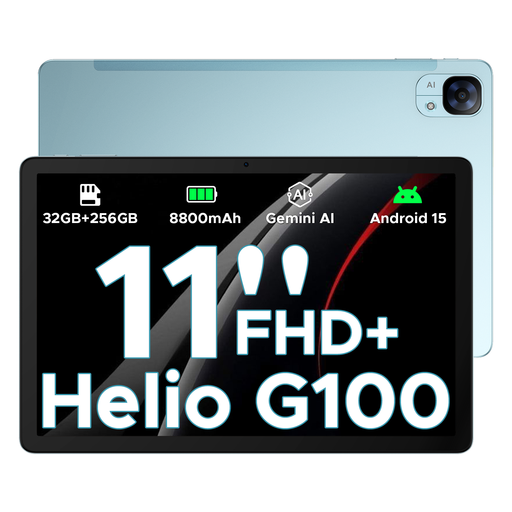
DOOGEE Tab E3 (11-inch FHD+, 90 Hz)
A mid-sized screen could suit playing on the go or at a table; check that your specific games work in advance.
The product name lists Android 15, a Helio G100 and an 11-inch FHD+ screen with 90 Hz.
View at Joybuy
Frequently asked questions about retro games on a camping tablet
Can I play retro games at the campsite without Wi-Fi?
It depends on the specific game and any sign-in or download requirements. Install the game in advance, then switch off your internet connection at home and test whether it launches and remains playable; a poor connection can prevent downloads.
Will every Bluetooth controller work with every game?
No, it varies from game to game. Android supports gamepad input, but the game developer decides which controls work; check the game’s information and test your own controller in advance. Android Developers describes the available game controller support.
How can I protect a tablet while camping?
Keep the tablet dry and follow the operating conditions for your chosen model. Apple specifies an ambient temperature of 0 to 35 °C for iPads and warns that heat can affect charging and screen display, among other things; don’t assume the same limits apply to other brands.
Can I simply download ROM files for old games?
No, an emulator doesn’t, by itself, give you permission to download or use game files. The Dutch government explains that copyright rules also apply to games and that you may only make a backup copy; check that you have the necessary rights for the specific game and source.
What if my tablet breaks sooner than I could reasonably expect?
With normal use, you’re entitled to a product that works properly for the period you could reasonably expect. ACM ConsuWijzer says that if a product is faulty, the retailer is your point of contact for the legal guarantee; this right doesn’t automatically end after two years.


