
Student with an existing lantern and cable
Looking for a mains charger that fits the lantern’s charging port and both ends of their existing cable.


Start with your camping lantern’s instructions and check the input voltage and current it requires, as well as the type of plug at the charger end of your cable. Then choose a USB-A charger, a USB-C charger or a model with both ports. A higher maximum wattage doesn’t automatically mean your lantern will charge faster. Also check the information for the exact charger, and charge the lantern away from bedding with an undamaged cable.
Looking for a mains charger that fits the lantern’s charging port and both ends of their existing cable.
Short on space and wants to place the lantern, cable and charger safely while charging.
May also want to charge a second device, so compares chargers with one port or with USB-A and USB-C.
When choosing a charger for a camping lantern in a student room, start with the lantern’s connection and charging requirements. Extra ports are mainly useful if you also want to connect another device.
| What to consider | What should you check? | Who should consider this? |
|---|---|---|
| Connection and compatibility | Compare the plug at the charger end of the cable with the charger port. Also check the input voltage and current in the lantern’s instructions. | If I want to use my existing lantern and cable, the plugs and charging requirements need to match. Around 36% of consumers say a suitable connection and compatibility are their main concern. |
| Safe charging in a small room | Check the information for the exact charger. Keep the charger uncovered and don’t use damaged cables. | If you’re short on space, you’ll want to keep the charger clear of bedding and avoid damaged parts. Around 29% of consumers put safe charging first. |
| Charging more than one device | Check the number and type of ports. If you connect several devices at once, check the stated output ratings. | If I want to charge both my lantern and another device from one socket, I’ll check the ports and the power available when both are in use. Around 21% of consumers give this their highest priority. |
| Total cost and after-sales support | Check whether the required cable is included, and keep the seller’s details. | If you don’t have a suitable cable, you’ll want to know whether one comes with the charger. The seller also matters if something goes wrong. Around 14% of consumers say extra costs and after-sales support are their main concern. |
USB-A and USB-C are different plug types. So the charger may not fit your cable, even if your lantern charges via USB.
Compare your cable with the charger’s specifications, and check the lantern’s input requirements before you order.
The stated maximum is a feature of the charger, not a measurement of how quickly a particular camping lantern charges.
Compare the lantern’s charging requirements with the output ratings of the port you plan to use. If two devices are connected, also check the information about using them at the same time.
The Netherlands Fire Service warns against using damaged cables and chargers. A charger under bedding may not be able to release heat properly.
Don’t use damaged parts. Keep the charger uncovered while charging, not under a pillow or duvet.
Belkin offers chargers with USB-A and USB-C. The right port depends on your cable and your lantern’s charging requirements.
Hama’s model 00201991 is a mains charger with one USB-A port and one USB-C port.
The Nexode 20W set mentioned here is designed for USB-C and is listed with a charger and USB-C cables.
This Joybuy selection includes USB chargers with USB-A and USB-C ports. Always check that the port, output ratings and included cable match your lantern’s instructions.
 No image available
The USB-A and USB-C ports accommodate cables with different plug types at the charger end. Check which combination your lantern needs.
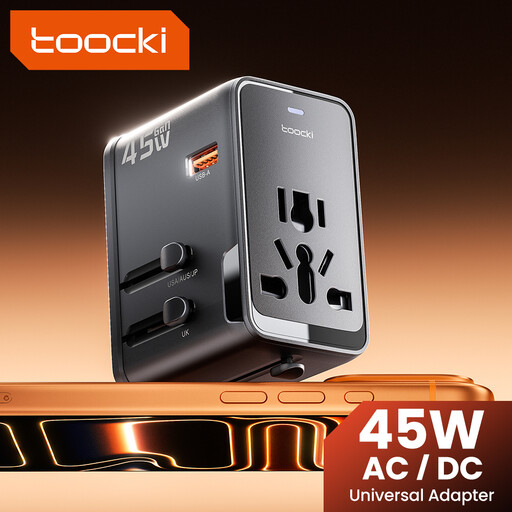
The product name lists 45 W, one USB-A port and two USB-C ports. Check your lantern’s charging requirements before choosing a port.
 No image available
With Type A and Type C, this adapter offers two port types to compare with the plug on your lantern cable. Check the lantern’s charging requirements too.
The product name lists 80 W and two ports: Type A and Type C. This doesn’t confirm how quickly your camping lantern will charge.
 No image available
The combination of USB-A and USB-C may suit different cable plugs. Check which connection and output ratings your lantern needs.
The product name lists 65 W, two USB-C ports and one USB-A port. The product description says it’s for indoor use and should be kept away from moisture. Don’t use the charger if any part is damaged.
 No image available
The USB-A and USB-C ports give you a choice of plug types at the charger end of the cable. Check your lantern’s input requirements.
The product name lists 30 W, USB-A and USB-C. The product description says it’s for indoor use in a dry place. Don’t use the charger or cable if it’s damaged.
 No image available
The two port types can be used with cables that have a USB-A or USB-C plug at the charger end. Check which combination suits your lantern.
The product name lists 20 W, USB-C and USB-A. The product description says it’s for indoor use in a dry place. Don’t use the charger or cable if it’s damaged.
Compare the plug at the charger end of the cable and the charging requirements in the instructions with the charger’s port and output ratings. Knowing that the lantern charges via USB doesn’t tell you whether you need USB-A or USB-C at the charger end.
Not just because it says 20 W. First check your lantern’s charging requirements and the output ratings of the port you plan to use. A charger’s maximum output isn’t a measured charging speed for the lantern.
Follow the lantern’s instructions and don’t charge it under a pillow or duvet. The Netherlands Fire Service advises keeping a charger uncovered so heat can escape, and avoiding damaged cables and chargers.
No. A CE mark isn’t an independent safety certificate. The European Union’s Your Europe explains that CE marking is only required for product groups covered by the relevant EU rules. Check the information for the exact charger.
In the Netherlands, a product must meet the standards you could reasonably expect when used normally. According to ACM ConsuWijzer, the seller is responsible for providing a suitable remedy free of charge, such as a repair or replacement. A manufacturer’s guarantee doesn’t affect your statutory rights.