What should you look for when choosing?
Mirrorless camera with interchangeable macro lens
Choose this option if: you want to film small components in close-up and tailor your lens choice to your workspace.
Bear in mind: you may need to buy a macro lens separately, and a short working distance can limit the space available for your hands. Sony specifies a working distance of 2.4 cm for the SEL30M35 at maximum magnification; Canon quotes a maximum magnification of 1:2 for the RF 35mm macro lens.
Compact camera with a close-up function
Choose this option if: you want to try both wide shots and close-ups with one compact camera, without changing lenses.
Bear in mind: the close-up distance described by OM SYSTEM for the TG-7 applies to microscope mode. Check separately whether your chosen framing is also available when recording video.
When filming at a home workbench, it’s not just about detail: you also need to consider clear workspace, lighting and the complete recording setup.
| What to consider |
What to look for when buying |
Who should prioritise this? |
| Small components |
Compare the magnification and framing of the exact lens, taking the working distance into account too. |
If I want to show screws or watch components clearly, framing is what matters most to me. Around 31% of consumers prioritise detail. |
| Clear workspace |
Check the framing you want where the camera will be positioned, leaving room for your hands and tools. |
If I want to keep working on the watch while filming, I don’t want the camera or lens to get in my way. Around 25% of consumers prioritise workspace. |
| Reflections and lighting |
Try diffuse, movable lighting on the actual watch and check components at different heights too. |
With shiny parts, I want to control reflections without losing detail in the shadows. Around 25% of consumers prioritise clear images under work lighting. |
| Recording time and complete setup |
Check the video settings and power supply, and factor in the lens, mounting equipment, lighting and storage. |
If I want to record a longer repair without unnecessary interruptions, I consider both the recording settings and everything included in the full setup. Around 19% of consumers prioritise recording time and the complete setup. |
Brands to compare
The features listed apply to specific models and lens combinations; they aren’t a general recommendation for any brand.
Canon
The EOS R50 is a mirrorless camera that you can pair with a separately selected RF lens.
- Canon Netherlands specifies UHD 4K/30p for the EOS R50 and a maximum magnification of 1:2 for the compatible RF 35mm F1.8 MACRO IS STM lens.
- The macro lens mentioned is sold separately; its magnification doesn’t automatically apply to every EOS R50 kit.
Sony
The ZV-E10 II takes interchangeable E-mount lenses; your choice of lens also determines its close-up capabilities.
- Sony specifies 1:1 magnification for the separate SEL30M35 macro lens.
- At maximum magnification, the specified working distance from the front of the lens is 2.4 cm. The ZV-E10 II kit comes with a 16–50mm zoom lens, not the SEL30M35.
OM SYSTEM
The Tough TG-7 offers a compact option with a built-in microscope mode.
- OM SYSTEM lists a microscope mode and 4K video.
- The specified distance of 1 cm applies to the close-up shooting mode; check the distance and framing separately in your chosen video mode.
Nikon
The Z50II and separate NIKKOR Z MC lenses offer a mirrorless camera option for video and close-ups.
- Nikon describes a Product Review mode for the Z50II that shifts focus from a face to objects held up to the camera. Nikon specifies 1:1 magnification for the Z MC 50mm f/2.8.
- These model specifications and manufacturer descriptions aren’t independent tests of watch repair videos.
Panasonic
The LUMIX G100D is a Micro Four Thirds mirrorless camera; you’ll need to assess the close-up capabilities of its lens separately.
- Panasonic lists a kit for the DC-G100DW with 12–32mm and 45–150mm lenses, and also describes a separate 30mm macro lens.
- Check whether your chosen lens suits the framing and working distance you want; a kit lens and a macro lens aren’t the same thing.
Cameras on Joybuy
These Joybuy picks are aimed at video recording. For watch repairs, also check whether the framing, working distance and mounting suit your workbench.
 No image available
Osmo Pocket 4P Vlog Combo, Black
The product description lists a 20mm f/2.0 wide-angle lens and 4K video. Check whether the wide-angle framing suits the close-up view you want of the repair.
View at Joybuy
 No image available
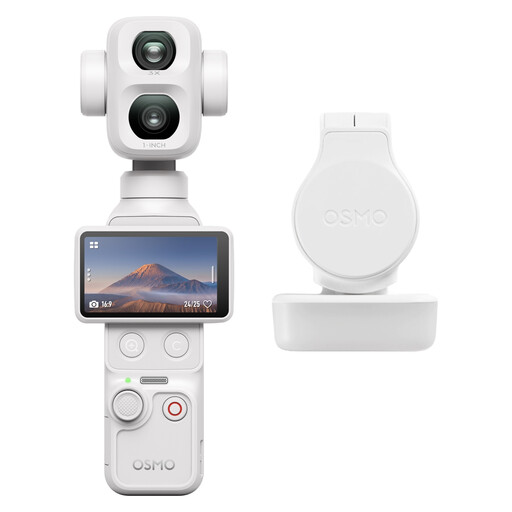
DJI Osmo Pocket 4P Standard Combo, White
The product description lists 8K/30fps 360° video and built-in storage. Check whether 360° recording and the framing you want suit your fixed workspace and the details you need to show.
View at Joybuy
 No image available
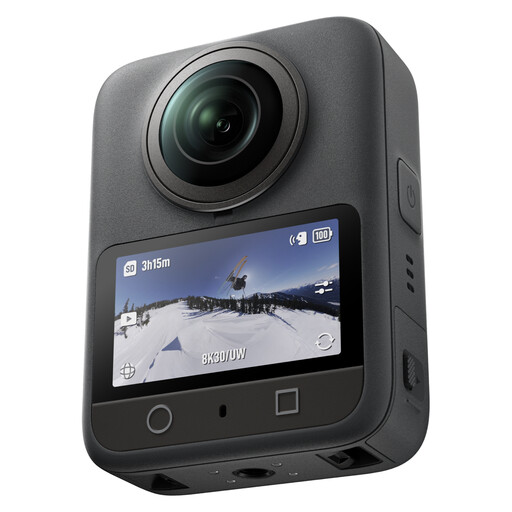
DJI Osmo 360 Standard Combo
The product description lists 4K video; 4K/240fps is specifically listed for slow-motion mode. Check the recording settings and the frame you need for a repair.
View at Joybuy
 No image available
Sony ZV-E10 with 16–50mm zoom lens, black
This version is listed with a 16–50mm zoom lens. The product description mentions 4K at 30 fps and a Product Showcase setting that shifts focus from a face to an object. Check whether the lens gives you the close-up framing you want.
View at Joybuy
 No image available
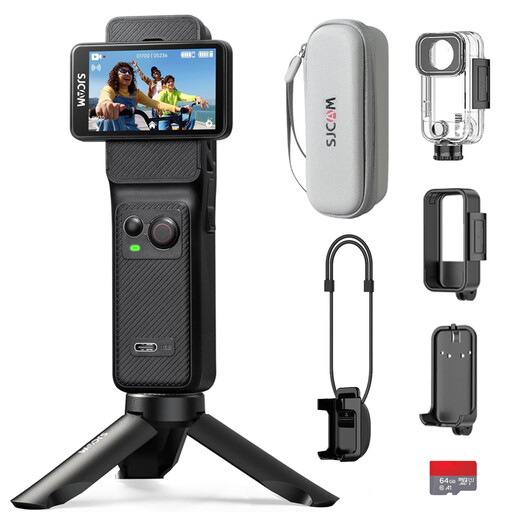
SJCAM C400 Action Camera, 4K, black, includes 64 GB card
The product description lists 4K at 30 fps and a 154° wide-angle lens; the product name also mentions an included 64 GB card. Check whether the wide-angle view suits the framing you need for a watch repair.
View at Joybuy
Frequently asked questions
Do you need 1:1 magnification to film a watch repair?
Not for every shot. First decide whether you want to show the whole watch, a repair step or an individual component. Sony specifies 1:1 for the SEL30M35 and Canon a maximum of 1:2 for the RF 35mm; assess the framing you want alongside the working distance at your workspace.
How can you reduce reflections on shiny watch components?
Try diffuse lighting and adjust the angle of the light if needed. Basler describes diffused lighting for highly reflective surfaces; this lighting advice doesn’t guarantee a particular result with a specific camera.
What should you consider when recording longer videos?
Check the video setting, power supply and storage you’ll need for the specific camera. Canon lists UHD 4K/30p for the EOS R50 when recording for more than 30 minutes; this doesn’t mean that every setting or power arrangement allows unlimited recording.
What are your rights as a consumer when buying online?
According to ACM ConsuWijzer, for an ordinary online product purchase you generally have up to 14 days after delivery to change your mind, subject to legal exceptions. Your statutory guarantee is also separate from any seller’s guarantee: a product must meet what you could reasonably expect from it.
Can you publish a repair video featuring recognisable people?
If you create and publish footage featuring recognisable people on behalf of a business or organisation for professional or commercial purposes, the GDPR applies, according to the Dutch Data Protection Authority, and you need a lawful basis under the GDPR. Consent can be one lawful basis, but it isn’t the only option. This source doesn’t establish a general requirement to publish, or obtain consent for, a video showing only your own repair.


